PRODUCT UPDATE / 2D animation · Game assets
Ludo adds New Direction to turn existing sprite animations
The October 5 update re-renders an existing sprite animation from another angle. It needs a first frame facing the new direction and uses Hydra at 9–15 credits per generated direction.
For projects extending an existing character animation to more facing directions.
Ludo added New Direction on October 5, a Sprite Generator mode that re-renders an existing animation from another angle. For a top-down 2D game, one walking or casting animation can become the reference for additional character directions.
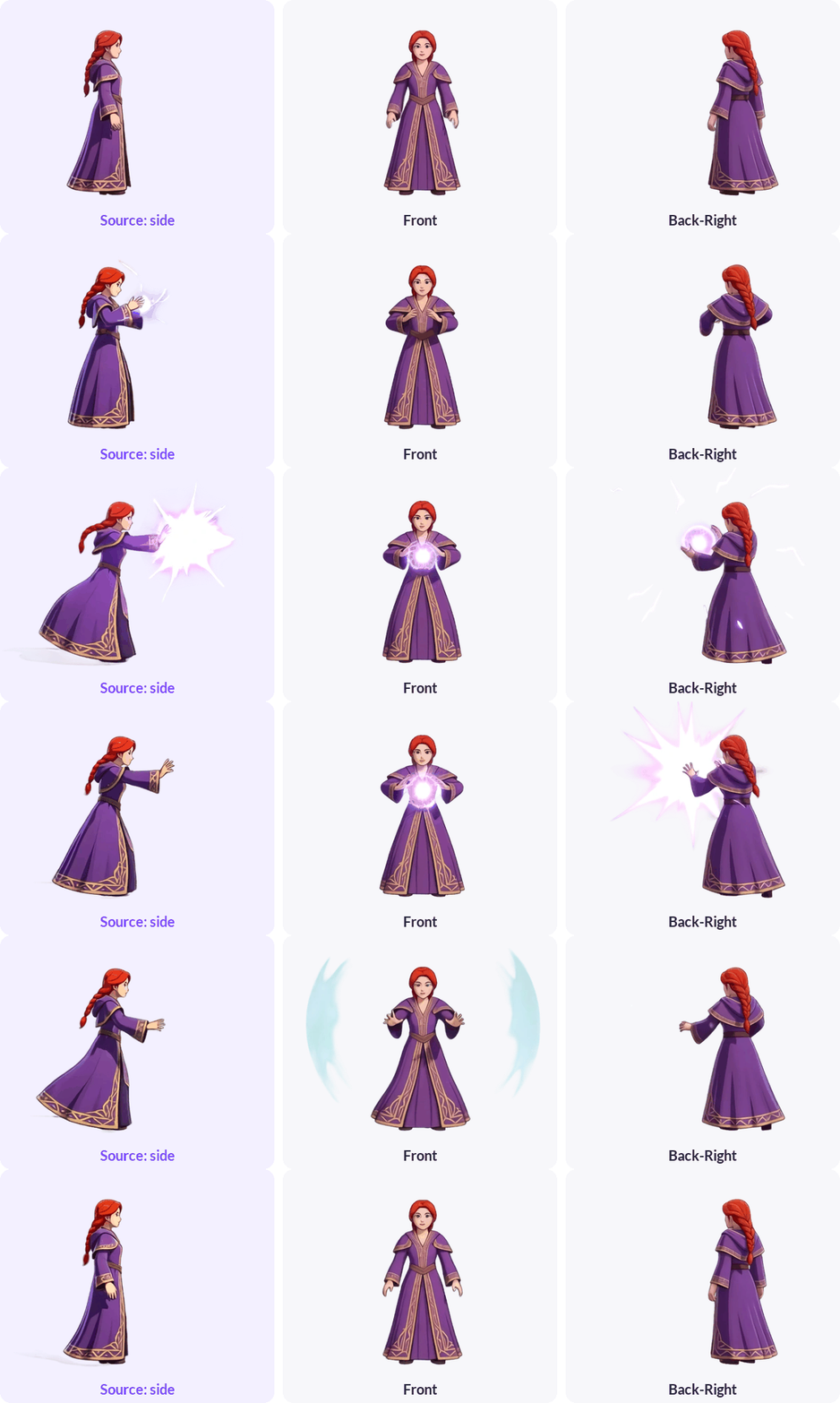
Ludo's demonstration shows a side-facing mage casting toward the front and toward the back-right. The company describes the mode as carrying over the source motion and timing; each new direction is generated separately.
Supply a first frame facing the new direction
The Sprite Generator guide explains the inputs: choose a source animation, then supply the same character facing the target direction. You can copy its first frame, use Change Direction to select an angle and elevation, and send the result back with Use in Animation. An uploaded drawing of the new view also works.
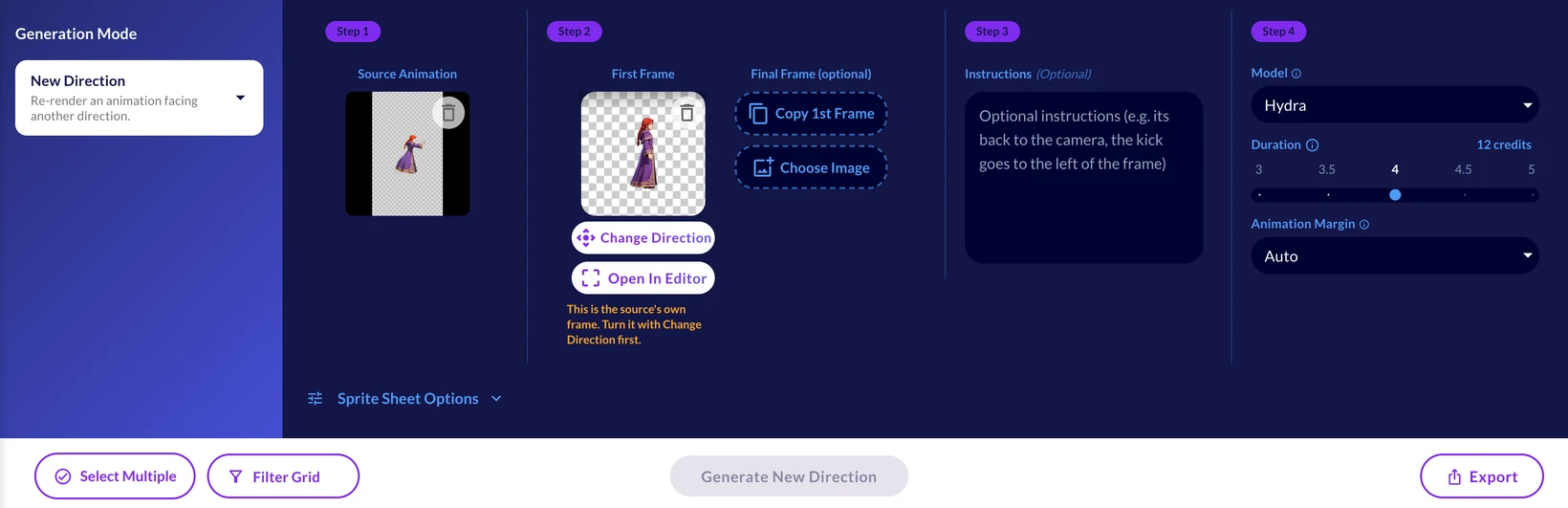
Generation stays disabled while the first frame is still the source's unchanged frame. The direction picker offers eight angles, including front, side and diagonal views.
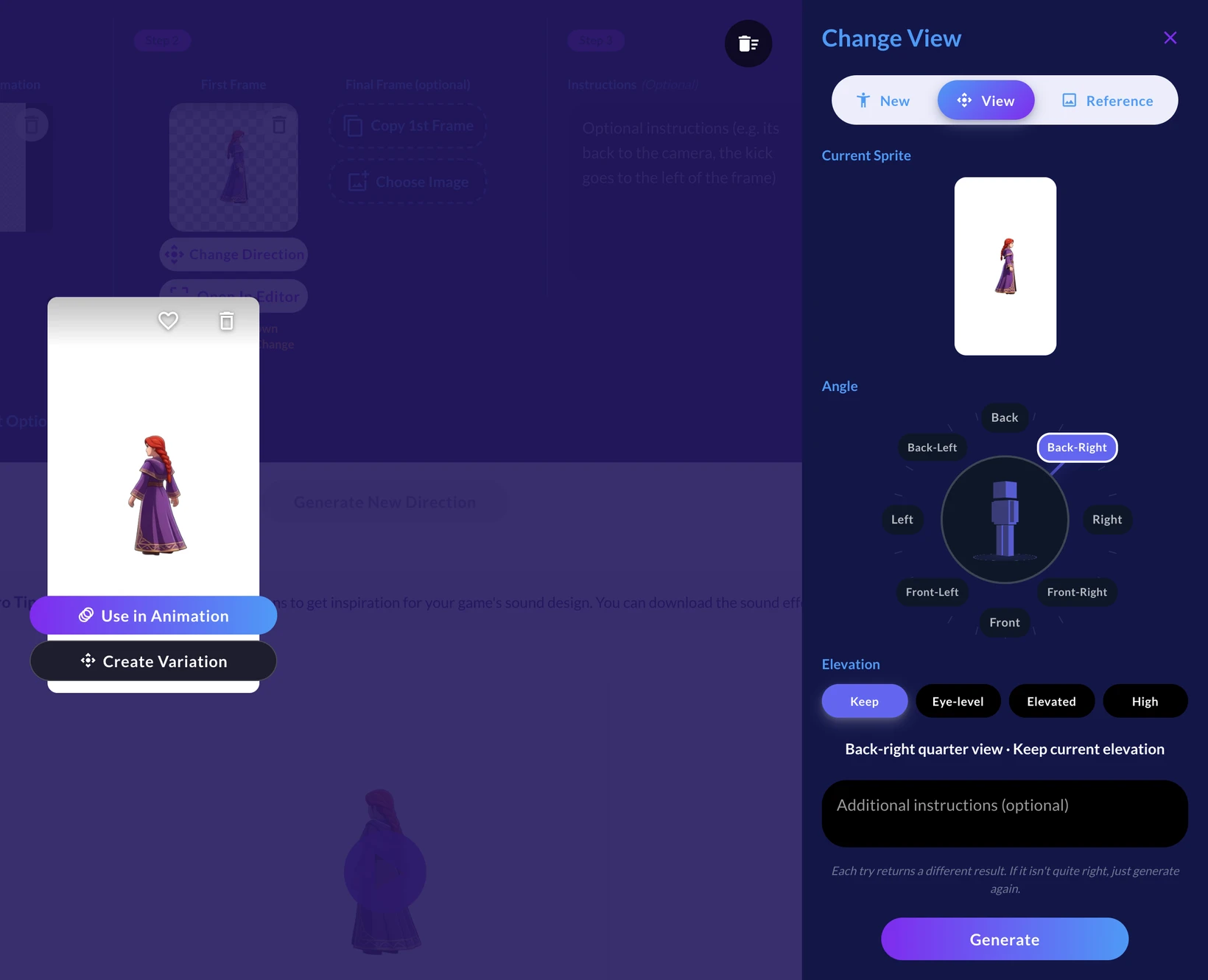
Each new direction costs 9–15 credits
New Direction uses Hydra and supports 3–5 seconds at 3 credits per second. The selected duration therefore reserves 9–15 credits, with charging based on what is generated. The guide says shorter sources are re-timed and longer ones sped up to fit, so source timing can change at these limits.
The announcement also lists rotateSpritesheet for API and MCP users and ludo sprite rotate-sheet for the CLI. These developer interfaces require Pro or Studio. The pricing page confirms that API, MCP and CLI generation consumes credits even when a plan includes unlimited web features.
This gives projects with an existing animation a way to build more facing directions. Check the resulting silhouettes, detail and loop seams before adding them to a game's moveset.
Sources (5)
No sponsorship or affiliate links in this article.