In-editor Assistant
Ask questions, plan a feature, and apply supported changes with project context. Long plans and complex scene behavior remain less dependable in current user reports.
O02O03U01U02U04AI help inside Unity—and an official CLI bridge for external coding agents.
PRODUCT OVERVIEW
“Unity AI” now refers to a changing family of AI tools rather than one stable product. The in-editor Assistant can answer questions, plan work, and act on scripts, components, scenes, and project context. Separate generators cover selected asset tasks, while AI Gateway can bring eligible third-party agents into Unity's chat surface.
For external tools such as Codex or Claude Code, the most important current route is Unity CLI with the Unity Pipeline package. The CLI is free and does not require a Unity AI subscription. It can expose project context, execute supported editor operations, and return structured results; its new MCP mode is distinct from the deprecated MCP server bundled with the older Assistant package.
Natural-language help can let someone without full C# experience move a small Unity project forward. The creator still needs to understand scenes, components, Inspector values, the Console, and the playable result well enough to describe what should happen and reject what is wrong. These tools reduce the coding barrier; they do not turn Unity into a self-validating game generator.
Use Unity 6 with the compatible prerelease packages for Assistant or Pipeline. Personal AI is a separate $10 monthly credit subscription; Unity CLI is a free connector that still needs a compatible editor, local setup, and an external agent or model.
Ask questions, plan a feature, and apply supported changes with project context. Long plans and complex scene behavior remain less dependable in current user reports.
O02O03U01U02U04Unity CLI plus Pipeline lets an external agent read and change a local project and retrieve results. The older Assistant-package MCP is deprecated and should not anchor new setup advice.
O05O07O08O09O10Eligible Unity subscriptions and assigned seats can connect supported third-party agents inside Unity chat. Provider usage is billed separately and Gateway is not the same as the free CLI connector.
O04Assistant and generator tasks consume Unity credits using model- and context-dependent estimates. Official examples explain scale but are not fixed task prices or accepted-output counts.
O01O06O11INTERFACE & EXAMPLES
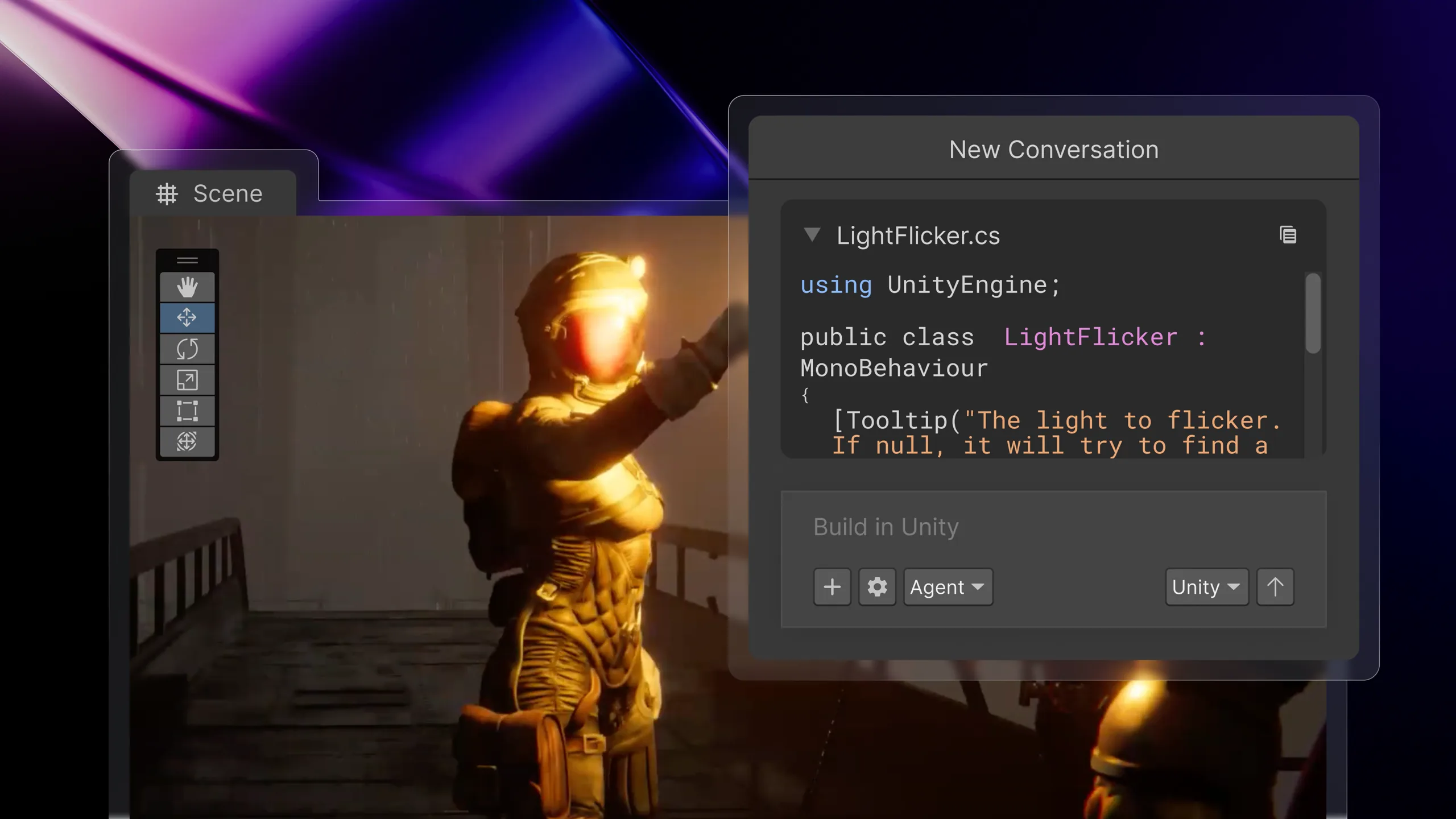
Unity's official illustration places the Assistant conversation and generated script alongside the Scene view.
Small non-confidential Unity projects, bounded code, component, and scene tasks, plus the current official external-agent bridge. This review does not cover autonomous commercial-game completion, every generator, runtime AI inference, or stable behavior across all package versions.
Beginner scope: A small Unity 6 project or one bounded feature where the creator is willing to learn the editor while iterating.
Agent scope: Let an external coding agent inspect and perform bounded operations in a compatible local Unity project.
Confidence: learning Medium · Agent Medium
These are independent editorial judgments, not an overall score or a claim of hands-on agent integration testing.
KEY FINDINGS
A non-developer and other early users could use planning, explanation, scene help, and troubleshooting. Complex UI, spawn logic, physics, and long plans still failed often enough that scene and Console literacy remained necessary.
O02U01U02U04Current project records show an agent constructing a scene and invoking editor checks while still making orientation and decoration mistakes. Structured results improve the loop; the creator must still inspect and play it.
O09O10U03U05U06Personal AI allocates 1,000 credits for $10 and publishes example task estimates. Unity CLI itself costs $0 and does not require that subscription, but the external agent, model, eligible editor, hardware, and human work remain separate costs.
O01O04O05O06O11EDITORIAL VERDICT
Unity's AI tools can materially help people who are not yet programmers: they can ask project-aware questions, generate or repair a small feature, and use an external coding agent to operate the editor through an official path. The right expectation is “learn Unity while shipping small playable steps,” not “skip every Unity concept.” Beginner fit is therefore “some basics needed,” while Agent integration is “easy” because the free CLI and new MCP route are documented and designed for external tools. Both judgments have medium confidence because the packages are still changing quickly.
BETTER FIT
POORER FIT
WORKFLOW FIT
Use Assistant for in-editor built-in help, Gateway for eligible third-party chat, or CLI + Pipeline for an external tool operating the project.
Ask for one script, component, scene operation, or diagnosis with a visible pass condition.
Collect the structured result and Console output, inspect the scene and Inspector, then play the target flow.
RECOMMENDED WORKFLOW
Start with project constraints, reduce the field to two candidates, and use the same small prototype to test whether an engine gives both you and your AI agent a readable, executable, verifiable and recoverable workflow.
SHORTEST RESPONSIBLE PATH
This is a low-risk starting workflow synthesized from the evidence.
Use a compatible Unity 6 project and choose Assistant or the free CLI + Pipeline route deliberately.
Create a restorable checkpoint and define one visible feature, such as a door interaction or simple controller fix.
Ask the tool to inspect and plan first; review the proposed objects, files, components, and commands.
Apply the bounded change, compile, read the Console, inspect the scene and Inspector, and play the exact path.
Record the package version, route, credits or external model use, accepted result, and any manual repair before repeating.
PRICING & RIGHTS
Pricing and terms last checked: Sep 7, 2026
$10 ÷ 1,000 = $0.01 nominal subscription allocation per credit. This is neither a cash redemption rate nor a guaranteed task price.
O01O06O11An editorial composition of three official examples, not an observed end-to-end workflow.
Shows how one retry changes allocation; it does not predict a normal retry count.
Includes one stated follow-up in the official estimate; acceptance and manual repair remain unknown.
Theoretical counts assume no other credit use and identical estimates. Actual accepted-output cost needs the cash subscription, external models, Editor and build services, hardware, assets, and human repair divided by accepted results.
Unity Editor terms do not automatically resolve every Assistant, generator, or third-party model right. Beta credit terms, third-party AI terms, source-asset rights, package terms, and the project's Unity plan all remain relevant to commercial use.
Before relying on a Beta-generated asset or feature, record the tool, model, package version, input rights, and terms date. The free CLI is a connector, not blanket commercial clearance.
PRODUCTION RISKS
Assistant and Pipeline are prerelease and their entry points changed recently. Pin versions, read migration notes, and avoid mixing old Muse, old MCP, current CLI, and Gateway instructions.
O01O03O05O07User cases include useful generated layouts and troubleshooting alongside wrong orientation, decoration, physics, UI, and spawn behavior. Inspect the scene and play it.
U01U02U04U05Assistant credits, Gateway provider bills, and free CLI connectivity are different cost paths. Long logs and context can also increase the external agent's model use.
O04O05O06U06Pipeline documents confirmation and mutation boundaries, while AI policies retain data and third-party conditions. Use least privilege, backups, and non-confidential inputs until the applicable settings and terms are reviewed.
O09O10O12O14NOT VERIFIED
RESEARCH METHOD
Six concrete independent records were coded across Unity Discussions, an independent development blog, Reddit, and GitHub. Staff announcements and documentation remain official evidence rather than user records; GameDev.net syndication was excluded as a duplicate. Current and deprecated routes are separated. The evidence supports a bounded beginner and integration judgment, not a measured reliability rate.
Current product naming, Beta scope, Personal AI offer, and high-level Assistant and generator paths.
Current package requirements and the in-editor chat, Ask, Plan, and Agent entry.
Versioned prerelease changes through August 31, 2026. Changelog availability is not reliability evidence.
Connects eligible external agents inside Unity chat; subscription, seat, organization, and provider billing conditions apply.
Official migration notice: the Assistant-package MCP is deprecated; Unity CLI and Pipeline provide the current route, including a new MCP mode.
Illustrative credit estimates for questions, plans, scripts, debugging, scenes, and controllers. Estimates are not fixed quotes.
Current local project bridge for tools and agents, with a versioned prerelease package.
Installation, operating-system, identity, and experimental-status details for the free CLI.
Local token, asynchronous results, compilation boundaries, and editor-dialog behavior.
Confirmation and Undo boundaries for changes made through Pipeline.
Beta credit purchase and refund framework. It does not define a universal failed-task refund.
Official data, model, generated-content, and user-responsibility positions.
Editor licensing context; it does not resolve every AI package or third-party model right.
Additional conditions for third-party AI services surfaced through Unity products.
A user without full development experience values planning and explanation but struggles with complex UI and spawn logic.
A mixed in-editor account: useful scene and import troubleshooting, but unreliable long-plan execution.
A product-manager-background user reports easier compile and memory checks while leaving long-session stability and screenshots unresolved; the article used Agent-assisted writing.
An early trial found visual generation promising in places while vehicle physics and complex scenes failed. Current package behavior may differ.
A concrete current project reports useful scene construction alongside orientation and decoration errors.
A third-party wrapper issue reports command and log overhead. It is version-specific and cannot define current token cost.
DISCLOSURE
Independent editorial research. MakeGameWithAI has no affiliate link, sponsorship, Unity-provided account, credits, package access, or technical support for this review. Owner Review approved the positioning, some-basics / medium decision, and easy Agent integration / medium decision on September 9, 2026, then approved publication on September 14, 2026. MakeGameWithAI is not sponsored by or affiliated with Unity Technologies or its affiliates. Unity and the Unity logo are trademarks or registered trademarks of Unity Technologies or its affiliates in the U.S. and elsewhere.
This public research review will be revisited when pricing, terms, product versions, or material new evidence changes.