Editable design source
Build HUDs, menus, inventories, settings, shops, dialogue, and their states from reusable components, variables, styles, and responsive layout rules.
O01O02Turn game UI ideas into editable flows, reusable components, and testable prototypes—then implement and validate them in your engine.
PRODUCT OVERVIEW
Figma Design is a collaborative UI/UX design environment. Frames hold screens and states; components and variants turn repeated controls into a system; variables and styles hold color, spacing, type, and modes; Auto Layout expresses relative layout; and prototype connections turn screens into a clickable flow. Comments, versions, shared links, and Dev Mode keep design and implementation discussions attached to the same source.
The Figma agent works inside editable design files. Its current beta can generate or revise designs, use existing components, styles, and variables, change content in bulk, summarize comments, search connected context, and provide feedback. Figma Make is a neighboring code-backed prototyping product: it accepts prompts, images, Figma frames, components, and design-system context, then provides a running preview, focused edits, code access, sharing, and publishing.
Dev Mode and the Figma MCP server expose component, variable, layout, measurement, and asset context to developers or coding agents. That context can reduce translation work, but it is not a game-engine runtime. Unity, Unreal, Godot, or a custom engine still needs real input, data binding, state, localization, animation, adaptation, accessibility, performance, and QA.
A Starter account can begin in drafts with a limited monthly and daily AI allowance. A paid Full seat is the closest self-serve route to complete Design, Make, team-library, sharing, publishing, and developer-handoff capabilities. Dev and Collab seats are cheaper but do not provide the same creation and publishing rights.
Build HUDs, menus, inventories, settings, shops, dialogue, and their states from reusable components, variables, styles, and responsive layout rules.
O01O02Start from language, remix a selection, apply design-system context, automate bounded content work, and request feedback while keeping the result editable.
O05O06Use Make when a clickable Figma prototype is not enough and one flow needs richer state or behavior. A copied preview becomes separate design layers and does not remain synchronized.
O07O08O09Pass structured design context through Dev Mode, exports, or MCP. Translate it into the target architecture and validate it instead of treating generated web code or frame hierarchy as final game UI.
O11O12INTERFACE & EXAMPLES
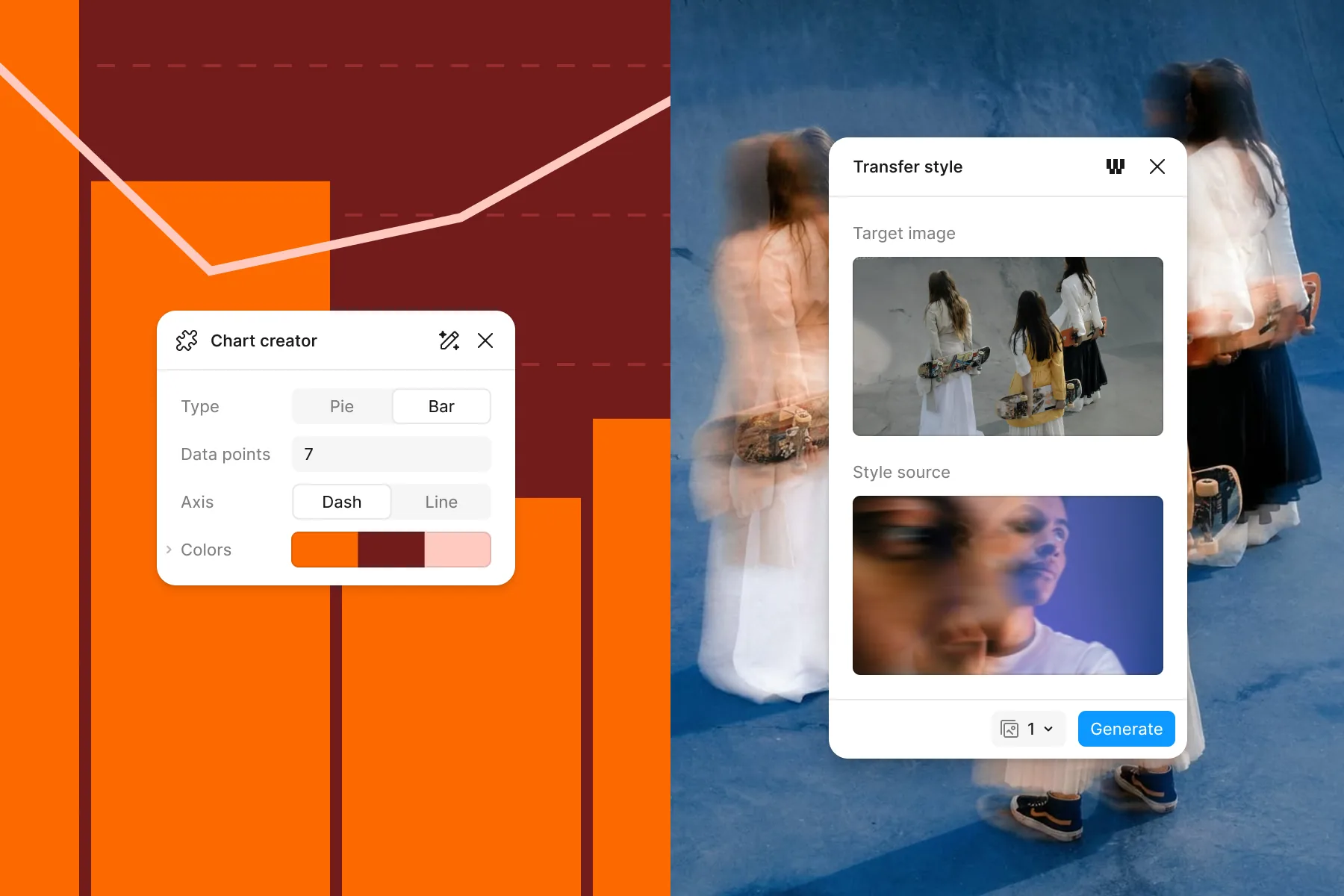
Figma's official examples show a chart-creation plugin and an image style-transfer panel on the canvas.
This review covers Figma Design, the design agent, Figma Make, Dev Mode, MCP, and the UI/UX handoff needed by game projects. It does not evaluate Figma Sites, Buzz, Slides, FigJam, Weave, or Motion as complete products; rank competitors; or claim game-engine output quality, production stability, or a one-prompt path to shippable UI.
Beginner scope: Editable, reusable game UI design; a first prompt-based Make prototype can be simpler.
Agent scope: Give design context to a coding agent and edit canvases where authorized.
Confidence: learning Medium · Agent Medium
These are independent editorial judgments, not an overall score or a claim of hands-on agent integration testing.
KEY FINDINGS
Across game projects, Figma holds flows, components, states, visual rules, and handoff intent before the UI is implemented elsewhere. That reduces ambiguity and makes revision easier; it does not by itself prove usability or runtime quality.
U01U02U03U04U05U08U09Editable frames and components express intent; Figma prototypes or Make previews demonstrate a flow; the game engine implements real input, state, data, adaptation, animation, and performance. Public projects repeatedly retain that separation.
O07O08O12U01U04U05U06U07Templates, visual editing, components, references, and AI reduce the blank-canvas barrier for people without formal design or programming experience. The evidence supports faster entry, not the removal of UI/UX, visual, interaction, or engineering judgment.
O01O05O06O07U04U08U10Components, variables, semantic naming, export conventions, and a deliberate file structure help people and agents understand intent. Deep, arbitrary frames or flat images can create extra runtime hierarchy, asset, and translation work.
O10O11O12U02U03U06U09Make and the agent can produce useful first prototypes and bounded edits, but reports also show unrelated rewrites, changed interaction choices, incomplete rollback, long cleanup, and conversion failures. Existing near-final designs need smaller steps, version checkpoints, and more direct editing.
O09O10U10U11U12U13U14Official fixed and lower-bound examples can estimate how many first attempts fit within a seat allowance. Model choice, complexity, context, retries, manual cleanup, and engine implementation decide the real cost of an accepted screen or flow, and that cost is not established here.
O02O03O04O10As between the parties, inputs and outputs remain Customer Content, but Figma does not guarantee output accuracy, reliability, or clearance. Make may introduce third-party fonts, packages, or images; training defaults, collaborator-visible agent chats, and public publishing must be checked before sensitive work.
O06O07O08O13O14O15EDITORIAL VERDICT
Figma is a strong, low-risk foundation for an indie developer who needs to turn a game UI idea into an editable, demonstrable, reusable, and handoff-ready source of truth. A non-designer or non-programmer can start from references, templates, and AI to produce a first flow. Release-quality work still requires information hierarchy, component and layout judgment, game-input knowledge, engine implementation, and testing. Use AI first for exploration, bulk content, or one bounded interaction. When a design is close to final and must remain exact, small reviewed changes and dependable versioning matter more than repeated prompting.
BETTER FIT
POORER FIT
WORKFLOW FIT
Choose three to five screens, list every state, and write success criteria for navigation, information hierarchy, and target input before generating polished visuals.
Turn repeated controls into components, put color, type, spacing, and modes into variables or styles, and use names that correspond to intended engine responsibilities.
Use normal prototype connections for navigation. Copy the file and try Make only when one flow needs richer state or behavior that a clickable prototype cannot express.
Carry over design intent and assets, then bind real input and data and test resolution, localization, accessibility, animation, and performance in Unity, Unreal, Godot, or the chosen runtime.
Track credits, waiting, unrelated changes, manual design cleanup, accepted elements, and engine implementation time. Expand only when the accepted result saves meaningful total work.
RECOMMENDED WORKFLOW
Start from a testable brief, then move through prototyping, assets, audio, testing, and release with an explicit handoff and human check at every step.
SHORTEST RESPONSIBLE PATH
This is a low-risk starting workflow synthesized from the evidence.
Choose one bounded flow, such as Main menu → Settings → Change volume → Back, and list all normal, hover, focus, disabled, loading, error, and empty states it needs.
Build a low-fidelity wireframe in a Starter draft using basic shapes or a template; validate information order and keyboard, controller, or touch targets before adding polish.
Convert repeated buttons, panels, type, spacing, and colors into components and variables with semantic names that can survive engine handoff.
Connect ordinary navigation with Figma prototyping. If richer behavior is essential, duplicate the file and ask Make for only that one interaction.
For every AI action, record credits, wait time, unintended changes, manual correction, and the elements you actually keep; commit a version checkpoint before the next step.
Rebuild one approved screen in the target engine with real input and data. Test multiple resolutions, localization, accessibility, animation, loading and error states, and performance.
Divide real subscription or add-on spend plus design rework and engine implementation by accepted screens or flows. Upgrade or expand only if that result beats the current manual route.
PRICING & RIGHTS
Pricing and terms last checked: Sep 1, 2026
These are arithmetic bounds from the current monthly Professional Full price and included credits. They exclude tax, add-ons, design time, licensed assets, implementation, and QA. Values with a plus sign are lower bounds, so real use can only reduce the count or increase the allocation.
O02O03O04O10$16 ÷ 3,000 × 1,000. This allocates the entire suite subscription to AI credits; it is not a public add-on-credit price.
At 20 credits per use, 3,000 credits allow 150 actions, a nominal $0.11 each. One action is not a complete or correct game flow.
At the published 75+ credit example, the nominal allocation is at least $0.40 per first pass. Complexity and corrections make the real count lower.
At the published 100+ credit example, the nominal allocation is at least $0.53. This is a web-app example, not a finished game interface.
One 75+ first pass plus two 30+ font-scale changes is at least 135 credits, or at least $0.72 nominally. This is sensitivity arithmetic, not an observed average.
The decision-grade denominator is accepted screens or flows after design review, engine implementation, and QA. This review has no first-party acceptance rate, rework time, or engine-implementation data, so cost per accepted game UI remains unknown.
Allowed with conditions. Under the AI Terms, inputs and outputs are Customer Content and the customer retains rights as between the parties, but the customer must review output, assess suitability, and obtain necessary clearances. Make may use third-party fonts, code packages, or images. Confirm those rights, content-training settings, collaborator access, and publishing visibility for every commercial project.
Prices are public US-dollar amounts checked September 1, 2026, before tax and regional checkout differences. Beta access, model rates, credit rules, add-on prices, and seat capabilities can change; verify the account and checkout before purchase. This is not legal advice.
PRODUCTION RISKS
Figma and Make communicate appearance and behavior, but they do not validate game input, live data, localization, accessibility, performance, or target-platform rendering. Rebuild and test one representative screen early.
O08O12U01U04U05U06U07The agent or Make can alter unrelated appearance, logic, or controls, and one undo may not restore every change. Work in duplicated files or branches, keep version checkpoints, and review after every bounded task.
O09U10U11U12U13U14Lower-bound generation examples omit retries, context growth, design cleanup, licensed assets, and engine work. Track the complete workflow before treating a subscription as economical.
O02O03O04O10U14Make can incorporate internet-sourced fonts, code packages, and images. Generated output is not a rights clearance; inventory dependencies and replace or license uncertain material before release.
O07O13O15Starter and Professional content training is on by default but can be disabled; Organization and Enterprise default off. Eligible collaborators can see newer agent chats, and a published Make URL may be available to anyone who has it. Check settings before adding unreleased game or client material.
O06O08O14Agent, Make interfaces, write-to-canvas MCP, shared-credit treatment, and seat access are still changing, and some official eligibility wording conflicts. Confirm the actual account before designing a critical workflow around a feature.
O04O05O06O11NOT VERIFIED
RESEARCH METHOD
Research-reviewed from public evidence. We checked 15 official sources and coded 14 independent records across 11 effective websites or community surfaces and at least six source environments, including academic and professional game projects, engine communities, a vendor-hosted user forum, validated review-platform records, an independent hands-on review, and a broad design community. Figma Forum contributes 3 of 14 records (21.4%), G2 contributes 2 of 14 (14.3%), and Reddit contributes 1 of 14 (7.1%). Self-promotion, anonymous identity, vendor-hosted discussion, review-platform attributes, and older beta versions are disclosed and down-weighted. Positive entry and collaboration cases are retained alongside conversion, hierarchy, asset, drift, rollback, and cleanup failures. Confidence is medium for the bounded UI/UX-foundation conclusion, and low for current AI acceptance rate, accepted-output cost, and game-engine automation stability.
Official entry point for the current agent, Make, and MCP positioning. Vendor speed and quality claims are not treated as measured outcomes.
Current public seat prices, included AI credits, plan capabilities, and MCP rate limits.
Per-seat allowances, fixed AI actions, approximate Make examples, reset rules, undo behavior, and the limits of estimating consumption in advance.
Current add-on-credit update and the transition of beta products into the shared credit pool. Public dollar prices for add-ons are not shown.
Access, rollout, language, plan, and seat context for Figma AI. Some high-level and detailed eligibility wording is not fully aligned.
Current generation, revision, component, variable, content, feedback, comment, connector, and visibility capabilities, plus unsupported actions.
Prompt-to-app workflow, attached designs, code-backed preview, focused edits, code editing, sharing, publishing, and copying a preview into design layers.
Starter and seat limits, publishing, code export, and the one-way boundary between copied Make previews and Figma Design.
Documented failure modes for large frames, complex conversions, attachments, context, model drift, frameworks, and preview behavior. It does not provide incident rates.
Official guidance on how model choice, task complexity, long context, templates, guidelines, and repeated groundwork affect credits.
Structured design context, write-to-canvas beta, seat permissions, read-only conditions, and future usage-based pricing context.
The official guide treats its structured React and Tailwind representation as a starting point that must be translated into the target project and validated.
Input and output treatment, customer rights, human review, content training, credits, expiry, pay-as-you-go, and warranty boundaries.
Third-party model-provider restrictions, temporary processing, content and usage data, and default training settings by plan.
General account, service, beta, rights, and responsibility terms that apply alongside the AI Terms and any separate agreement.
A 14-person academic team used Figma for seven menu wireframes and documentation, Unity and C# for the prototype UI, and a custom C++ engine for the final build, alongside more than 20 playtests.
A two-week redesign organized screenshots, the game loop, pages, and components in Figma, iterated with the development lead, and handed off page assets; empty space in an icon also caused an implementation mistake.
A small Unreal team used a Figma UI kit, atomic components, dedicated file pages, and a near one-to-one Figma-to-Unreal structure while validating the game through daily and external playtests.
An eight-person team reached alpha in eight months; a first-time game UI designer created the system in Figma and translated the approved screens into Unreal Engine 5 UMG and Blueprints.
The project kept multi-iteration, high-fidelity, mobile and desktop design in Figma, while functionality, responsiveness, and animation were implemented with Unity UI Toolkit and Timeline.
One developer reports that an agent could lay out a Unity Canvas from Figma context, while textures and asset extraction remained difficult and results depended heavily on layers, naming, components, and export settings.
A Figma-exported button texture produced blurry and unintuitive 9-slice scaling in UMG; the author used two Scale Boxes to obtain a clearer 4K result.
A product designer moving into games rebuilt Bloodborne components, styles, and variables and produced a large interactive prototype without Make. It is a promoted learning reconstruction, not a shipped game.
A validated organic review from an iOS development lead values inspect, asset export, and Auto Layout context, while warning that deep frame nesting can be copied into overly complex native view hierarchies.
A validated organic small-business review says Make helps people without design skills create interactive UI quickly, while also reporting hallucinations and difficulty restoring an older design.
Users describe impressive initial prototypes and potential, but also small edits triggering rewrites, unreliable rollback, changed component appearance or logic, and additional design-system and handoff cleanup. The older beta thread is counted as one record.
A user reports roughly four minutes to generate an 8×8 table, unintended placeholder changes, and one undo that did not restore the complete prior state; a Figma community representative asked for version-history details.
A product designer found screen-by-screen import and interaction explanation workable but tedious; a requested radio-button correction became a select control, reinforcing the need to review both design and code.
An anonymous user says an existing linear design of about 18 screens required roughly five hours of removing extra views, buttons, text, and icons before they gave up; the record is retained at low weight.
DISCLOSURE
Owner Review passed on September 1, 2026, accepting this bounded public-evidence review. MakeGameWithAI has no affiliate link, sponsorship, vendor-provided account, free credits, beta access, interview, or technical support for this work and did not run the Figma agent, Make, MCP, or a game-engine integration. Portfolio cases are author-presented; G2 attributes are retained as displayed; Figma Forum is vendor-hosted user content; and the Reddit record is anonymous. Those relationships limit evidentiary weight.
This public research review will be revisited when pricing, terms, product versions, or material new evidence changes.