PRODUCT UPDATE / AI texturing
3D AI Studio rebuilds Texture Painter with autosave and 360° AI painting
Version 6.8.21 keeps AI textures in editable layers and adds saved painting sessions. Hand painting and exports are free; AI generation and cloud sessions require a paid plan.
For developers repainting existing character and prop models.
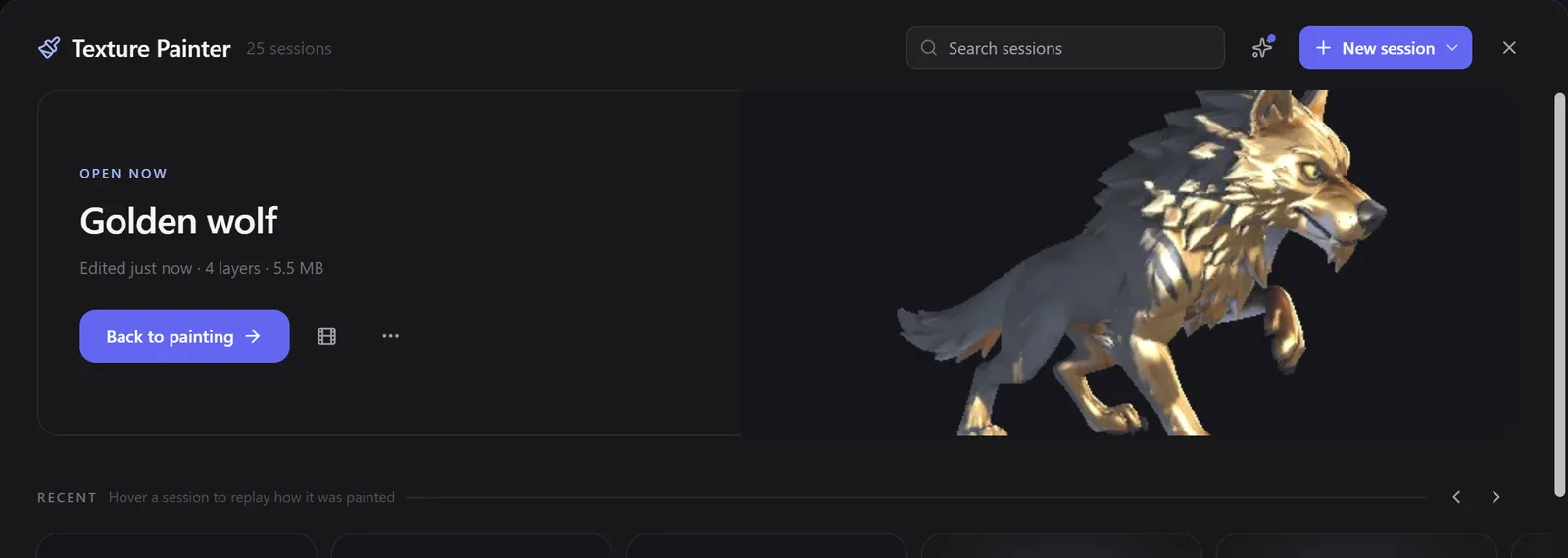
3D AI Studio rebuilt its browser-based Texture Painter in version 6.8.21, released October 16. The update adds sessions that save automatically and AI painting across multiple views. For developers revising a character's colours or a prop's surface, the editor keeps AI results and hand-painted changes in editable layers. The release notes describe the new workflow.
The workspace puts painting tools beside the model, with layers and AI controls on the right. Working texture sizes range from 1K to 8K; switching sizes preserves the layers. The default is 4K.
Keep the useful parts of an AI texture
A single-view AI result arrives as a hidden layer. Brushing reveals it locally; the eraser hides it again. This gives a developer a way to add wear to a prop while keeping an existing painted detail visible.
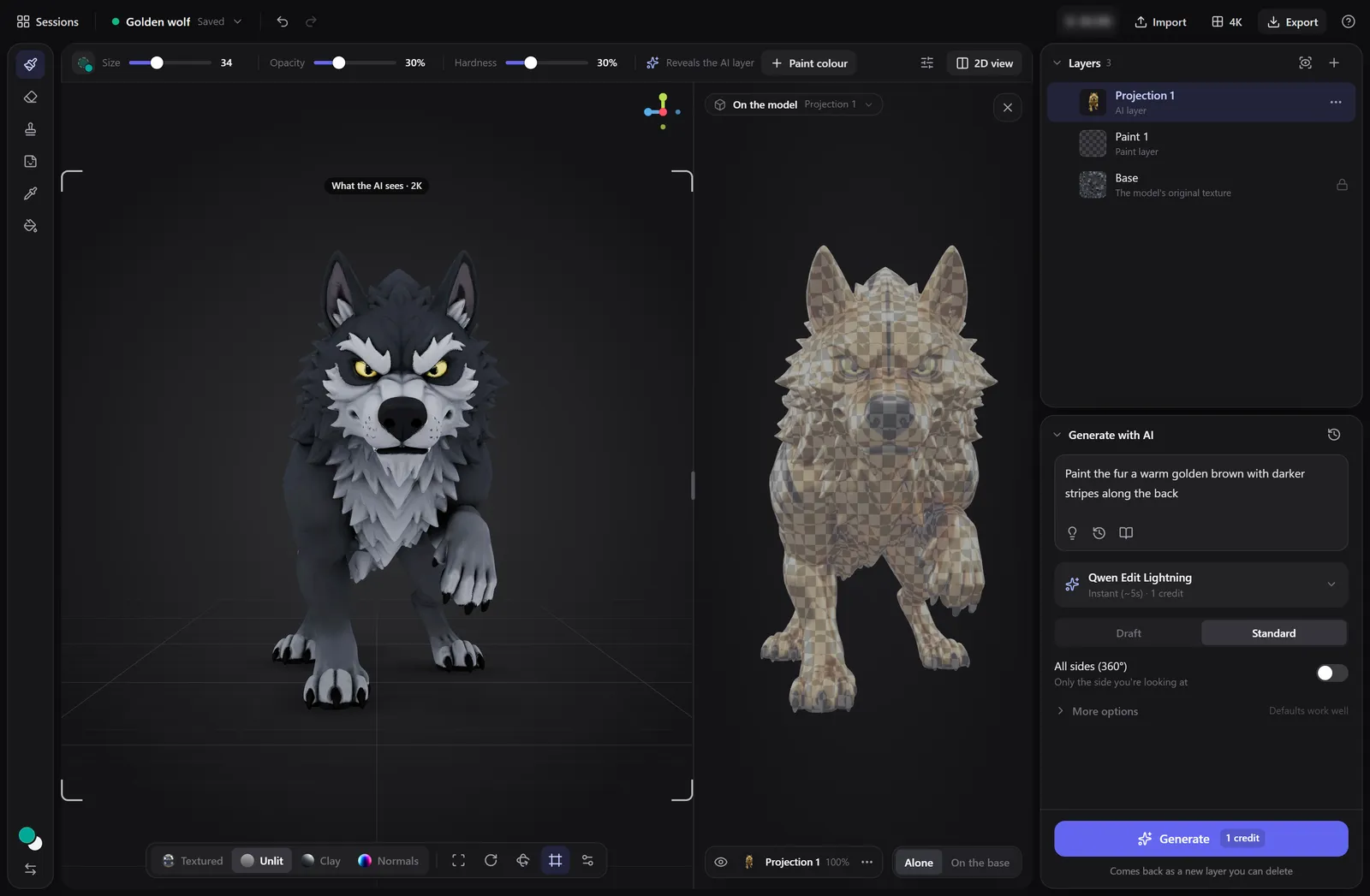
For an overall colour or material change, All sides uses four, six or nine views and blends them. Each view remains editable. The AI painting guide also describes a coverage check and Fix gaps for missed areas. Deep recesses that no camera can see still need hand painting or a fill.
Return to a saved painting session
The saving guide distinguishes browser storage from cloud storage. Free accounts can retain up to six sessions in the current browser. Paid plans add cloud sessions with a browser backup, access from another computer and version history. While painting, cloud sessions keep a version every 15 minutes, plus safety copies before major changes.
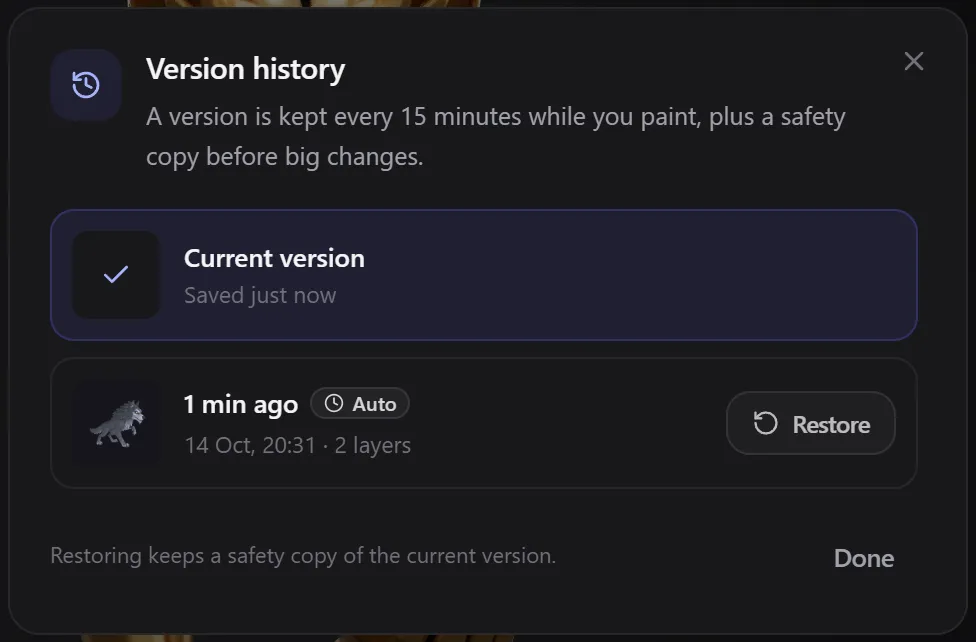
Sessions retain the model, layers, masks and settings. Only one person can edit a session at a time. Models over 300 MB are saved locally even on paid plans, and finished assets should be exported for long-term storage.
Hand painting and exports are free; AI uses credits
The plan comparison requires a free account and a model with UVs. Hand painting, layers and exports are free; AI painting requires a paid plan and credits. Qwen Edit Lightning costs one credit, while the default GPT Image 2.5 Flare starts at three. Multi-view sharpening adds a charge per view, so the total shown before generation matters.
For the next step in a game-asset workflow, the export guide offers GLB with PBR maps or separate PNG textures. OBJ and STL exports contain geometry only. Export resolution can reach 12K, separately from the working texture size.
Sources (6)
No sponsorship or affiliate links in this article.