PRODUCT UPDATE / AI asset workflows
3D AI Studio adds voice prompts and refines the Flow canvas
The October 20 update adds editable speech transcription and adjusts canvas navigation. Free accounts get 10 minutes daily; asset generation and assistant messages retain their own charges.
For creators describing game assets and inspecting connected generation steps.
3D AI Studio's October 20 update, version 6.8.24, adds speech input for prompts and refines the Flow canvas. Developers describing characters, props or asset pipelines can dictate a first draft, then edit the text before generating.
Dictate a prompt, then review it
The release notes describe a microphone beside prompt fields, including Flow's builder chat and text nodes. Stop recording to insert editable text. Signed-in free accounts receive 10 minutes daily; paid plans receive 40. Transcription uses no credits.
Flow already lets an AI assistant build and revise connected nodes. Its assistant guide describes Ask mode, the default, which waits for approval of proposed changes. Auto mode applies them after the preview; either mode keeps the proposal as one undo step.
For a prop pipeline, try describing the reference image, desired silhouette and output format in one short request. Check model names and constraints in the resulting text before sending it to the assistant.
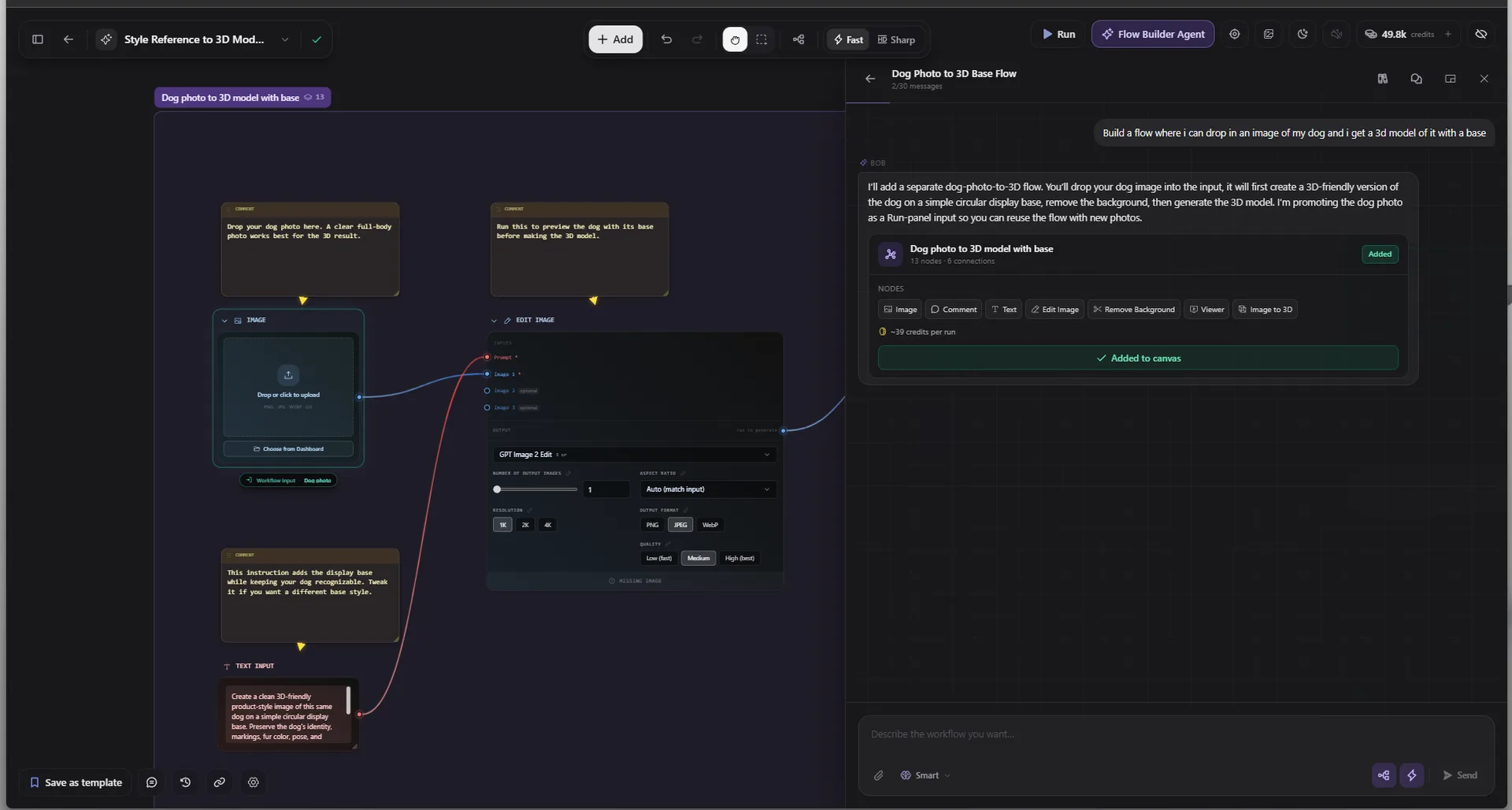
Inspect the graph before running it
The same update addresses panning, zooming and connection rendering. The company reports smoother navigation and fewer flickering or blurred lines on large canvases, without publishing a performance benchmark.
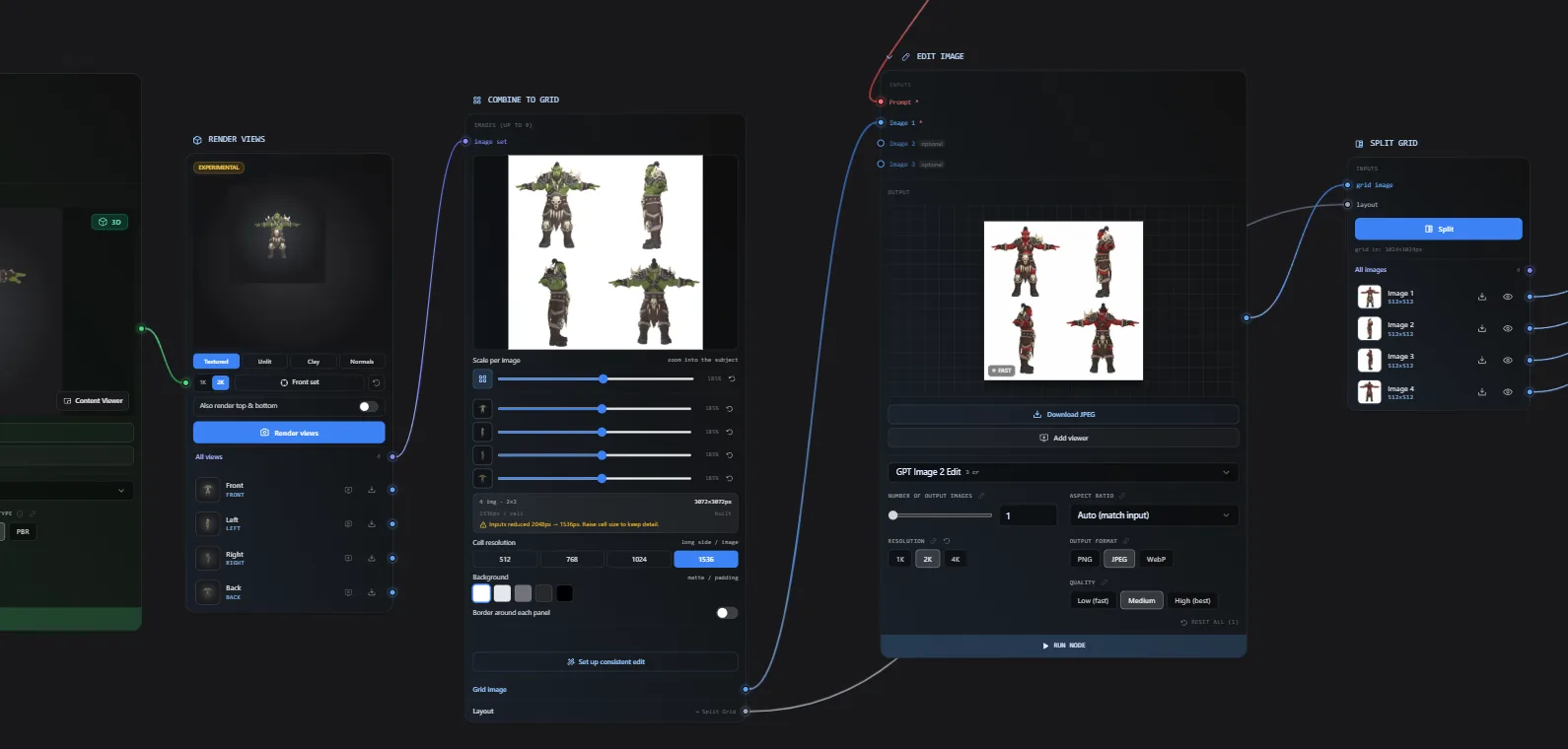
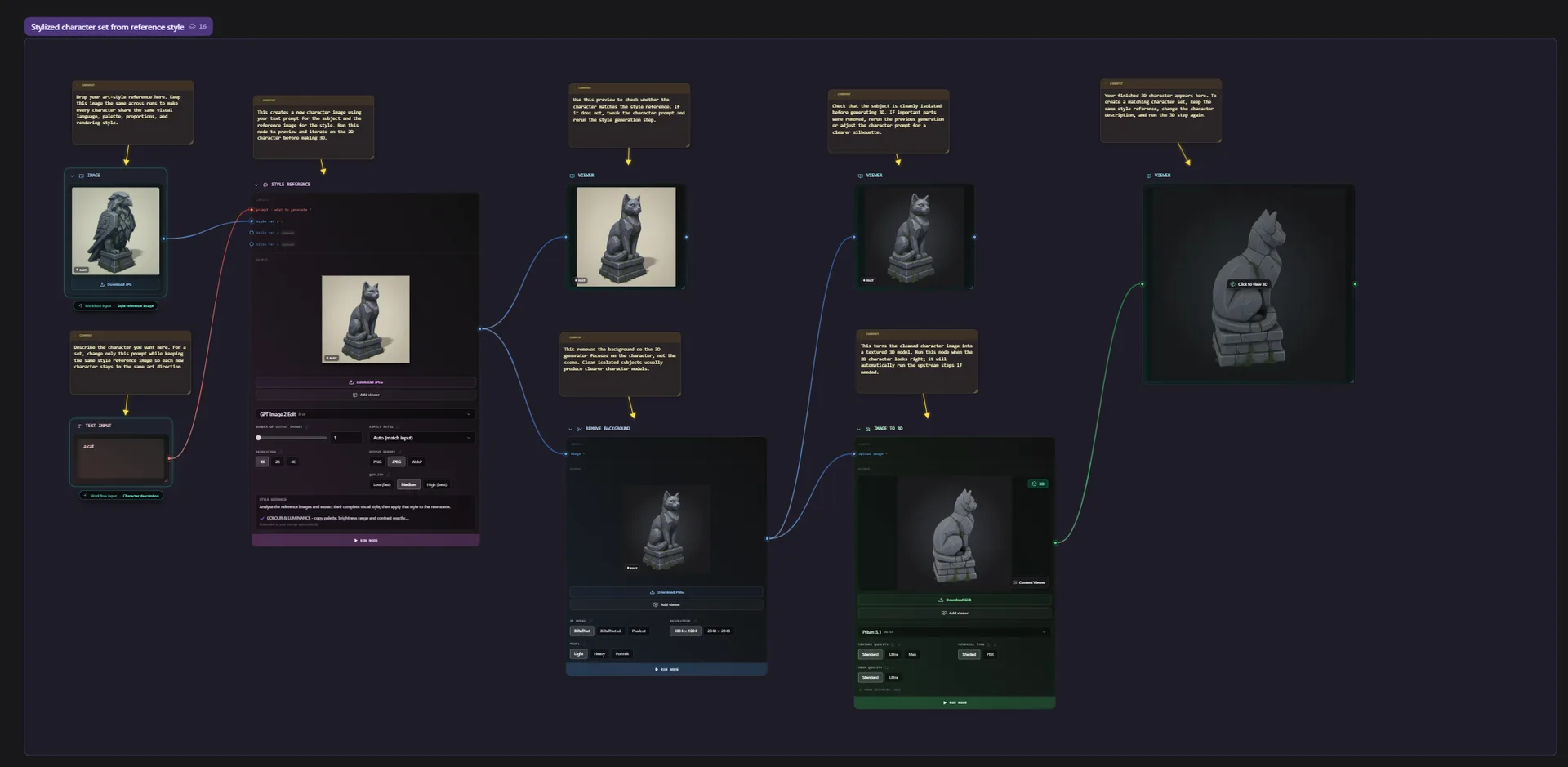
The Flow overview shows how image generation, mesh processing and export connect in a reusable graph. Those stages still need their own settings and suitable inputs after the description is written.
Keep generation costs in view. The credit guide separates free manual canvas editing from paid model calls, while assistant messages have their own charges. The run panel shows the execution plan and estimated credits before a whole-flow run. Check that estimate before producing a batch of asset variations.
Sources (5)
No sponsorship or affiliate links in this article.