PRODUCT UPDATE / 3D assets · Blender
Scenario for Blender 0.12.0 expands in-place edits, parts and animation
Saved 3D edits can return to source meshes across more formats, with matching rules for parts, rigs and animation. Local agent setup also changes.
For developers revising existing props and characters in Blender.
Scenario released Scenario for Blender 0.12.0 on October 18, expanding how AI-edited meshes, UVs, textures, parts and animation return to existing scene objects. For developers iterating on game props or characters, the useful distinction is what each operation preserves and what must match before a result can be applied.
Apply saved edits to the source object
The release notes extend in-place application to FBX, OBJ and glTF alongside GLB. Developers choose Apply mesh edit from a saved generation, then select a policy such as replacing geometry, UVs, textures or parts. The plugin checks the relationship between the result and its source.
Texture and UV replacements require a matching surface. Geometry replacement brings in a new mesh with its UVs and materials. The parts update can split the original along returned part boundaries while retaining source UVs, materials and attributes when the surfaces correspond. Remeshed parts use the returned meshes instead.
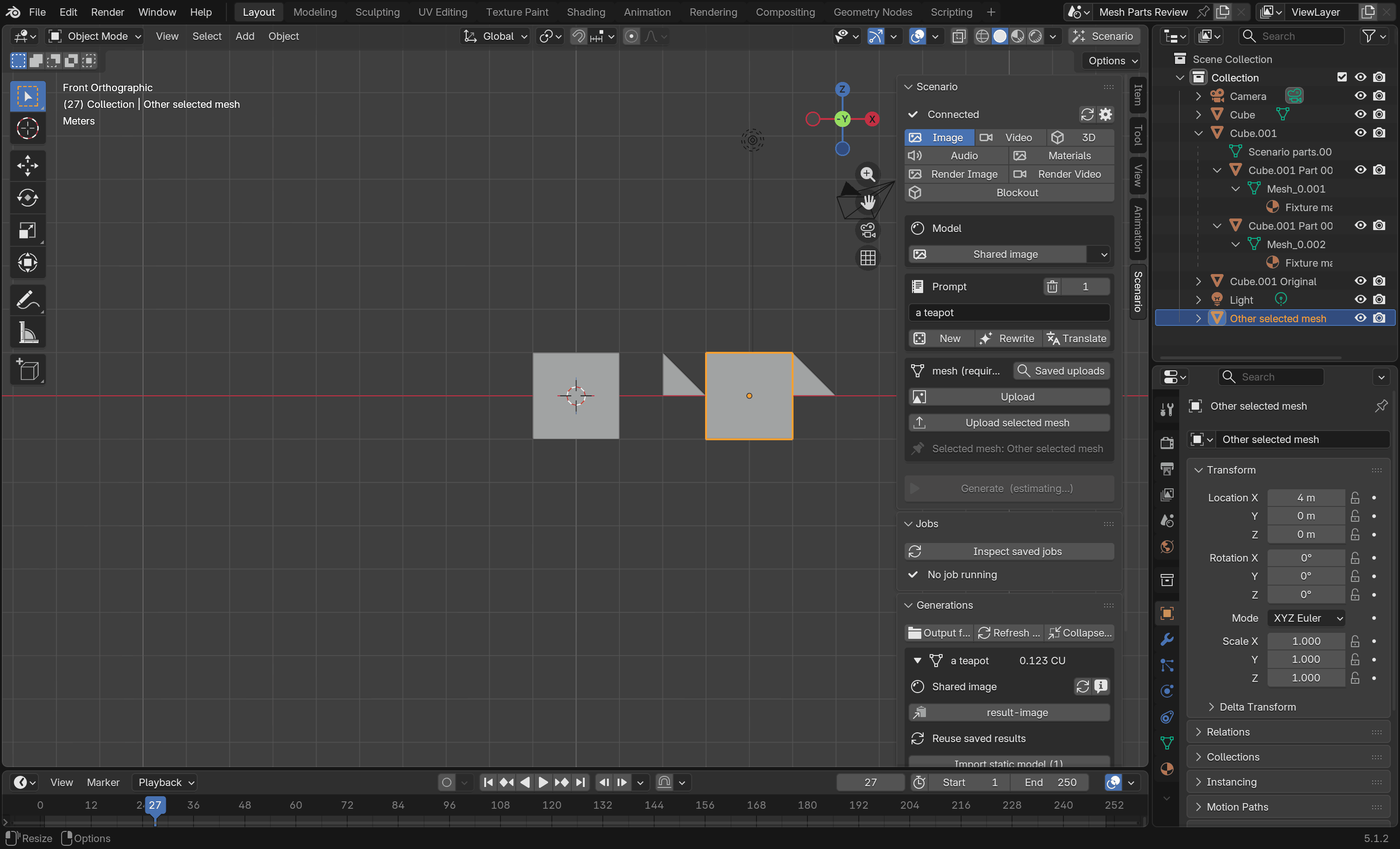
Several source objects captured in one upload can now receive UV, texture or rig changes together. If any source has changed or fails to match, the whole group remains untouched. Geometry, parts and animation application still require one source mesh per upload, which matters when planning a batch of prop revisions.
Animation must fit the existing skeleton
The update can apply returned animation clips to a source object's rig and re-rig an already skinned mesh. The documented limits require identical bone names and parent relationships, plus compatible rest poses. Retargeting between different skeletons remains unavailable.
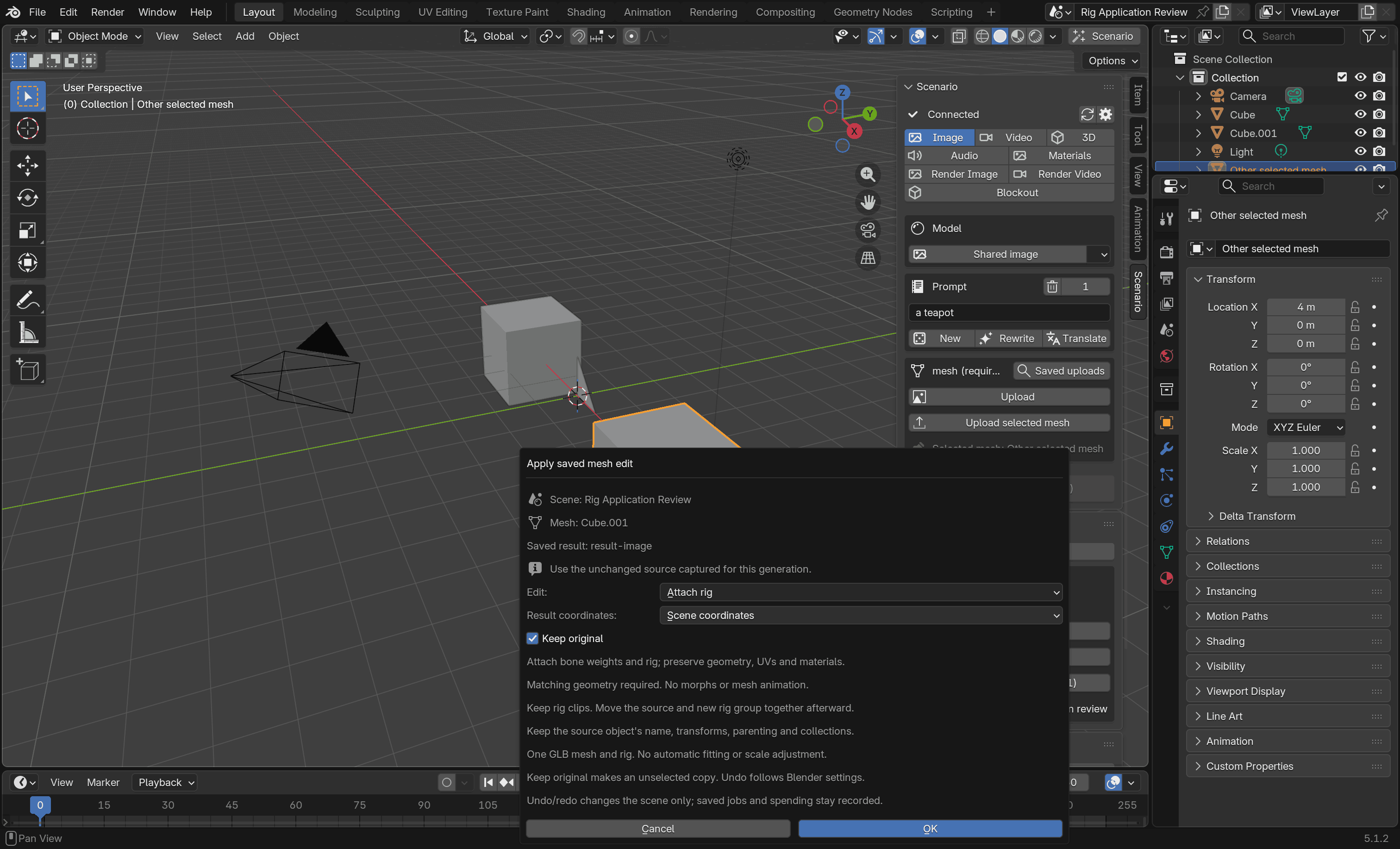
Mesh edits default to Keep original and retain a source copy. With Blender's Global Undo enabled, Undo and Redo restore scene changes without refunding generation costs. Fit and verify checks placement against the source, but cannot automatically handle rotated results. Live provider packages for FBX and OBJ application also remain an evidence gap in the project's own documentation.
Connect agents through client configuration
Connect buttons now write local MCP configuration for Claude Code, Codex, Cursor and Claude Desktop. Local connections also no longer use a token. The setup guide says the server binds to the local computer; while enabled, local programs can access the scene and request paid generations. Arbitrary Python execution is a separate permission, disabled by default.
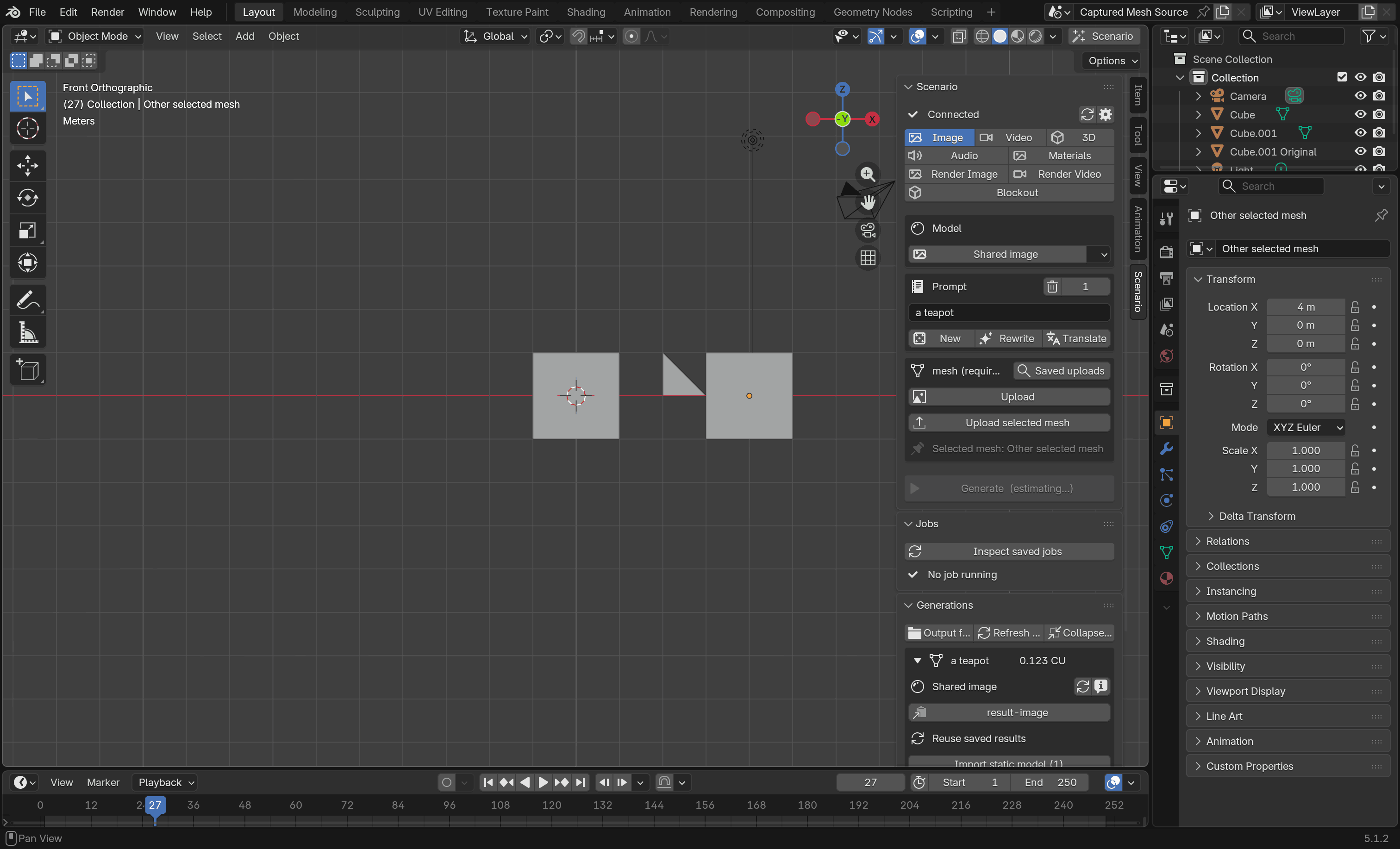
The plugin remains experimental and requires Blender 5.0 or later, Scenario API credentials and an internet connection. Generations spend Scenario CU, with costs depending on the model and settings. Images show offline test examples from the project documentation; their credit labels are fixture data, not live prices.
Sources (8)
- Scenario · Blender plugin 0.12.0 release
- Scenario · Blender 0.12.0 setup and local MCP guide
- Scenario · Apply a saved mesh edit, version 0.12.0
- Scenario · Known limitations, version 0.12.0
- Scenario · Split source parts and fit remeshes, PR 530
- Scenario · Connect local agents without a token, PR 602
- Scenario · Saved 3D results and native interface examples
- Scenario · Image attribution and licence metadata
No sponsorship or affiliate links in this article.