PRODUCT UPDATE / Video production · Game marketing
Layer introduces Motion Designer for game trailers and video ads
The November 2 update adds an agent that plans shots, makes assets and assembles video in one conversation. Teams can review a storyboard, revise the cut and request new formats; production uses Creative Units.
Game developers and small marketing teams preparing a trailer or video ad from gameplay recordings, screenshots and existing art.
Layer’s November 2 update adds Motion Designer, a production agent for game trailers and video ads. It brings planning, asset creation and editing into one conversation, starting from a brief and files the team already has. Developers could use it to prepare a promotional cut, with approvals and Creative Unit spending still part of the process.
Review the storyboard before building the edit
The Motion Designer page describes starting from Create marketing video in Layer’s tool menu, or from a chat request. A gameplay recording, screenshots or existing art can accompany the brief. The opening card sets the video type, look, length and format.
The agent writes the script and plans the shots. Storyboard first lets the team approve a still for each beat before production proceeds. It then assembles footage, voice, music, sound effects and motion graphics into a cut. Results return to the session board, where the team can ask for changes in the same conversation.
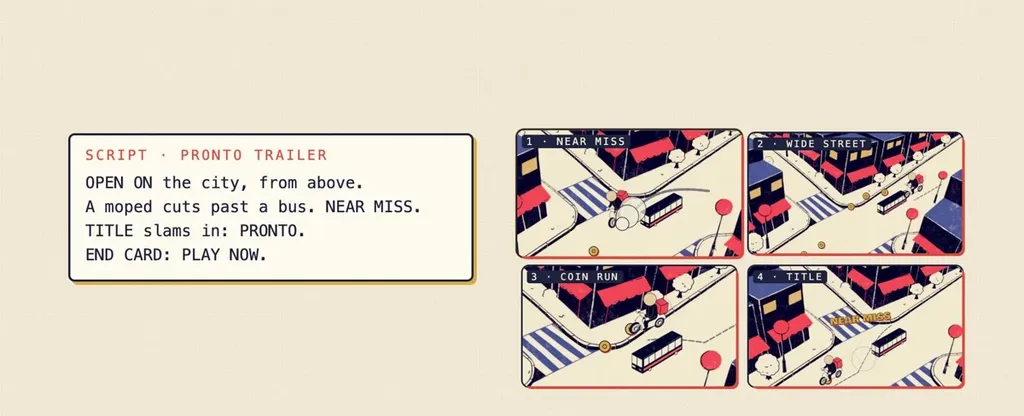
The agent guide recommends attaching the actual assets and saying what must stay unchanged. For a first trailer draft, a team could provide one gameplay clip, the title treatment and a clear account of the mechanic being shown. Review should check that the resulting shots represent the game accurately.
Re-cut each format and budget the production
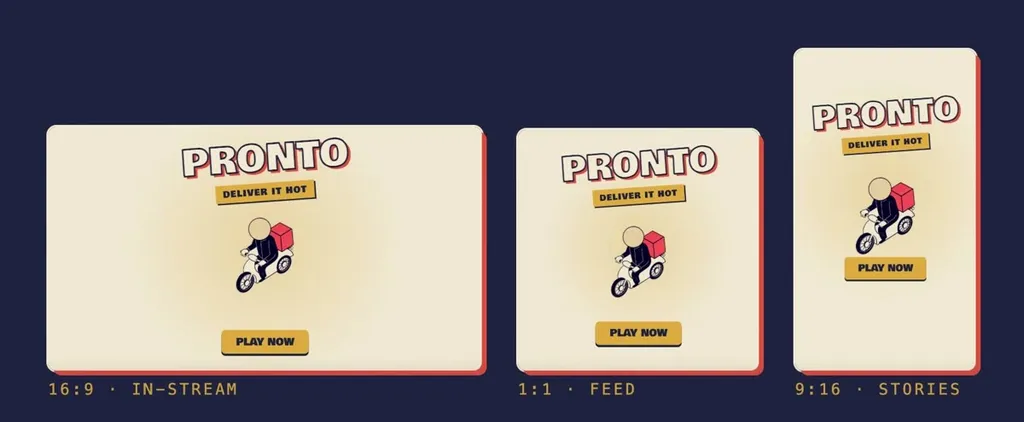
The product page lists 16:9, 1:1 and 9:16, rendered at up to 1080p. After the first cut, Motion Designer can re-cut it for the other placements the team chooses. Finished files wait on the board; the team decides when to publish them.
The November 2 notes say long video jobs show their plan and Creative Unit cost for confirmation before generation starts. Usage includes the generated assets, the agents’ work and rendering. Layer lists no per-seat fee for Motion Designer, but the brief, model choices and revisions affect the production budget; there is no fixed price quoted for every finished film.
The Layer tool record covers the broader asset workflow. The marketing and launch category provides related tools for preparing the rest of a release campaign.
Sources (3)
Based on Layer’s official update, product page and help documentation. No sponsorship or affiliate links.