PRODUCT UPDATE / 2D art · Image editing
Microsoft previews MAI Image 2.7 and Flash with transparent backgrounds
Both models can generate and edit images with transparency. Game teams can use a reference to explore item colors, localize scenery and try UI artwork in context.
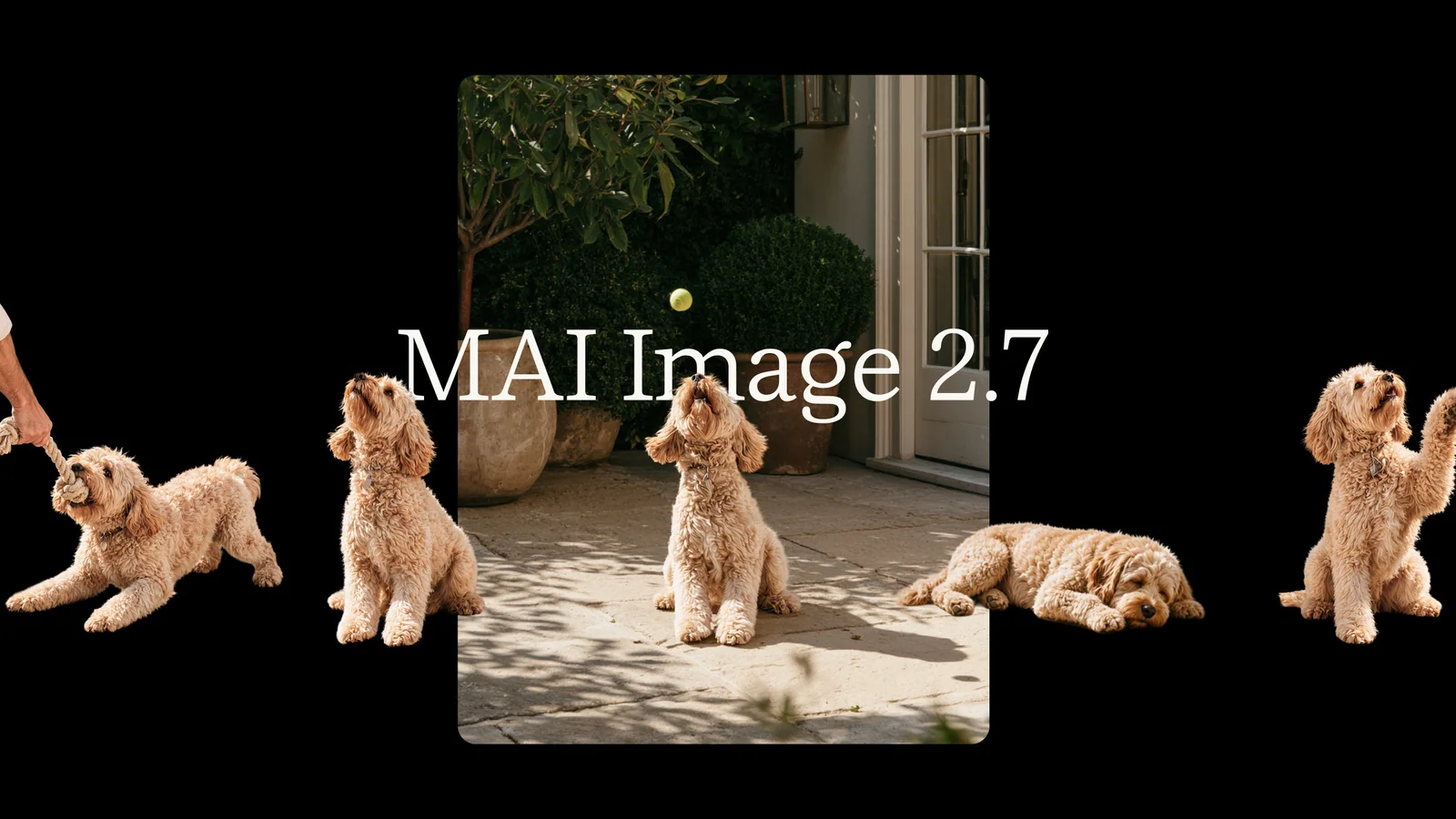
Try one item variant and inspect its transparent edges at the size players will see.
Microsoft opened public previews of MAI Image 2.7 and MAI Image 2.7 Flash on November 17, 2026. Both models can generate from text, edit a reference image and return transparent backgrounds. The October preview offered image editing first. The new release adds text-to-image generation and makes Flash available alongside the standard model in Microsoft Foundry and partner services. Microsoft announcement · October preview
Recolor one asset in place
In one of Microsoft’s launch examples, MAI Image 2.7 takes an image of a pale-blue convertible and returns a green version. The woman is still sitting on the car, with the roadside and sunflower field in view. For a game team exploring item variants, an approved concept can give every color pass the same starting point. Check the silhouette and material highlights before adding a variant to a set. Microsoft’s launch examples

Adapt signs already drawn into a scene
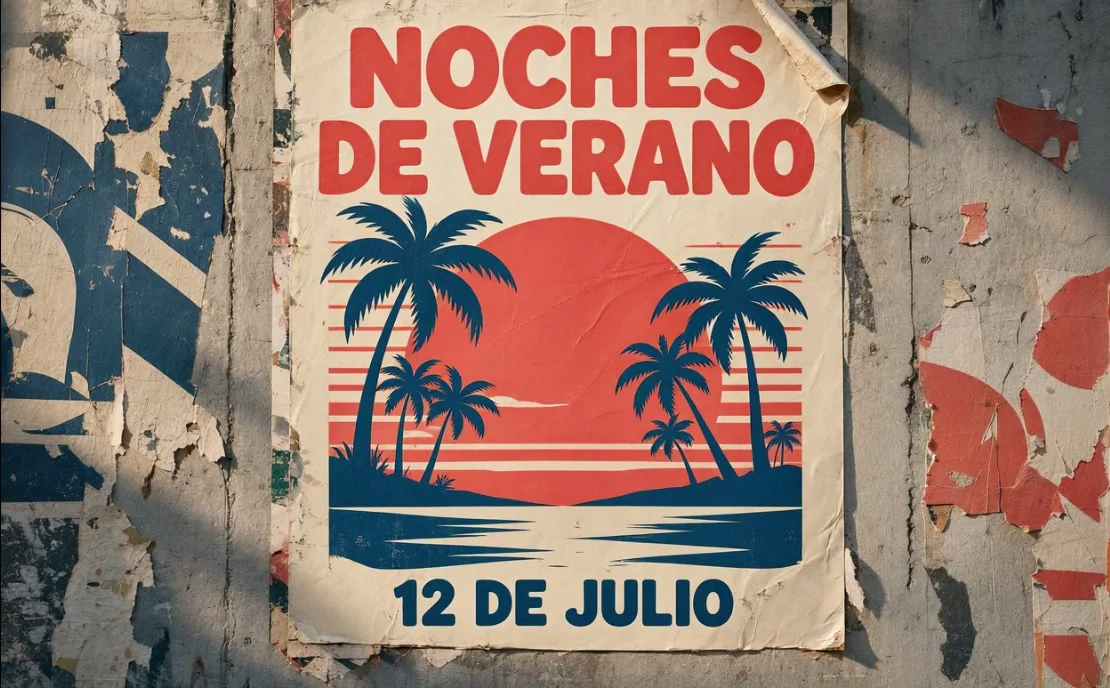
Another launch sample changes an illustrated wall poster from English to Spanish. The title and date are redrawn, while the sunset and palm trees remain recognizable. That kind of edit can help prototype a localized sign already baked into a scene texture. Check the words, dates and legibility at the distance where players will see it. Microsoft’s launch examples
Request a transparent PNG through the API
Vercel’s AI Gateway lists both models in public preview, with a maximum output of 2048 × 2048 pixels. Its AI SDK 6 example sets providerOptions.azure.background to transparent for PNG output. That makes it practical to try an item icon against both light and dark inventory panels and check its edges at the intended size. For interactive edits, Microsoft also introduced Canvas in MAI Labs, powered by Flash. AI Gateway release · Microsoft announcement
Microsoft’s Foundry announcement estimates about $35 per 1,000 images for 2.7 and $10 per 1,000 for Flash. Foundry requires an Azure subscription and a project in a supported region. Vercel uses its own AI Gateway key and model IDs. Microsoft announcement · Foundry setup · AI Gateway release
See 2D Art & Animation for related production workflows.
Sources (6)
Based on Microsoft’s release and public partner documentation and examples. No sponsorship or affiliate links.