PRODUCT UPDATE / AI asset workflows
3D AI Studio updates Flow with numeric switches and a new Bob model
Version 6.8.14 adds numeric choices to reusable workflows and refreshes Bob with GPT-6.1 Sol. The changes help control asset-generation parameters; generation costs remain separate from assistant messages.
For developers reusing node workflows to create concepts, props and character assets.
3D AI Studio's October 3 update, version 6.8.14, adds numeric inputs to Flow's Switch node and changes the default model behind its Bob assistant. For developers already using node graphs to create game concepts, props or character models, the update offers another way to change parameters without rebuilding a workflow.
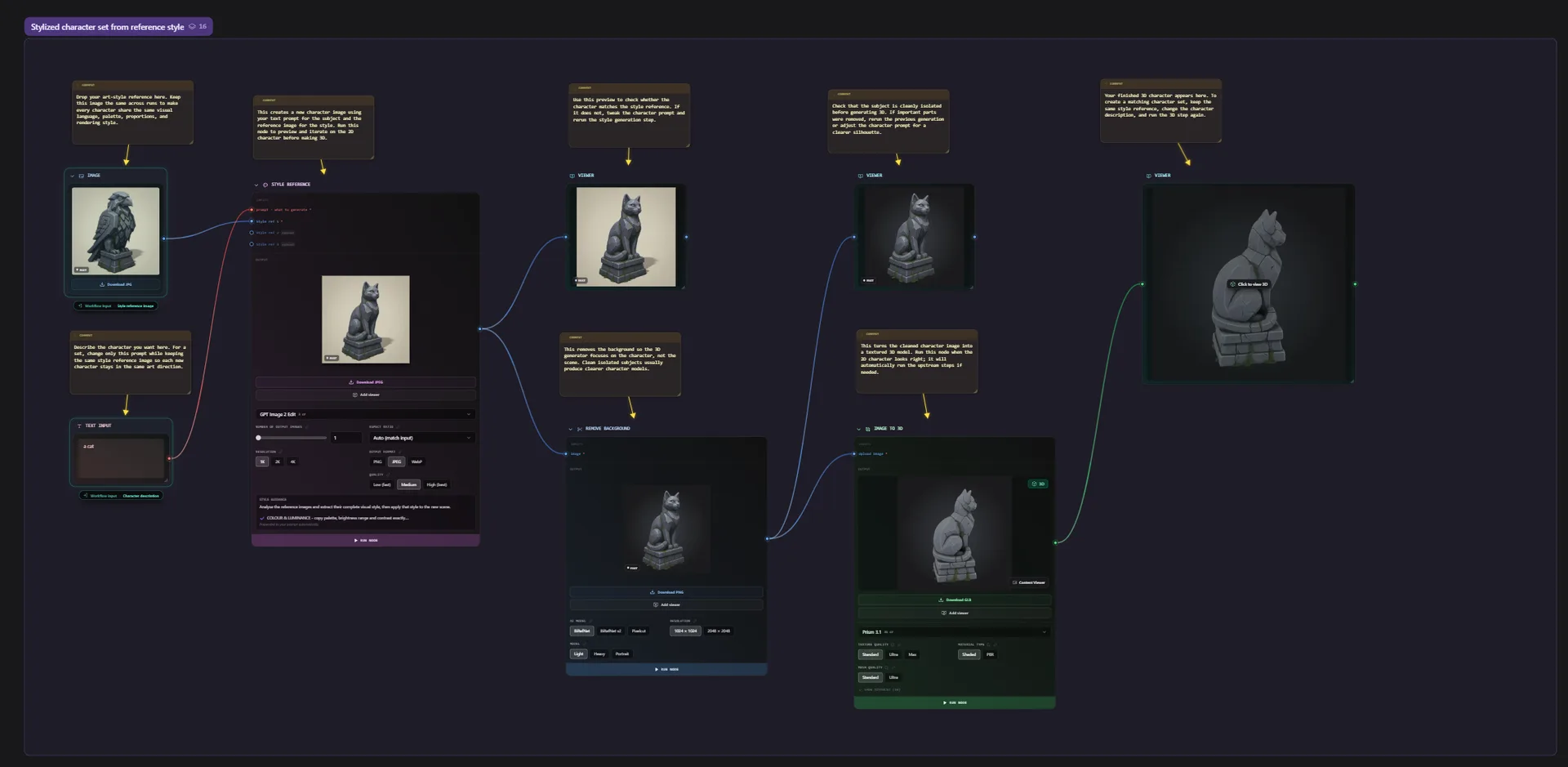
Flow already connects image generation, image-to-3D, mesh processing and export on one canvas. Graphs can be saved as templates and reused with different inputs. This release focuses on their controls and assistant.
Choose seeds from the run form
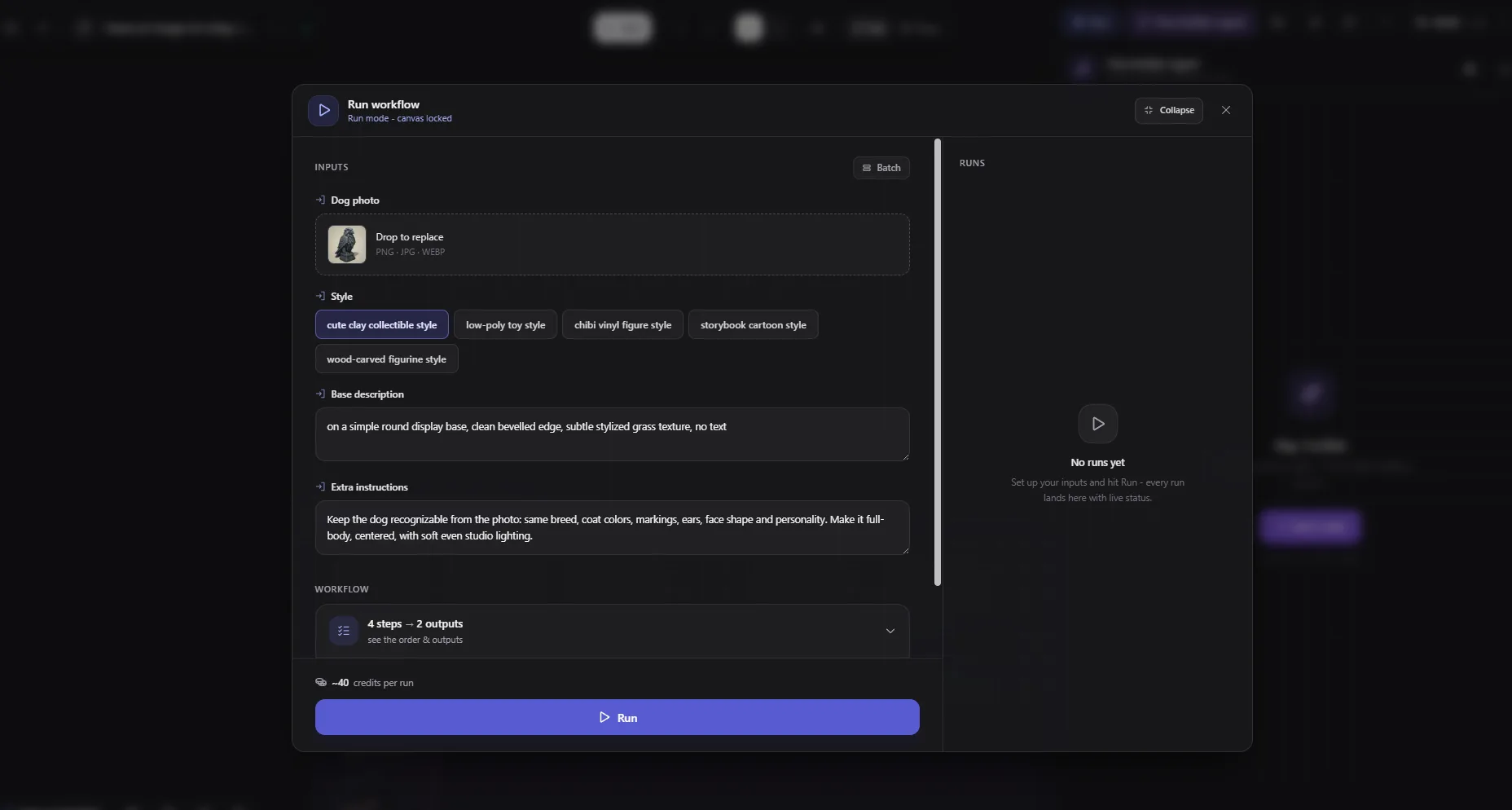
The release notes add numeric routing to Switch, including seeds and setting values. Promote that switch to a workflow input to expose named choices in Run mode.
For prop variations, a developer could keep several seed choices in one graph and select one before running. Check the destination model's inputs first: the parameter guide distinguishes numeric connections from text and choice parameters. A number wire needs a matching input.
The update also fixes fresh seeds passing through Switch, Viewer or Prompt Template when set to change on every run.
Bob changes models; generation has its own costs
Bob now defaults to GPT-6.1 Sol at an unchanged per-message price, according to the announcement, with the previous model still selectable. Separately, the LLM node gains Turbo for one credit and Pro for two; Pro uses GPT-6.1 Sol.
The Bob guide describes an assistant that creates graphs, edits nodes and rewires connections. Its default Ask mode lets users inspect proposals before applying them. Auto applies a proposal after its preview; the changes remain a single undo step.
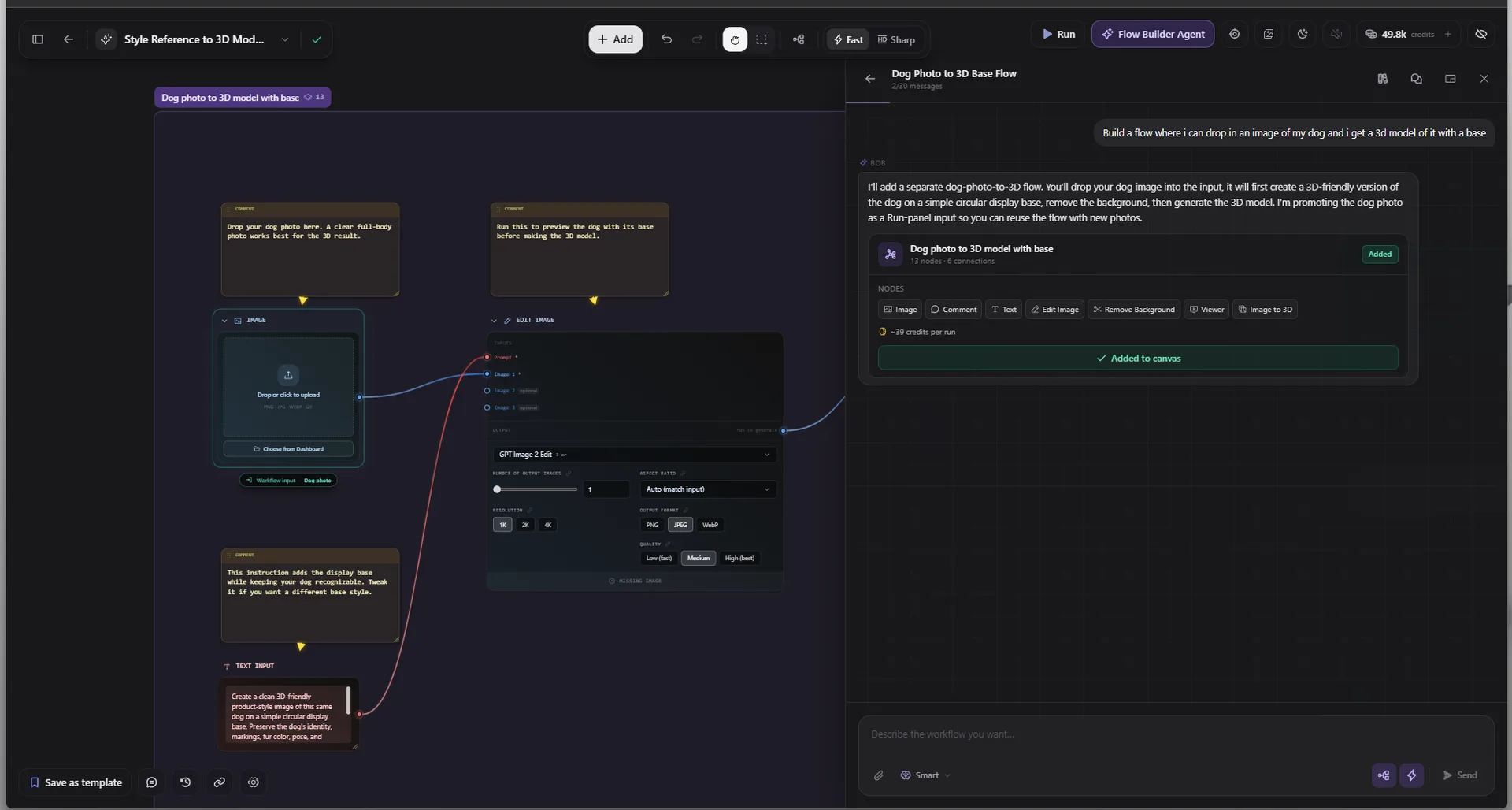
Start with one reference image to inspect the path to a model before considering a batch. The execution guide covers single-node and whole-flow runs, with a plan and credit estimate in the run panel. Batch processing repeats generation and accumulates costs per item. Bob's message price and the cost of producing an asset are separate parts of that budget.
Sources (5)
No sponsorship or affiliate links in this article.