PRODUCT UPDATE / Game audio · Local AI
Audio Studio MCP 1.0 adds a browser workbench for local game audio
A local web UI shares Stable Audio 3 with MCP clients, letting developers compare takes, regenerate a passage and export game loops. Hardware and model licensing still apply.
For developers who want agent-generated audio and a manual listening and editing step on the same machine.
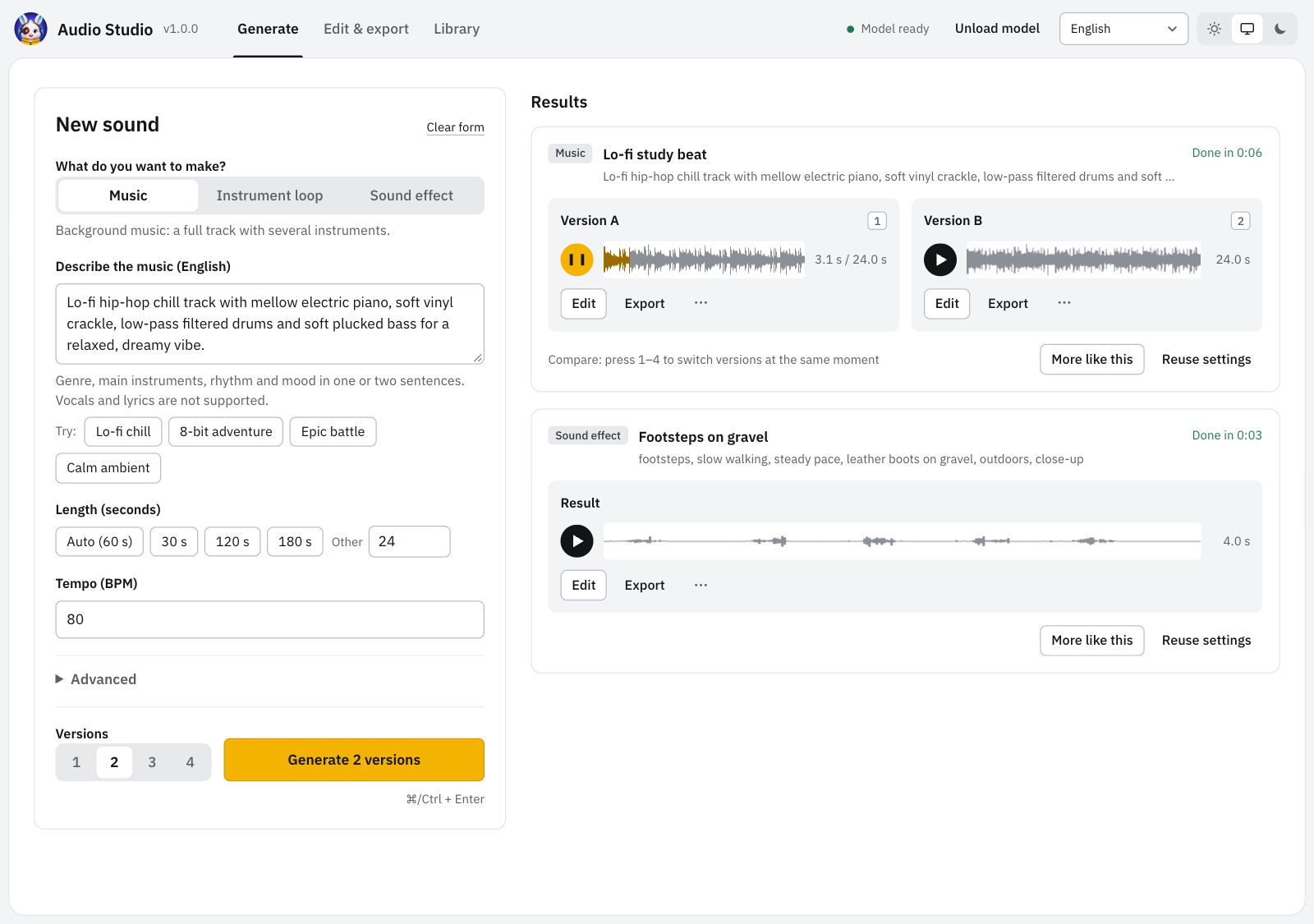
Audio Studio MCP’s October 24 version 1.0 release adds a browser workbench for locally generated game music and sound effects. Developers can ask an agent for audio, then listen to candidates, revise a passage and prepare a loop in a web page that shares the same loaded Stable Audio 3 model.
Compare takes and regenerate a passage
The release notes describe up to four candidates per generation. Switching versions at the same playback position helps compare a particular moment. The waveform editor supports selection, zoom, whole-clip variations, regeneration of a selected passage and extending a clip; edited results can be checked against the original.
Export presets cover game sound effects, music loops and video, with trimming, fades, loudness and sample-rate controls. WAV, OGG and FLAC are supported. A developer could generate several ambient loops through an agent, audition them in the browser and export the chosen take for an engine.
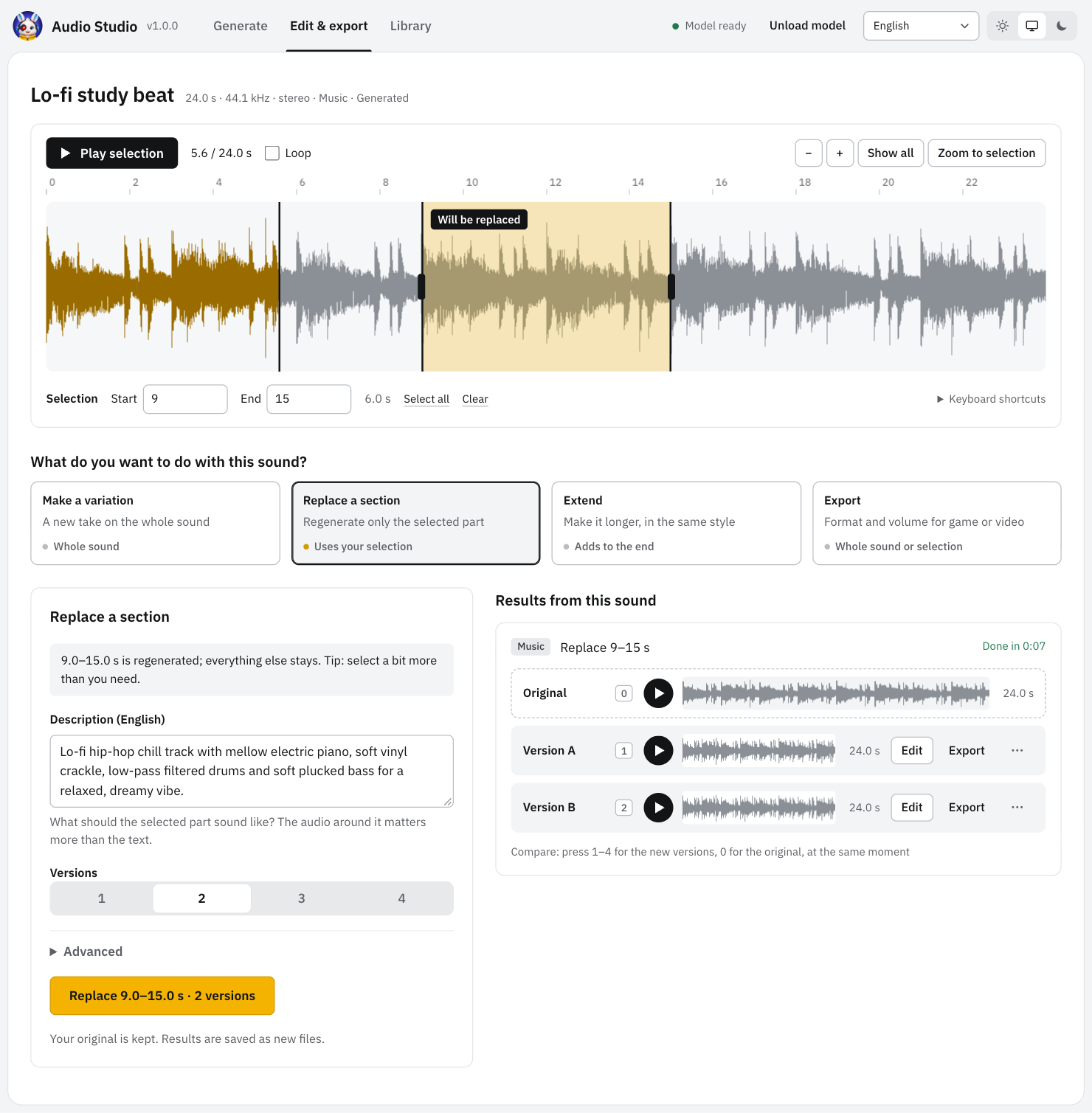
The browser and MCP clients share a local server and a job queue. Existing generate, edit, process and unload tools retain their parameters. The interface supports English, Japanese and Simplified Chinese. Its unauthenticated server listens on the local loopback address; it is intended for use on the same computer and should not be exposed as a shared web service.
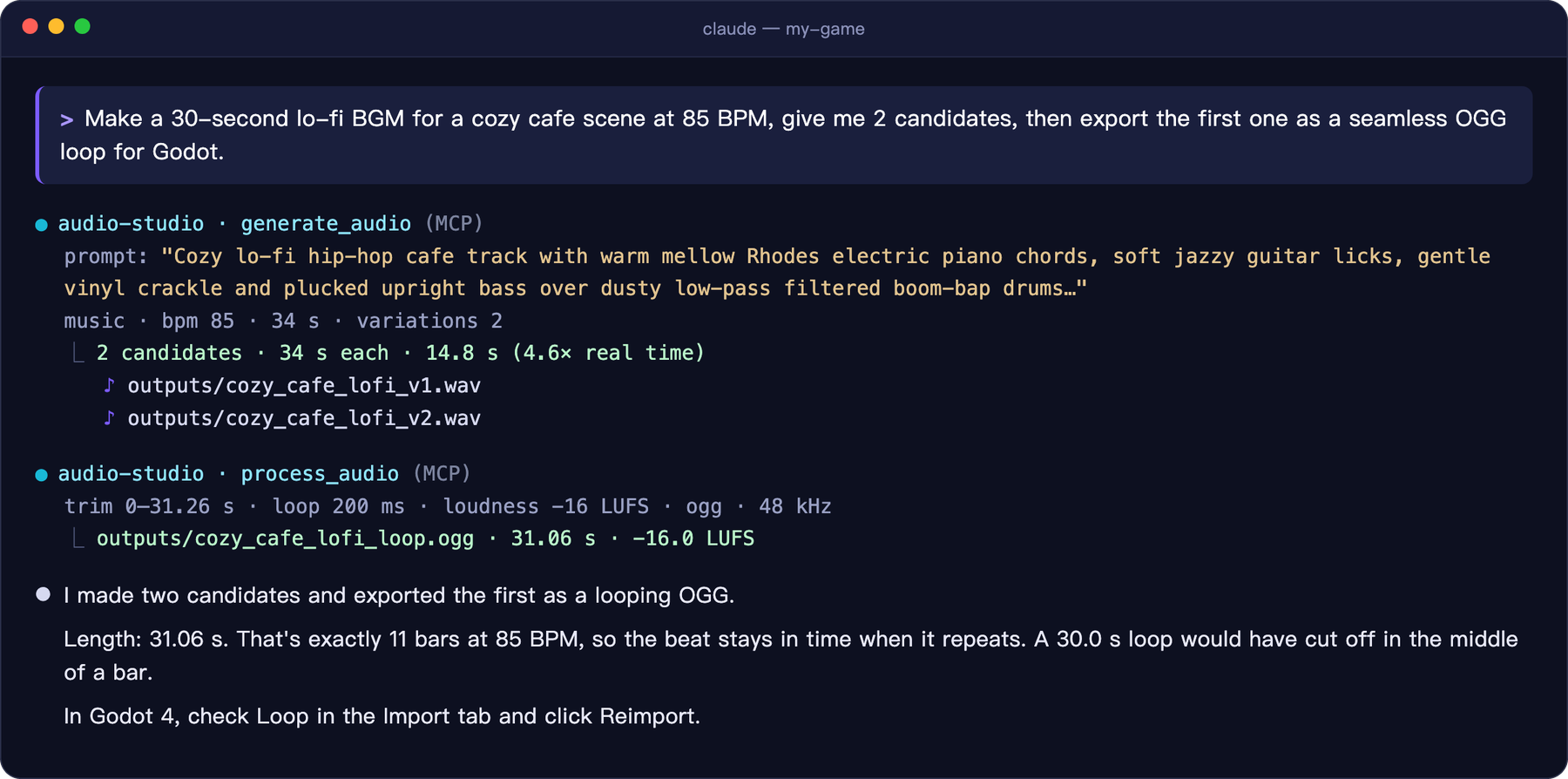
Hardware and model access still matter
The versioned setup guide recommends 16 GB RAM on Apple Silicon Macs. Windows 10/11 requires an NVIDIA GPU with at least 8 GB VRAM and about 14 GB of disk space for the model and PyTorch. Windows model downloads require a Hugging Face account and acceptance of the model’s access terms. Linux is untested; Intel Macs and AMD GPUs are unsupported.
Audio generation runs locally without a metered audio API; connected agents keep their own service arrangements. The project’s code uses MIT, while model use follows Stability AI’s separate terms. Its licensing page lists free Community access for individuals and organizations with total annual revenue below US$1 million, and a separate Enterprise route. Commercial use remains subject to the applicable model agreement. Stable Audio 3 produces instrumental music and sound effects, with no intelligible singing or lyrics.
Sources (7)
- Audio Studio MCP v1.0.0 · Web UI release
- Audio Studio MCP v1.0.0 · Requirements and MCP workflow
- Audio Studio MCP · Official Web UI and session images
- Stability AI · Stable Audio 3 Medium model and access conditions
- Stability AI · Community and enterprise licensing
- Audio Studio MCP v1.0.0 · MIT License
- Audio Studio MCP · Brand attribution and unchanged editorial display
Based on versioned project documentation and official reference images. No sponsorship or affiliate links.