PRODUCT UPDATE / Sprite animation · Humanoid motion
Ludo.ai adds a reusable motion library and animation mirroring
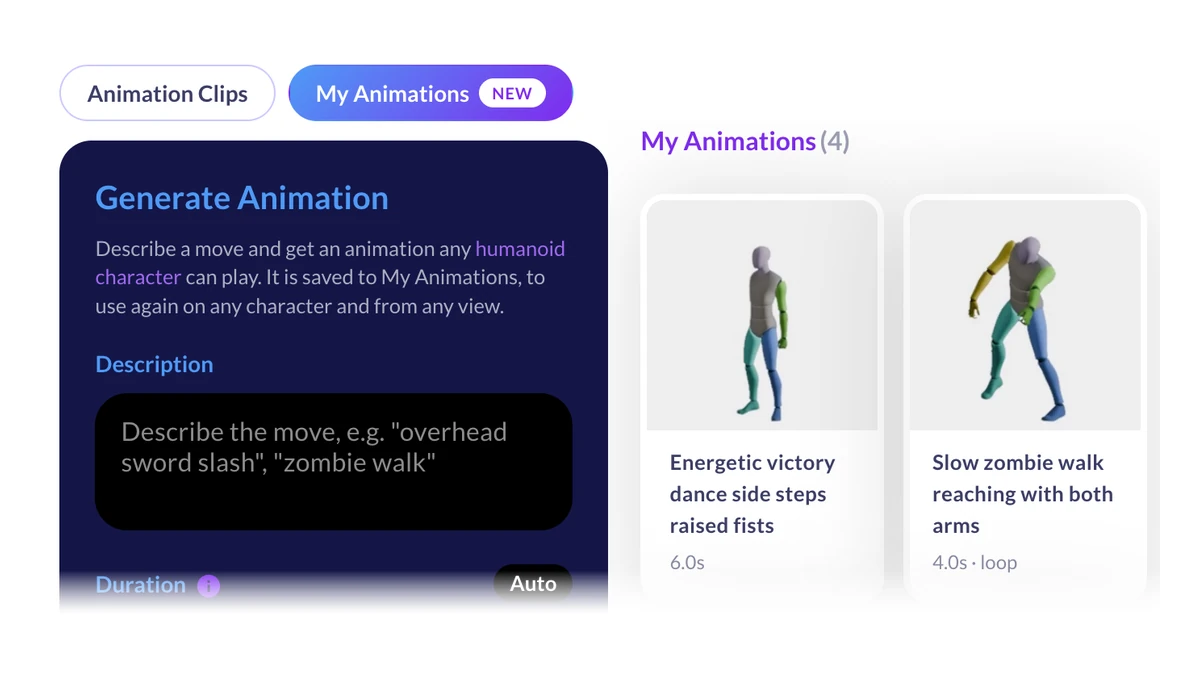
Ludo.ai’s November 11 update saves generated humanoid motions to your account. The same clip can drive several sprites or rigged 3D characters, with a switch to swap the left and right sides.
Give several characters the same walk or attack from one saved clip.
Ludo.ai added My Animations and a Mirror switch on November 11. A game team can generate a humanoid attack, save it once and apply the same clip to a hero and an enemy. The library is available in Sprite Generator, 3D Generator and Directional Sprites. November 11 update
Save a motion to My Animations
Describe the move, leave the duration on Auto or set it to one to ten seconds, then generate one to four variations. Ludo.ai lists a two- to eight-second range for loops. Each new clip costs 0.5 credits and stays in your account. Applying a clip or rendering a sprite sheet uses the credits for that generation step. Animation controls · Generation costs
Reuse a clip on sprites or 3D models
In Transfer Motion, select your clip and choose a camera and facing direction. The saved motion preview plays from the Hero camera facing southwest. Other choices display a stand-in figure in the picker, while the sprite is rendered from the selected view. Sprite workflow
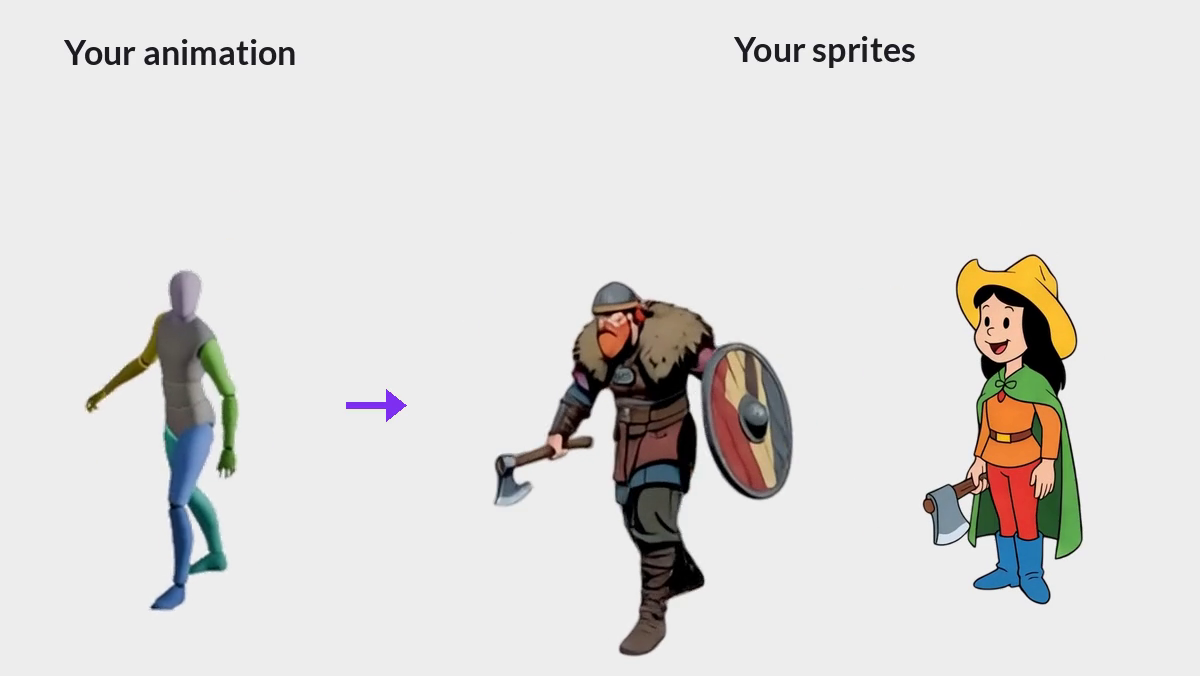
In 3D Generator, open Clips & My Animations on a rigged model. In Directional Sprites, choose the saved motion before selecting the directions to render. Both routes use the clip on models that Ludo.ai recognizes as humanoid. 3D asset guide · Directional Sprites
Mirror a move for the other side
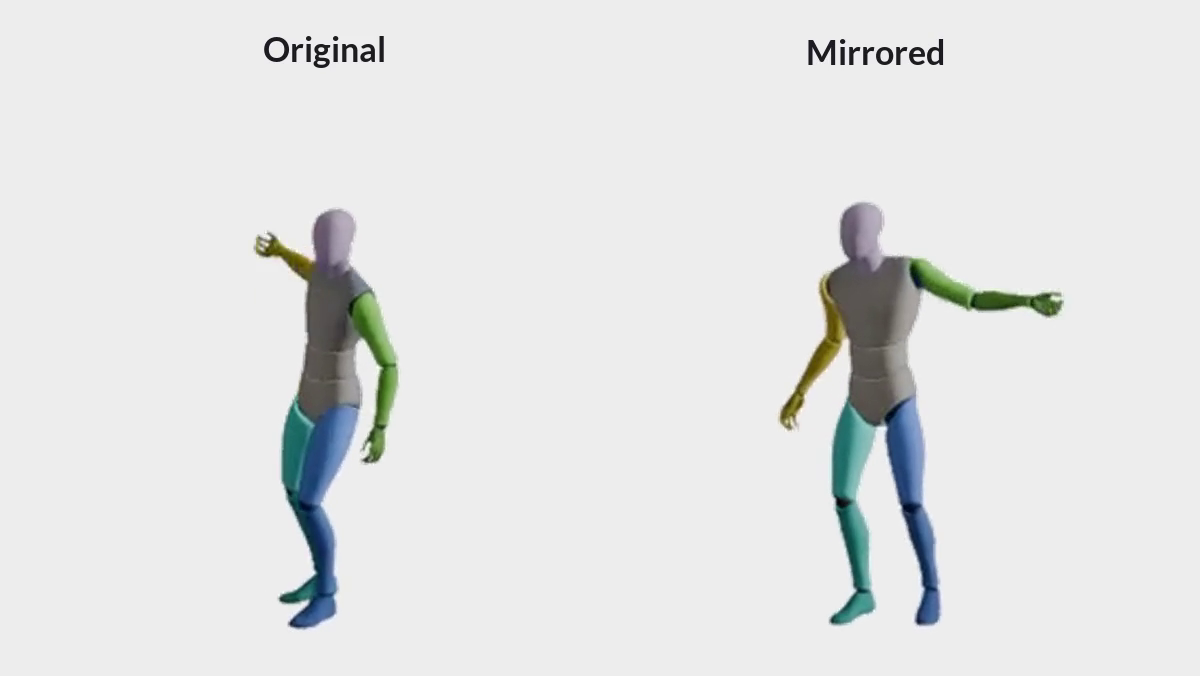
Mirror swaps the left and right sides of a saved motion or a preset clip. The switch is available in Transfer Motion, the 3D Animate panel and the Directional Sprites animation controls. Ludo.ai charges the same price with Mirror on. Mirror settings
Sources (3)
Based on Ludo.ai’s public release notes, documentation and demos. No sponsorship or affiliate links.