Text, reference art, and image editing
Generate a first image, follow a style reference, or edit selected areas with a mask. Reusing a visual anchor can guide later assets without promising identical details.
O03O05Start creating game art and character animation—even before you can draw.
PRODUCT OVERVIEW
Ludo.ai is a browser-based AI creation platform built around game assets. You can describe a character, item, icon, interface element, background, or texture, or start with your own authorized image and refine it. Its wider workspace also includes 3D assets, audio, video, game ideas, concept documents, and playable-prototype tools.
For a 2D character, the main path is to choose a static image, make its actions, and export the animation frames. You can start from words without drawing each pose yourself, or bring a character you already like. The results are visual assets to assemble into a game, not a finished character controller or an editable skeletal-animation project.
Create an account and work in the browser. Pro and Studio also provide API/MCP access and an API-backed Unity Editor plugin; these are optional creation routes, not a runtime game system. This review did not configure an account or integration.
Generate a first image, follow a style reference, or edit selected areas with a mask. Reusing a visual anchor can guide later assets without promising identical details.
O03O05Use Animate to request short moves such as idle, walk, or attack. Available models differ in duration and credit cost; each move is a separate candidate to inspect.
O02O04O07Guide a movement with first, middle, and final poses, or try Transfer Motion with a preset or authorized reference video. These add control beyond a text prompt.
O04O09Edit Spritesheet changes an animation's appearance. Animation Pack helps align scale and ground position; Animation Sequence joins clips rather than creating gameplay state logic.
O04Formats include PNG sprite sheets, a JSON frame-layout atlas, individual PNG frames in a ZIP, GIF, and MP4. Choose files for your engine's import workflow and save your own copies.
O02O03O043D generation and animation, sound and music, video, ideation, and concept/prototype tools sit alongside 2D assets. Their presence broadens the product, not this page's quality conclusions.
O01O03O06INTERFACE & EXAMPLES
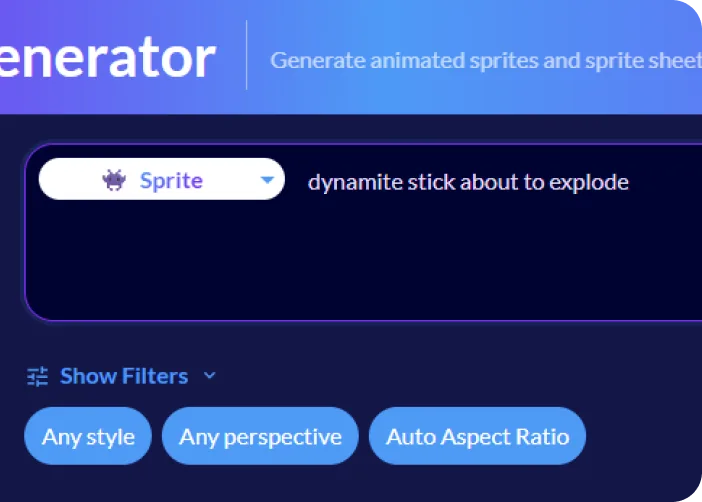
The Sprite Generator example shows a text prompt with style, perspective, and aspect-ratio controls.
Pre-generated Web 2D art and sprite animation: how to start, what the files contain, budget, and usage conditions. Current-model acceptance rates, exact frame consistency, other modules' quality, and integration performance remain unknown.
Beginner scope: Web-based ideation and individual asset candidates.
Agent scope: Call asset generators, without assuming every planning UI is automatable.
Confidence: learning Medium · Agent Medium
These are independent editorial judgments, not an overall score or a claim of hands-on agent integration testing.
KEY FINDINGS
The useful step is from having no asset to having something you can choose, revise, and put into a game. Text and image inputs let you begin without animation training. Learning framing, motion, and import settings increases control as your project grows; it need not be an entry requirement.
O01O02U02U04U07Push Titans' developer describes a Ludo-animated boar used in the released game; ReVeil discloses hand-drawn characters animated through Ludo. Darkest Exiles credits it during combat development. These are different stages of real projects—not proof that every generated asset is release-ready or that Ludo built the whole game.
U02U04U07Current documentation includes keyframes, motion transfer, and animation editing, with three-keyframe control added in August. Earlier developers reported direction, movement, or consistency problems. Those accounts suggest what to inspect; they neither prove the newer models still fail nor establish that the issues are solved.
O04O09U01U03U06The project accounts still involve an engine, scripts or visual scripting, and other assets. Exported frames supply the visuals; transitions, collisions, hit timing, effects, and gameplay remain part of making the game. That is a next step to plan for, not a reason beginners cannot start.
O03O04U02U04U05U07EDITORIAL VERDICT
Ludo.ai is worth trying when drawing or animation is the obstacle between your game idea and its first visual assets. Start with one character and a few actions, then keep what works in your game. The evidence supports both getting started and real project adoption, so we would not restrict it to throwaway placeholders. Final quality, refinement time, and cost still depend on the assets you accept.
BETTER FIT
POORER FIT
WORKFLOW FIT
Start with an authorized image or describe a new character. Choose its facing, proportions, and style before making more actions.
Try idle, walk, and attack separately. If the result misses your intent, adjust the input or try keyframes, reference motion, or editing.
Align scale and ground position, export the sheets or frames, and connect the actions in your engine. Look at loops, transitions, readability, and gameplay timing.
RECOMMENDED WORKFLOW
Start from a testable brief, then move through prototyping, assets, audio, testing, and release with an explicit handoff and human check at every step.
SHORTEST RESPONSIBLE PATH
This is a low-risk starting workflow synthesized from the evidence.
Choose a small target: idle, walk, and attack for one character. Leave extra directions, outfits, and combat states for later.
Use an image you are entitled to upload, or generate and choose one. Keep that visual anchor for the following actions.
Try a small number of moves first. When one misses, change the input or control method before spending repeatedly on the same request.
Align and export the results, then inspect them at the game's actual size and speed. Simplify, edit by hand, or use other authorized assets where needed.
Count the assets you accept and the money and time spent. Use that result to decide whether to subscribe, upgrade, or expand the moveset.
PRICING & RIGHTS
Pricing and terms last checked: Aug 30, 2026
Monthly allocation: Indie $20 ÷ 250 = $0.08/credit; Pro $50 ÷ 1,000 = $0.05/credit. Examples use Forge and assume all included credits are used. They are alternative allocations of the same subscription: do not add their capacities together. Results still need selection and game checks.
O03O05O06O07O08O12O16Indie / Pro monthly allocation. Forge has a 4-credit minimum; a 4-second clip is 6 credits ($0.48 / $0.30). This is one generated candidate, not a standalone asset purchase. Other models have different rates.
Three 2-second Forge moves, each attempted once, for one facing. Existing-result alignment and export add no generation charge; labor is unknown. Extra directions, outfits, hit/death states, and a controller are not included.
Assume you choose one image from a batch of two or three, then make the three moves: Indie uses 13 or 13.5 credits; Pro Web uses 12 because images are included. Help pages disagree on the default batch, so both scenarios remain; extra image attempts are not included.
Floor(250 ÷ 12) / floor(1,000 ÷ 12) with an existing image. From text, Indie falls to 19 or 18 sets; Pro Web stays at 83. These are candidate-workflow limits, not accepted characters. Even if you make just one set, the monthly subscription still costs $20 or $50.
With an existing image: Indie $1.92 / $2.88; Pro $1.20 / $1.80 at monthly allocations. This is a retry-budget scenario, not a measured average or success rate. Paid editing and other models change the total.
With an existing image: $180 ÷ 3,000 × 12 and $420 ÷ 12,000 × 12. Annual credits theoretically cover 250 / 1,000 such workflows for the whole year, not each month. The lower allocation requires the annual prepayment and enough use.
Actual accepted-set cost = (task-attributable subscription and unused-quota allocation + top-ups + external tools + labor) ÷ accepted action sets. Acceptance rates and cleanup time are unknown; if nothing is accepted, there is no finite accepted-unit cost. An exported file or completed generation is not automatically an accepted game asset.
The current terms provide a nonexclusive worldwide license for personal and commercial use, subject to their conditions and applicable law. You must have rights to the inputs. A paid subscription removes sprite-sheet watermarks; it does not create exclusive copyright or clear third-party rights. Do not confuse free-download watermarks with a blanket non-commercial rule. This page is not legal advice.
The refund PDF requires an annual refund request within 30 days AND usage below 250 credits on Indie or 1,000 on Pro/Studio, with one monthly-plan charge deducted. Processed monthly/top-up payments are non-refundable. Credits roll over during an active subscription and remain usable for 30 days after it ends; pausing is different and makes every feature metered. These specific conditions take precedence here over conflicting help-page summaries; technical-failure credit refunds remain unconfirmed.
PRODUCTION RISKS
Check facing, outlines, foot position, palette, and loop joins at the intended game size. Current docs require a real pixel grid for Forge Pixel, warn that Forge may follow custom reference videos poorly, and note drift after chained edits. Historical complaints do not establish today's failure frequency.
O04O05U01U03U06Try the appropriate free adjustment or background removal when the issue is file layout. Model-generated edits, Fix Loop, and Zoom Out are paid attempts, not guaranteed repairs. A result you dislike still consumes generation credits.
O03O04O07O16Use characters and reference material you are entitled to submit, and retain provenance. Relevant AI art delivered to players belongs in Steam's pre-generated-content disclosure. Disclosure does not guarantee store approval or remove copyright responsibilities.
O14O18Privacy section B promises no data selling, while section D contains language permitting it. The training assurance is also narrower than a blanket no-training pledge. This unresolved wording does not prove data is sold, but it cannot support a zero-risk or NDA-safe claim.
O13O14O15Unlimited Web benefits are for individual interactive use, with service limits. API/MCP generations are metered; result queries are free. Save API asset files before their links expire after seven days—this is not a Web-history deletion rule. The Unity plugin is Editor-only, not a tested runtime pipeline.
O10O11O12O14NOT VERIFIED
RESEARCH METHOD
We reviewed 18 official and platform-policy sources and coded 7 concrete usage records across 5 platforms, after searching 15 platforms. Godot, Defold, Medium, itch.io, and Reddit cover technical questions, development retrospectives, and project disclosures. Reddit contributes 3 of 7 records (42.9%). U05 and U06 are downweighted for vendor-featured or branded promotion; removing both leaves 5 records across 5 platforms. GameDev.net provided only a tool-list lead, not enough for an experience claim. Cases are deduplicated, historical, and not a representative satisfaction survey or a test of the latest models.
The current game-asset platform spans images, animation, 3D, audio, video, and planning. Marketing quality claims are not independent findings.
Text/image inputs, animation workflows, and export formats; feature availability does not establish output quality.
Cross-tool workflow, monthly pricing, metering, and commercial-use help. Pricing and its three-image batch wording were rechecked August 30.
Animation modes, models, pixel-grid requirements, Animation Pack, exports, and documented limitations.
Reference/style editing and image consistency. Its two-image default still differs from O03 on August 30; actual account behavior is unconfirmed.
Annual prepayments, upfront credits, plan boundaries, and top-ups; rechecked August 30. Use O16 for the more specific refund conditions.
Model-and-duration credit tables, rechecked August 30. Its cancellation-expiry wording conflicts with O16 and is not adopted here.
30-credit trial and per-frame watermarks on free sprite-sheet downloads; paid access allows watermark-free re-downloads.
Three-keyframe workflow announced August 12, after July 9 animation-editing updates. Older reports cannot benchmark these releases.
Official API/MCP access and authentication requirements, not a tested integration.
Editor-only asset-generation plugin using paid API access; neither runtime behavior nor compatibility was tested here.
Generation metering, free result queries, and seven-day API asset-link expiry. The expiry is not a Web project-deletion rule.
The current terms, privacy, and refund links were rechecked August 30; the linked files remain the reviewed versions below.
Nonexclusive license, input responsibilities, and interactive-use limits on unlimited plans. August 30 file matches the reviewed PDF byte for byte.
Sections B and D contain conflicting data-selling language. The August 30 file is unchanged; no clarification or confidentiality guarantee was obtained.
Annual-refund conditions, non-refundable monthly/top-up payments, and the post-subscription credit window. Undated; unchanged on August 30.
Vendor-selected coverage of the same project as U05. Used to flag that relationship, not counted as another user or a measured retry rate.
Platform disclosure for relevant pre-generated AI content shipped with a game; not a blanket AI ban or approval guarantee.
Stefan_Bengtsson reports difficulty getting smooth run movements. One June 30–July 1 thread, before later controls; Ludo model, plan, and commercial relationship unknown.
In an April 5 reply, Toonminator describes animating externally generated art with Ludo and using the boar in the released game. Self-project promotion; Ludo relationship, model, and plan unknown.
Hubert Leo values image animation but reports style and attack-direction problems in a React/Phaser project. Historical Ludo section only; other tools' defects and total time are not attributed to Ludo. Relationship unknown.
May 2026 jam entry: dzzleee/PopcornCat disclose hand-drawn characters animated through Ludo and Unity visual scripting. Disclosure edit date, Ludo model, plan, and relationship unknown; not a complete rights audit.
Static art → Ludo moves → resizing → Unity/VFX. Downweighted: self-promotion and later vendor spotlight O17. Cost is the author's opinion; plan, model, and sponsorship unknown. One project, not two records.
EldritchTTV reports little coding experience, Ludo animation within a multi-tool Phaser workflow, and some jitter. Downweighted: Brand Affiliate label and Straiker employment/game promotion; Ludo relationship and model unknown.
CosmikStudios credits Ludo sprites in a SpriteKit combat project approaching alpha, not a commercial release. Self-project showcase; Ludo relationship, model, and plan unknown.
DISCLOSURE
Independent editorial research with no affiliate link, sponsorship, vendor account, credits, interview, or technical support. Third-party project promotion and unknown relationships are labeled. The owner's earlier use is background, not first-party evidence for this review. Owner Review passed on August 30, 2026. We did not register, upload assets, generate animation, or run an engine integration for this page.
This public research review will be revisited when pricing, terms, product versions, or material new evidence changes.
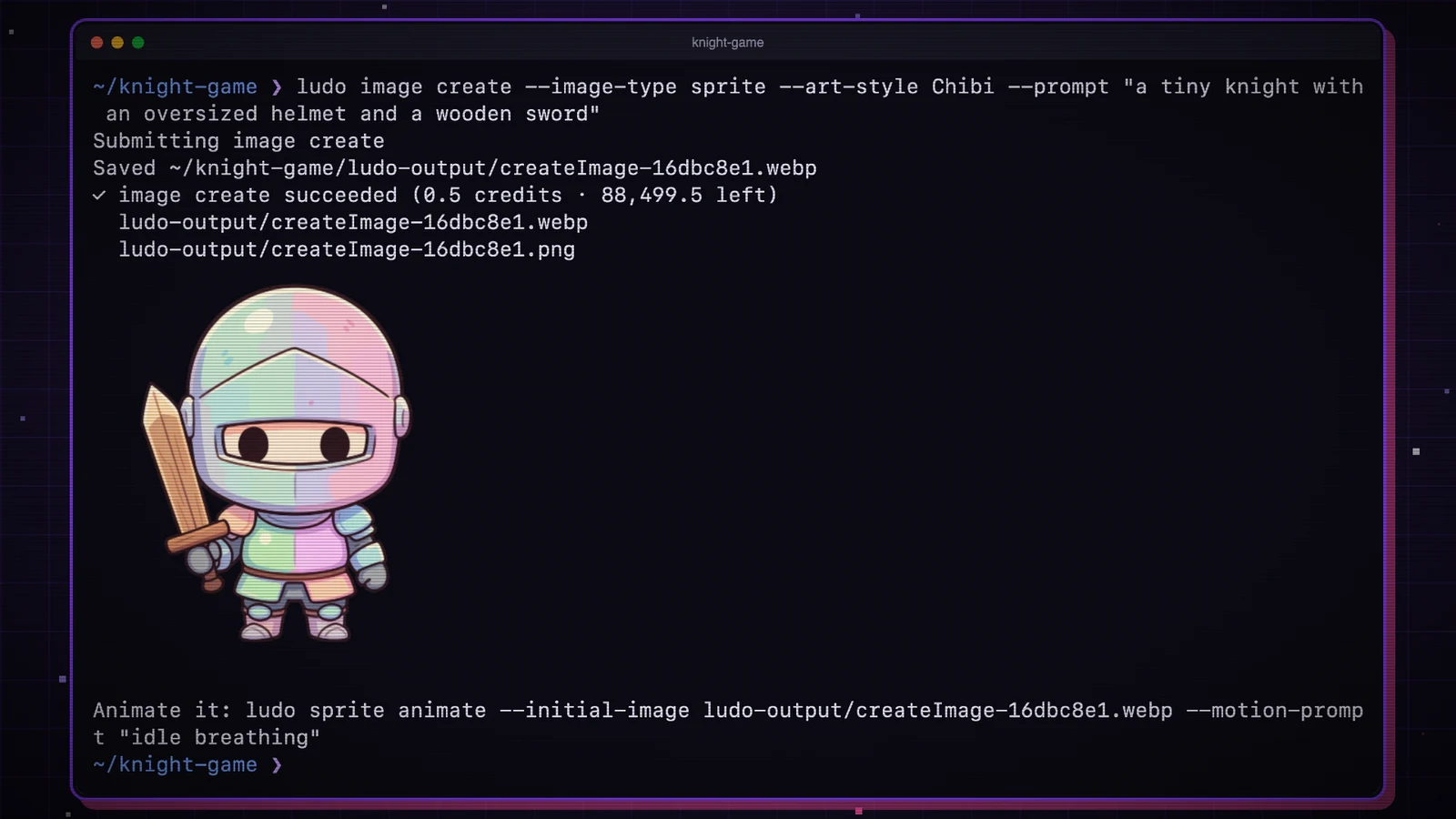
The September 28 release brings Ludo's generators to the terminal, with local file output, Godot animation resources and spending controls. Pro or Studio access is required.
Read article