PRODUCT UPDATE / Roblox · Character animation
NoCapMocap 1.10 adds browser publishing for Roblox R15 animations
The November 6 update adds direct Roblox animation publishing from History, Library and Animator. Codex can also connect with a credit limit and an expiration date.
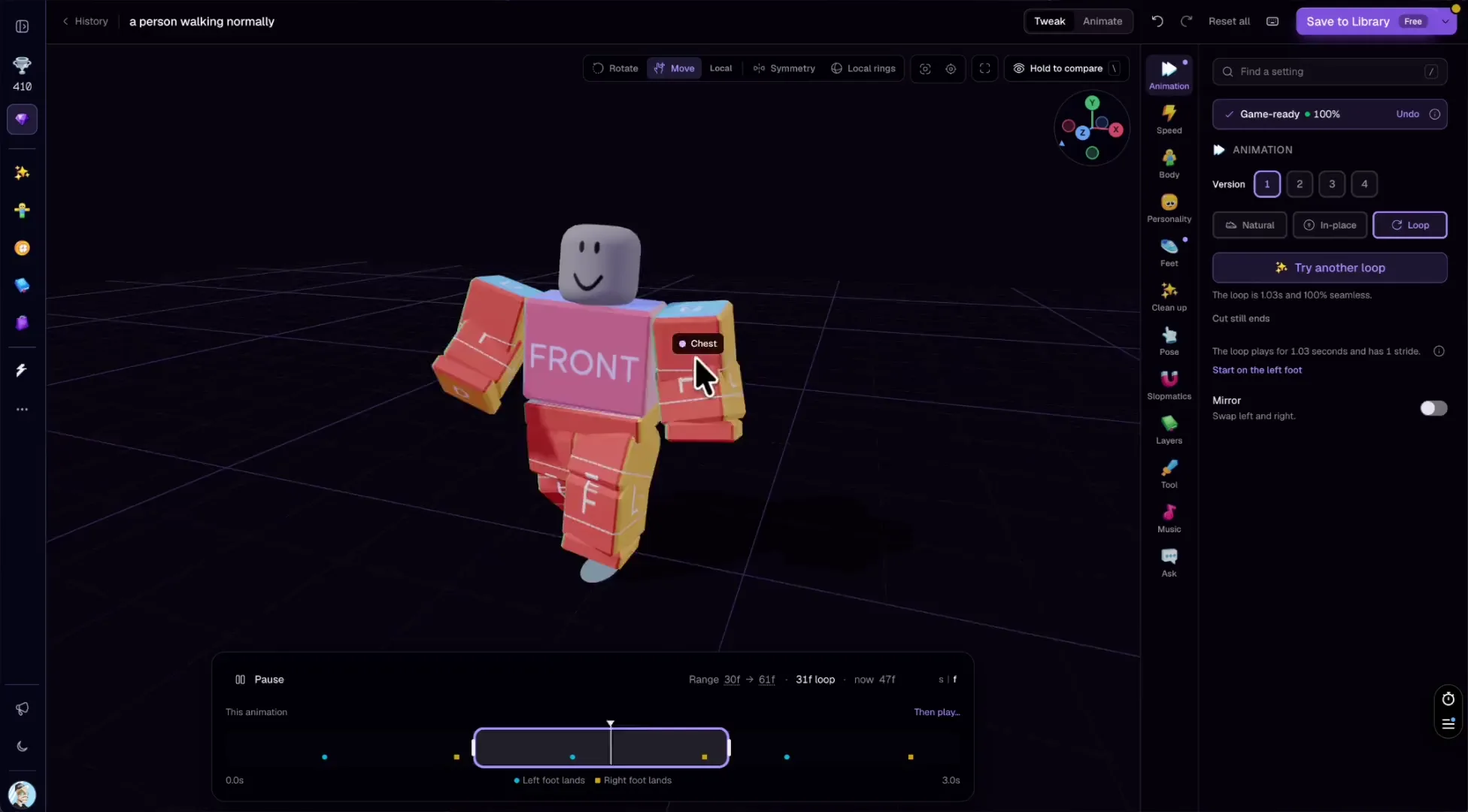
Roblox creators can review a generated or edited R15 clip in the browser, publish it as an animation asset and use its ID in a game script.
NoCapMocap 1.10.0 added publishing to Roblox from the browser on November 6. Creators can upload a generated or edited R15 clip as an animation asset from the same site, then use its ID in a Roblox project.
Publish from History, Library or Animator
Choose Publish to Roblox in a clip’s menu in History or Library. In Animator the option is next to Save, and the editor can save pending changes before it publishes. Once you have the Animation ID, set it on an Animation object and load it through the rig’s Animator to play it in your project. Roblox playback documentation
The browser editor now lets you loop the range you select on the ruler. With no range selected, it repeats the kept part of the clip. That gives you a way to inspect the join in an idle or walk before publishing. Individual Body settings also get their own keys so you can adjust one setting on the timeline. NoCapMocap Animator
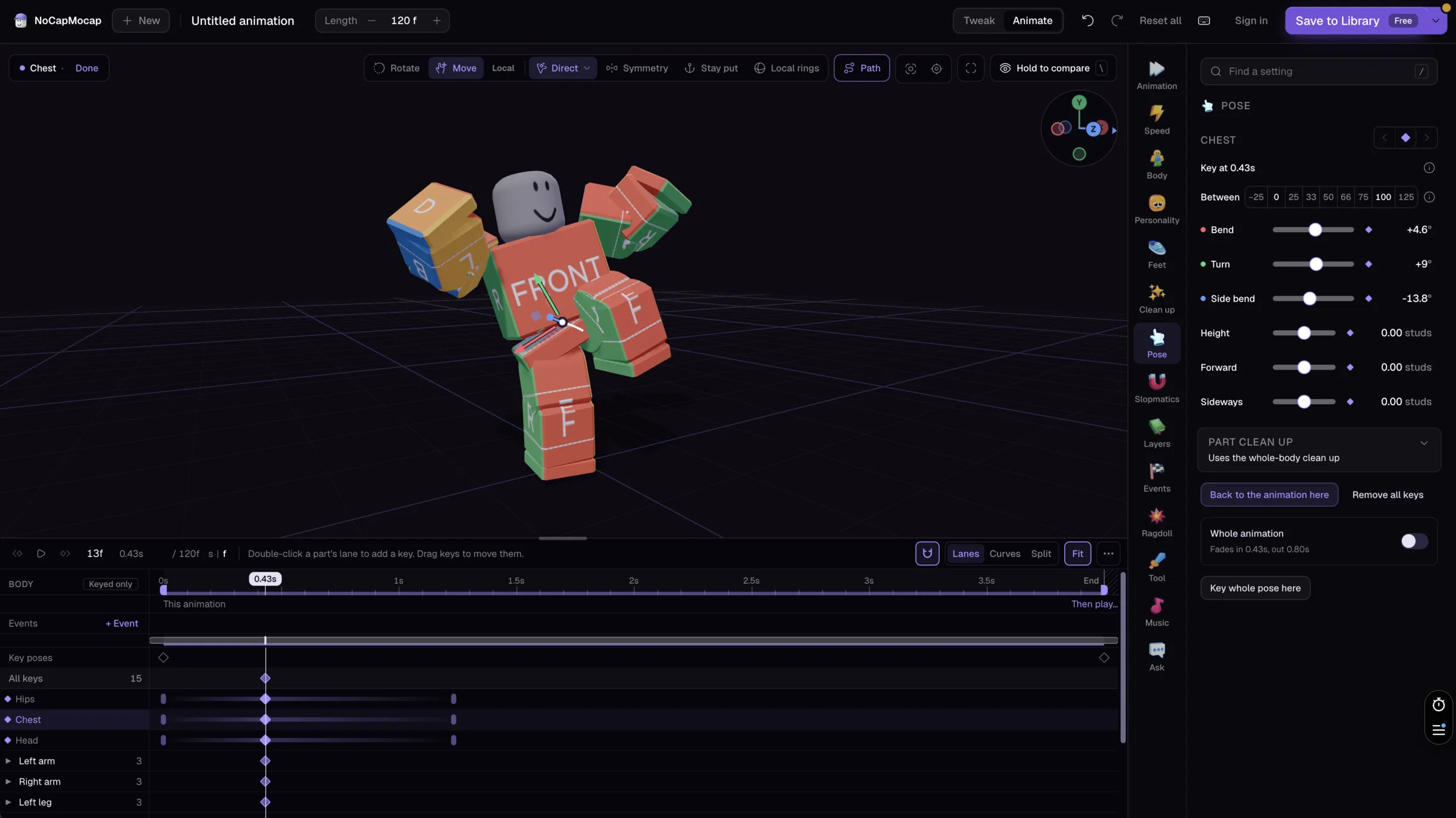
Codex connects with a credit limit
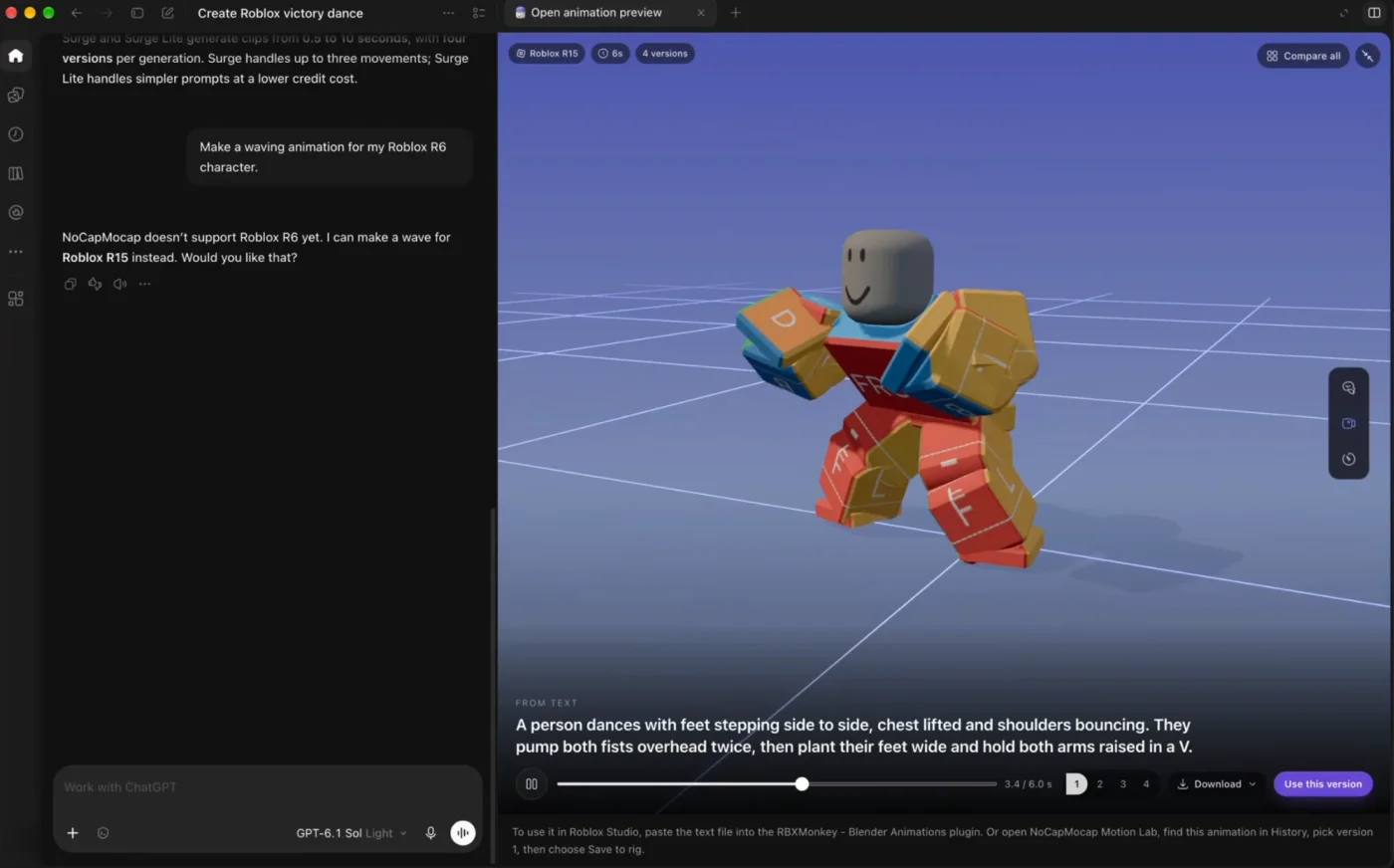
You can now connect Codex to the NoCapMocap animation MCP. At authorization, you choose how many credits the connection can use and when it expires. The connection guide describes getting a cost quote before generation and finding the resulting clip in History. The example below shows the earlier ChatGPT integration’s motion preview. NoCapMocap connection guide
Strobe also joins Text-to-Motion as an experimental option. Enable experimental models in your account settings, then choose Action, Hero or Hype and the Standard or Max level. NoCapMocap charges credits for generation, so check the quoted cost for the model you use. Plans and credits
Sources (5)
Written with AI from public NoCapMocap and Roblox documentation. Editorial review follows the site’s automatic product-update policy.