PRODUCT UPDATE / AI asset workflows
Scenario adds webhooks for AI asset pipelines
Web App 2.27.0 adds notifications for generation, training and exports. Game teams can connect job results to their own review and download queues, with an HTTPS receiver and retry handling.
For teams connecting AI asset generation to project review and download queues.
Scenario introduced webhooks in its October 5 Web App v2.27.0 release. The platform can notify a developer's server when generation, training or export jobs change state, giving teams producing game icons, characters and 3D props a way to connect those jobs to their own asset pipelines.
A team could send completed generations into a review queue, then start a download when an export archive is ready. Those follow-up actions need to be configured in the receiving system; a notification does not perform asset review or engine import.
Subscribe to project events
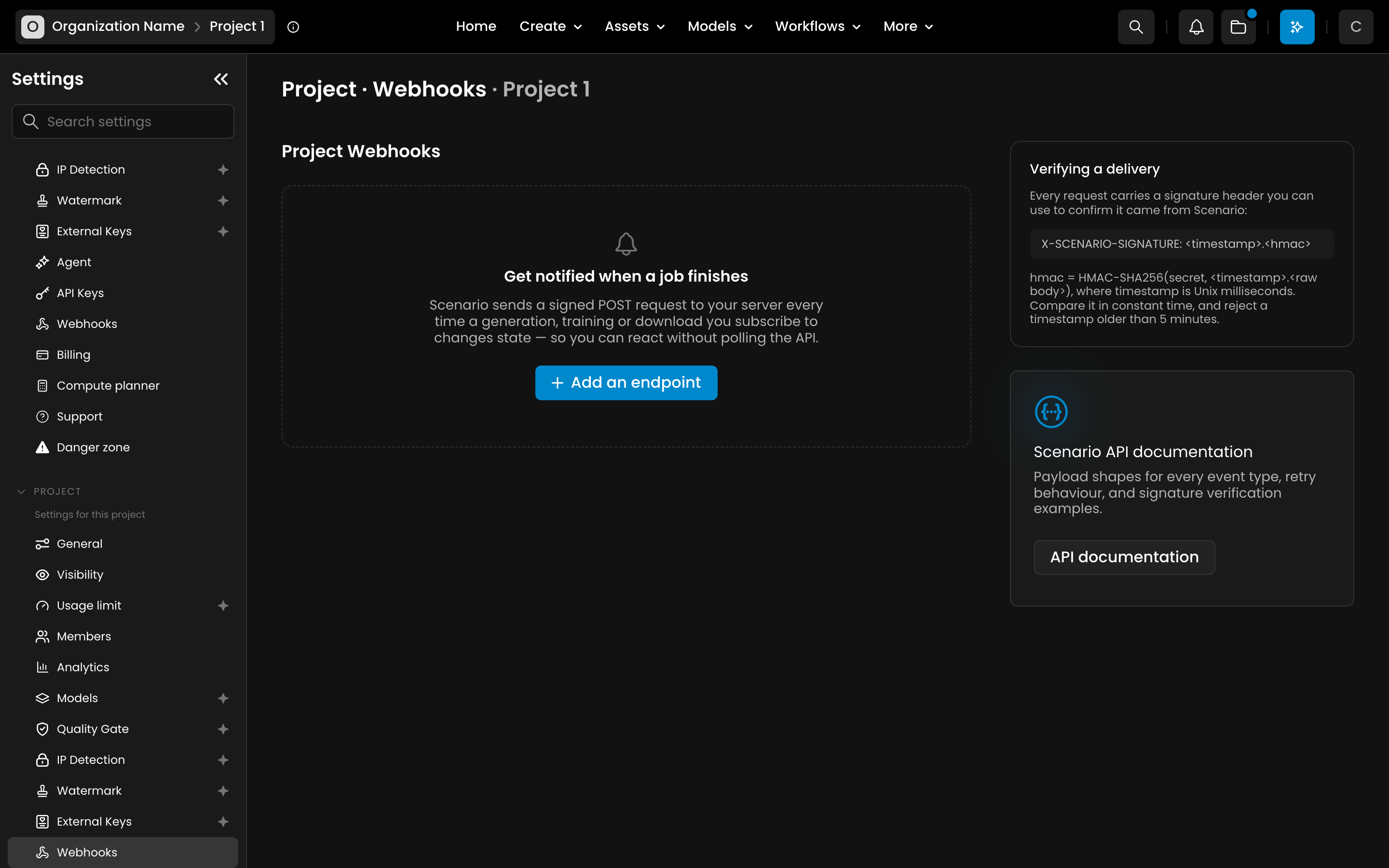
Administrators can configure a receiving URL and select events under Project Webhooks in Settings. Project notifications cover generation, training, asset exports and model exports. Credit threshold alerts use separate organization endpoints, with different permissions. The setup guide explains both.
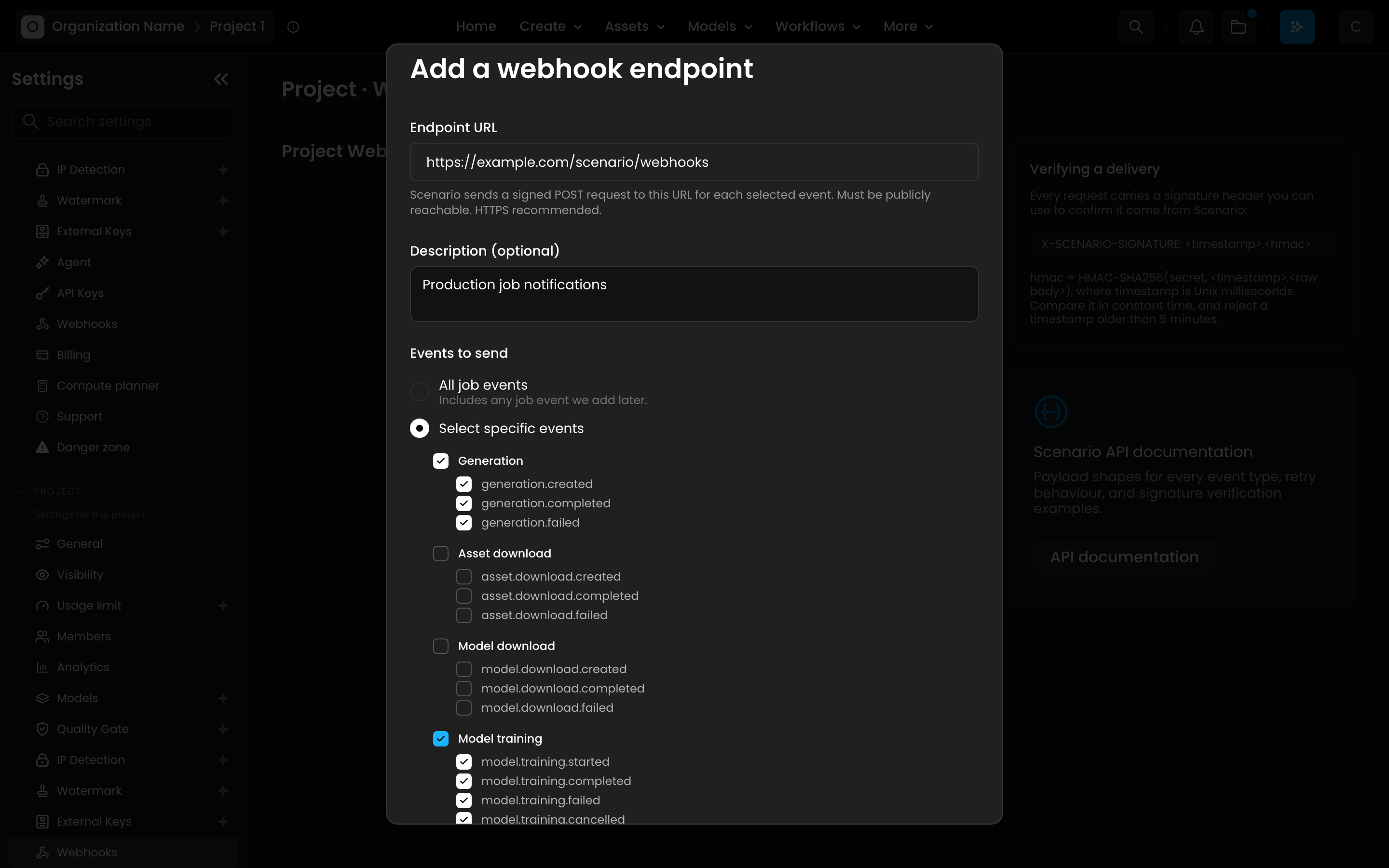
Payloads differ: a completed generation identifies the job, which the receiver queries for output assets; completed exports can include a download URL. This lets an asset queue advance when results arrive, reducing repeated status checks while work is pending.
Handle retries and missed deliveries
Integration requires an HTTPS receiver that verifies request signatures as described in the developer documentation. Events can arrive twice or out of order. Delivery stops after three attempts, so critical pipelines should periodically reconcile outstanding jobs and track what they have processed.
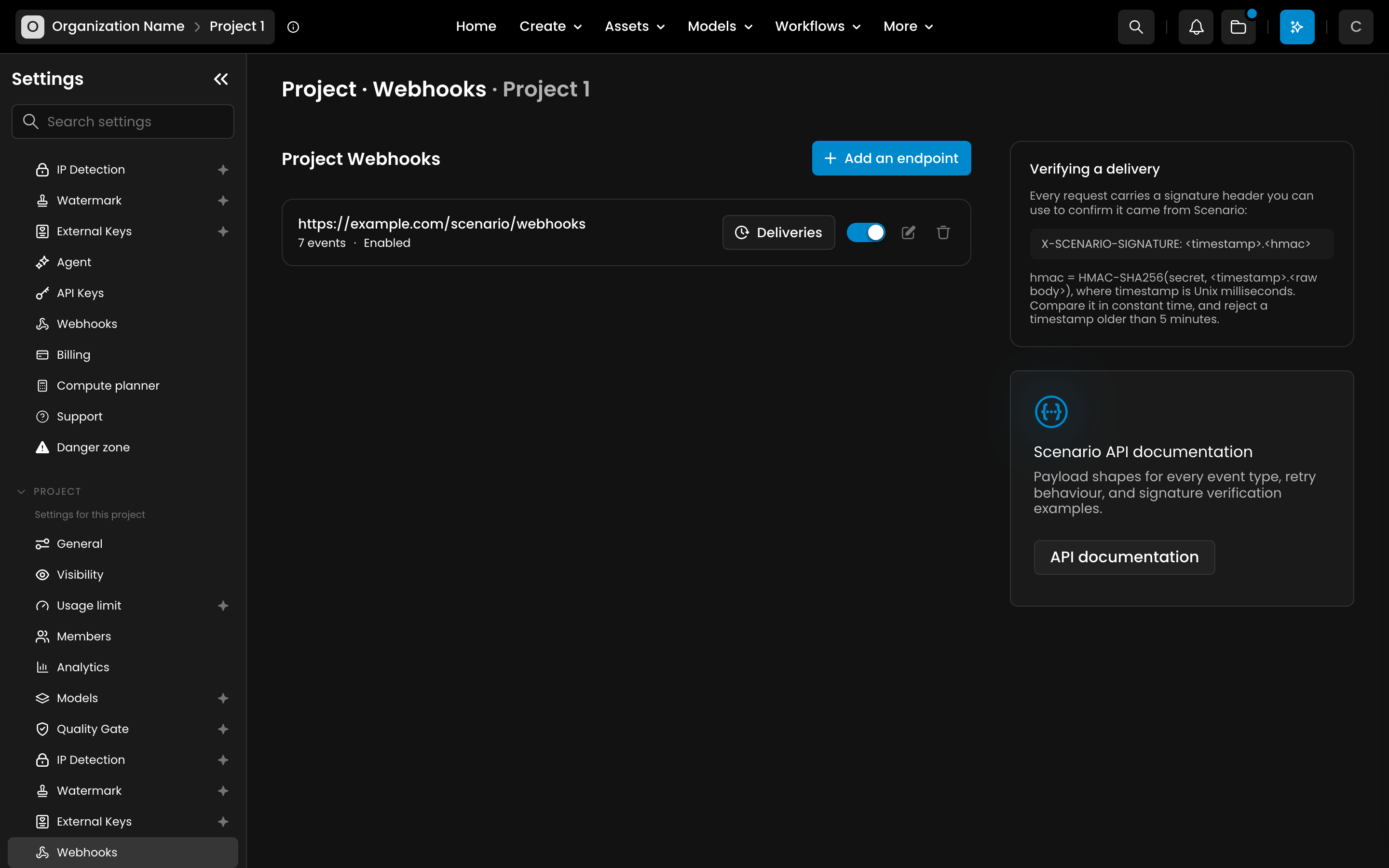
The web interface provides delivery history and an endpoint pause switch. Events that occur while an endpoint is paused are not replayed when it resumes, which matters during server maintenance.
Asset budgets still depend on the chosen models and output settings. Scenario's current pricing explanation describes credits consumed by generation and training, with costs available before a run. Webhooks supply the status information a project system can use to coordinate downloads, review and subsequent work.
Sources (5)
No sponsorship or affiliate links in this article.