ANALYSIS / 3D characters · Workflow case study
From concept art to Unreal: Tripo shares an AI character workflow
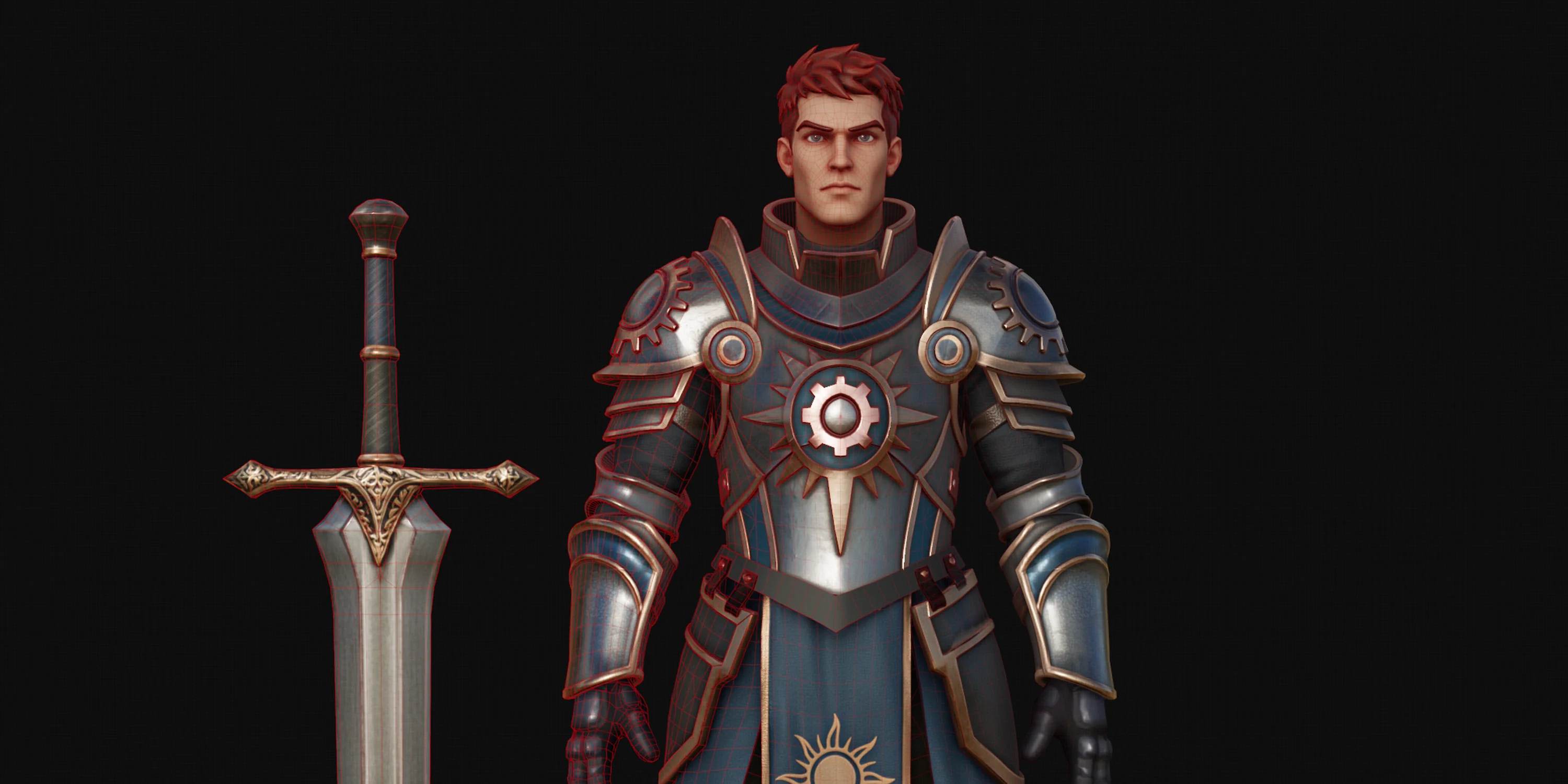
Tripo's own case study breaks a stylized knight into modular parts, generates quad meshes, then finishes assembly, UVs, textures and engine import by hand.
For developers planning to take an AI-generated character into a real engine pipeline and budget the DCC work that follows generation.
On September 3, 2026, Tripo published a character-production case study that runs from concept art to Unreal Engine. This is Tripo's own workflow record: one artist completed a stylized knight in one working day, kept the final character below 30,000 triangles, and used more than 600 Tripo credits along the way.
Those figures describe this project rather than a general time or cost benchmark. The useful part of the case is that it keeps the work after generation visible: separating parts, checking topology, reassembling the character, rebuilding UVs, transferring textures, rigging, and finally validating the asset in an engine.
Split a complex character into body, head and equipment
The knight was not generated as one monolithic model. The concept was separated into a body, head, armor and weapons, giving each component its own polygon budget, texture and iteration loop. The head received a dedicated pass because it attracts more attention and needs a larger share of the detail budget.
Pose was also decided before generation. The case used a clear front-facing A-pose to place the armor, while noting that a T-pose would be a better starting point when rig setup takes priority. That choice affects assembly and deformation later, so it is difficult to treat as cleanup after the model already exists.
Quad output is a handoff into DCC work
The meshes were generated with Tripo Smart Mesh P2.0 Preview in quad mode. The artist assigned 3,000 polygons to the head and inspected edge flow in the viewport, while targeting fewer than 30,000 triangles for the assembled character.
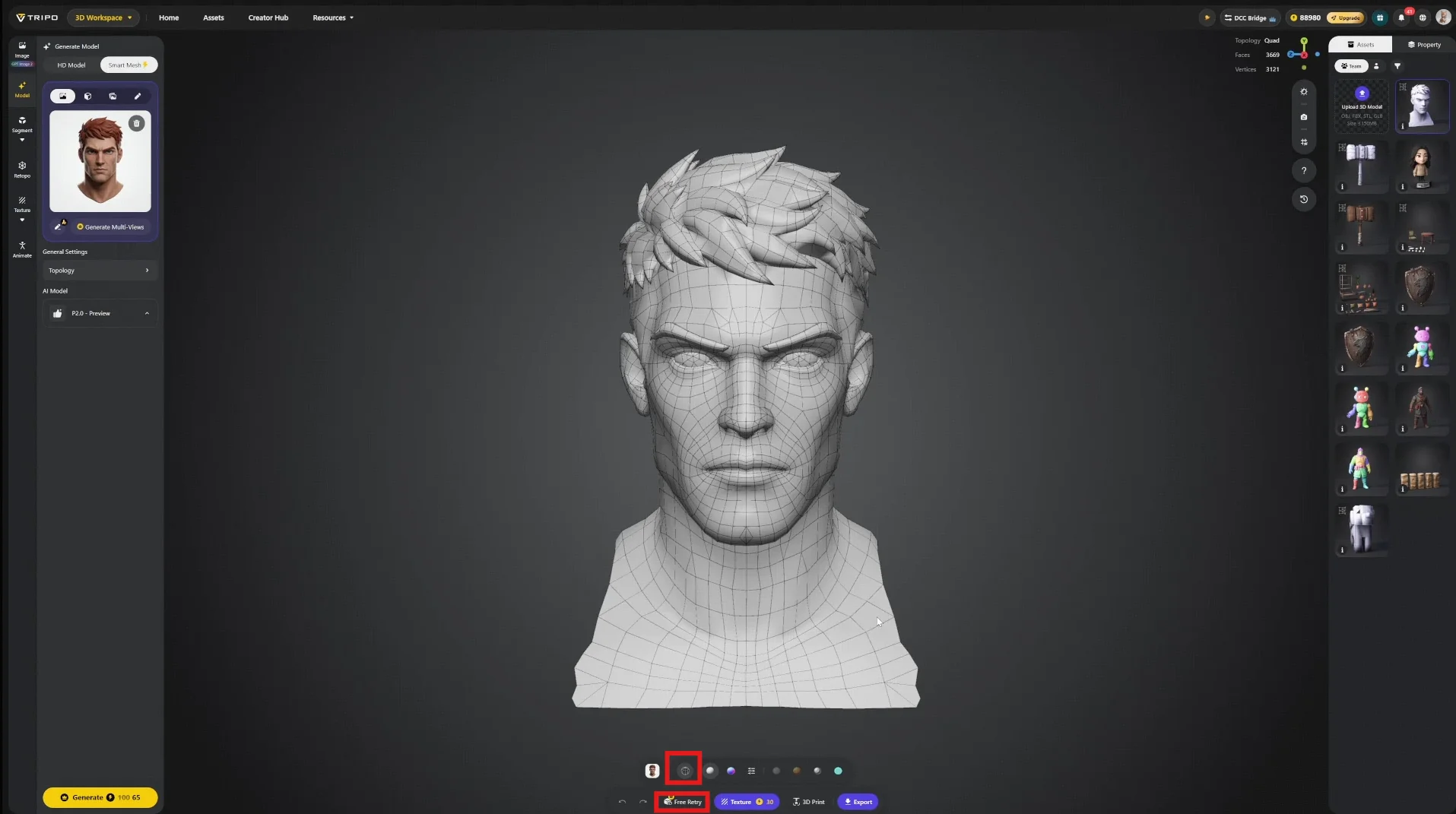
The P2.0 Preview announcement lists limits of 25,000 quads or 50,000 triangles and supports multi-view input. It is still labeled Preview, and Tripo says mesh stability and additional controls remain work for the full release. Quad output is therefore a better starting point for downstream editing, but a clean viewport image alone does not establish a finished asset.
Maya, Marmoset and Substance Painter finish the asset
The parts moved into Maya through DCC Bridge or regular FBX and OBJ export. Tripo normalizes components to a common scale, so the artist still had to resize and position them against the reference. The case also records a small number of non-manifold faces and holes that required manual repair.
The original model had to be preserved before editing UVs because its generated textures depended on that mapping. The workflow rebuilt symmetry and UVs, transferred the old textures in Maya or Marmoset, and finished the materials in Substance Painter. An 8K source pass provided room for refinement before the game textures were reduced to 4K or 2K.
Rigging was not removed from the schedule either. The source explicitly says rigging and animation in this workflow were not yet at what it calls industry standard, and recommends a custom rig for a production character.
One working day depends on a specific setup
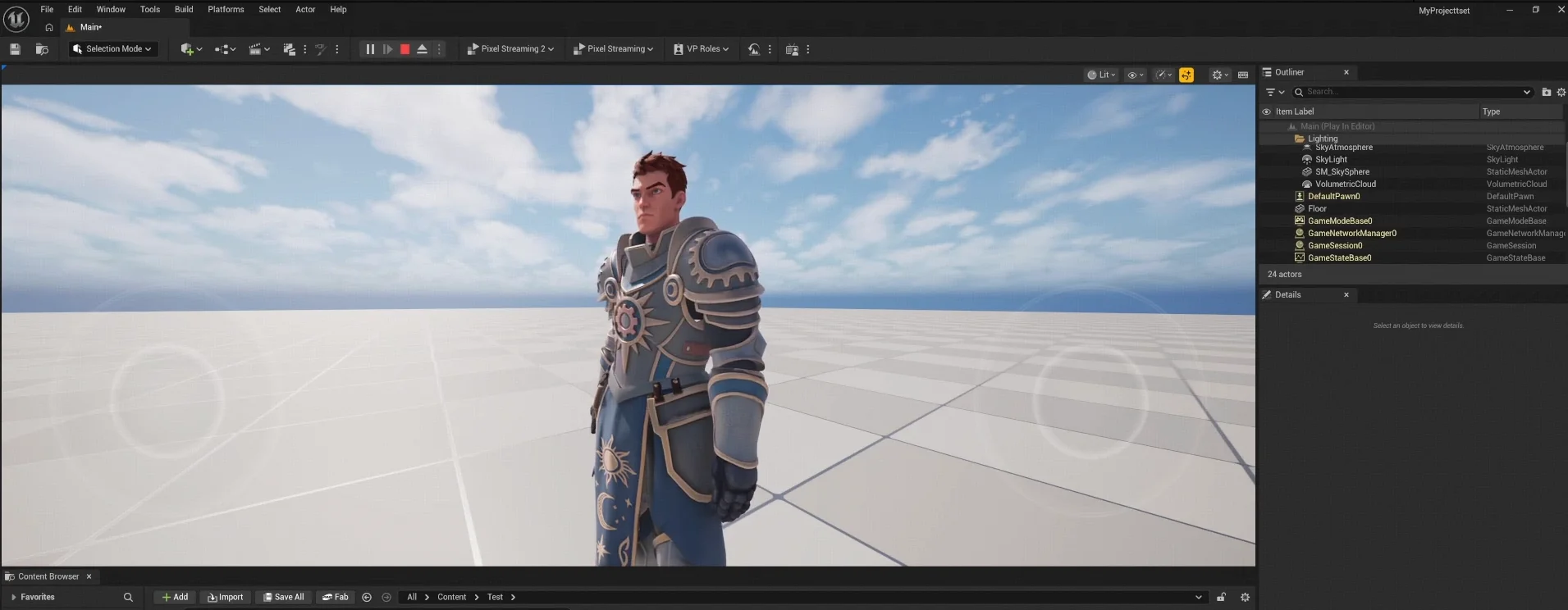
The result came from an artist already working across Maya, Marmoset, Substance Painter and Unreal Engine. It also involved a defined stylized character, readable concept art, modular equipment and a polygon budget chosen before generation. The source does not provide repeated trials, discarded-candidate counts or a step-by-step time log, so it cannot show that a newcomer would reach the same result in a day.
For an independent developer, the case works better as a production checklist. Decide which parts need separate generation, how much geometry each part receives, and whether the pose supports the planned rig. Then budget assembly, UV work, texture transfer, weights and engine validation. AI shortens parts of base-mesh and first-pass texture creation; the later decisions still determine whether the character is usable.
Sources (2)
No sponsorship or affiliate links in this article.