PRODUCT UPDATE / Character equipment · Directional sprites
Ludo adds separate weapons and accessories to Directional Sprites
The November 5 update fits separate 3D items to a rigged character, then carries the equipment into directional sprite sheets. It adds web controls and API/MCP fitting; sprite rendering and model creation retain their own costs.
Teams preparing directional character art with different equipment sets, or automating accessory fitting through an agent.
Ludo.ai added Accessories to Directional Sprites on November 5, letting developers equip a character with separate weapons, shields or headwear before rendering its sprite sheets. The workflow needs a rigged character and an accessory without its own skeleton; imported accessory GLBs can be up to 30 MB. Equipment can then appear across the character's rendered directions and animations.
Fit equipment before rendering the sprites
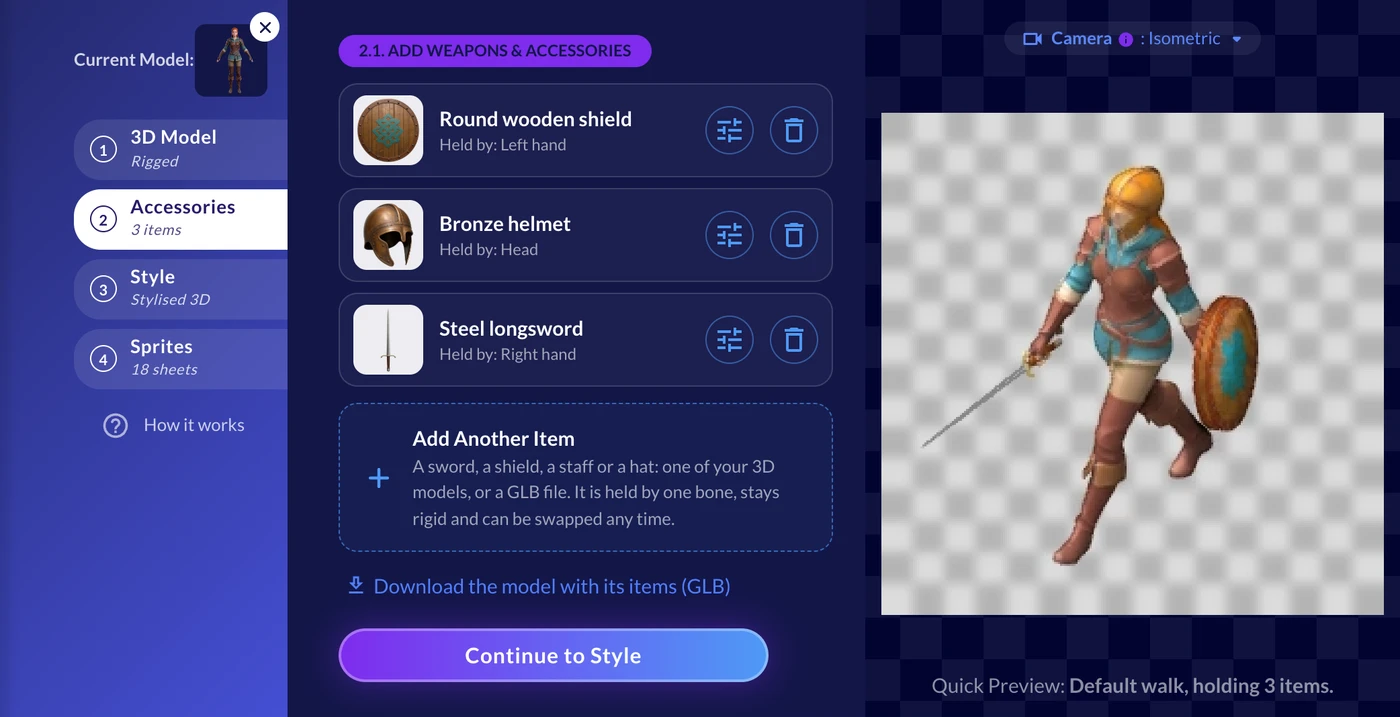
The announcement places Accessories between the 3D Model and Style steps. Previously, a weapon drawn into the character reference could become part of the body's mesh. Ludo says the new workflow keeps each item separate and attaches it to one bone, so it follows that bone while staying rigid.
Choose an existing unrigged accessory model or upload a GLB. The fitter estimates the item's type and placement, then lets you change its attachment bone, move, rotate or scale it. A sword can follow a hand, a helmet the head, or a backpack the back. Closing fingers around a grip requires finger bones. Play the character's animation in the fitter to check placement before attaching the item.
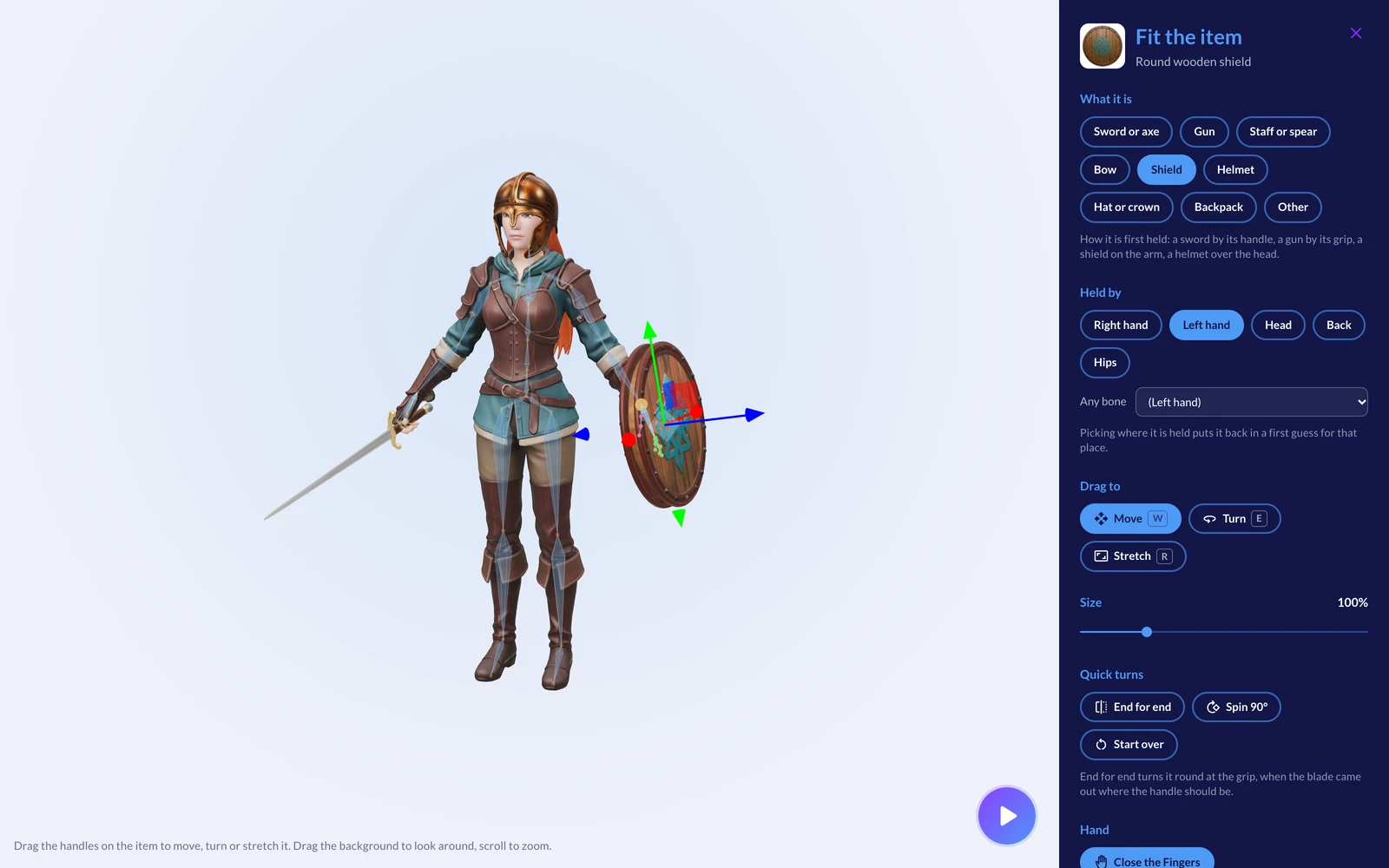
Attached items are saved with the character. Developers can download an equipped GLB, or continue to Style and render sprite sheets with the equipment. For a game with several loadouts, this could let a team try different equipment on the same character model before producing its directional art.
API fitting, access and credits
The feature is also available through the public API and MCP. In the API reference, fitDirectionalAccessory returns placement data, two-angle previews and checks for issues such as body overlap or grip distance. An agent can revise the fit and request another preview. attachDirectionalAccessories accepts up to eight items in one request and returns a combined GLB for the directional-sprite tools. These returned GLBs are kept for seven days, so download files you need to retain.
Fitting, attaching and Quick Preview use no generation credits. Sprite sheets retain the promotional price of one credit per direction; creating an accessory in the 3D Generator has its own model-generation cost. The API guide and MCP guide specify that access is included with Pro and Studio plans.
The Ludo.ai tool record covers the wider asset workflow. The 2D art and animation category provides related options for preparing character art and motion.
Sources (4)
Based on official announcements and public documentation. No sponsorship or affiliate links.