PRODUCT UPDATE / Blender · AI-assisted art
MochiToon 0.3 adds AI-agent control for Blender toon shading
The free Blender add-on combines comic shading with an external AI-agent workflow. Its October 23 patches preserve settings and textures across edits; EEVEE and perspective cameras are required.
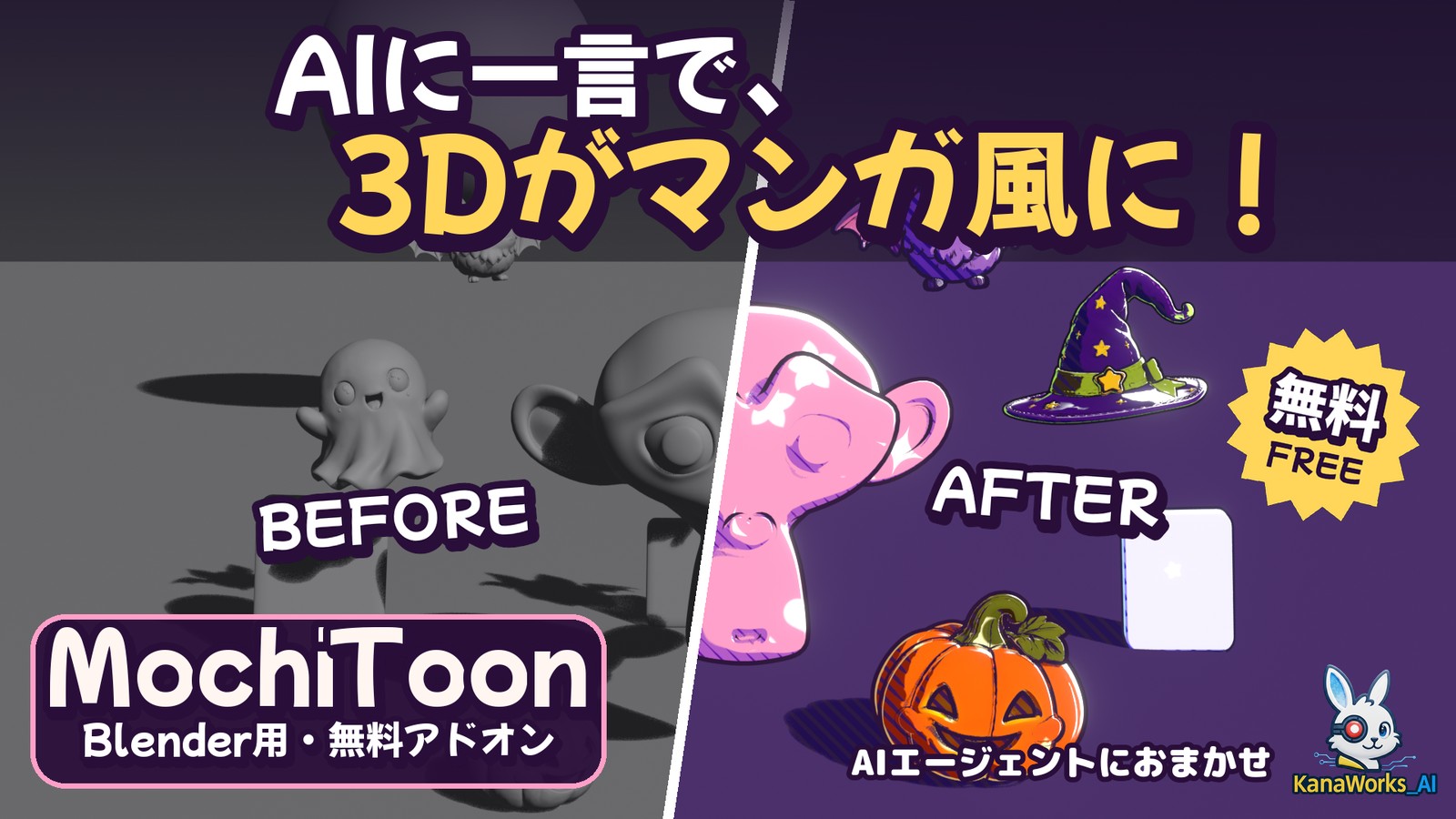
A documented agent workflow for iterating on Blender character and prop looks, with material replacement and render-engine limits to account for.
Tokyo AI Visuals released the MochiToon 0.3 series on October 23, giving Blender artists a free comic-shading add-on with a documented workflow for external AI agents. A local-capable agent such as Claude Code or Codex can use the supplied Python helper to apply a look, save a separate .blend file and render a preview. For game developers exploring character or prop art, the workflow offers a way to request changes while reviewing the resulting image. The 0.3.0 release includes six highlight shapes and 13 palettes.
The shading combines colored shadows, halftone or scattered highlight shapes, hatching, rim light and outlines. Circles, hearts, stars, flowers, sparkles and moons can be mixed. These controls also remain available in Blender's own panel.
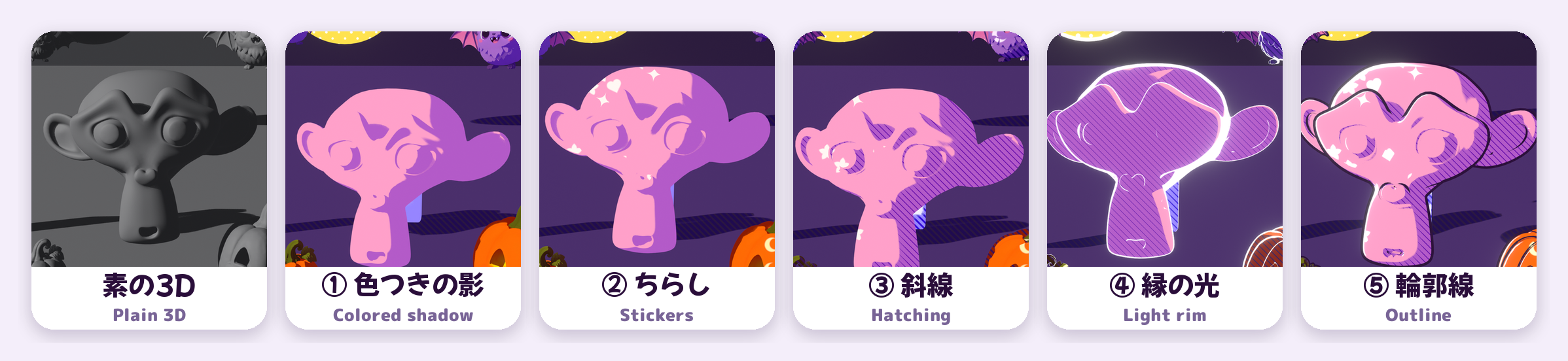
Follow-up edits retain the chosen look
Version 0.3.1 made scattered stickers the default, including on flat surfaces, and preserved the palette, shapes and amount when reapplying. It also added camera-framing and preview-size options for the agent helper.
Version 0.3.2 then fixed follow-up tweaks dropping textures or original object colors that the user had chosen to keep. A request for fewer hearts can therefore retain that earlier choice, according to the release notes. The latest listed version, 0.3.3, only adds copyright attribution; it introduces no further functionality.
Applying MochiToon replaces the selected objects' materials. Keep Object Colors / Textures carries their colors or textures into the new materials. The agent recipe saves to a new filename by default; it does not promise to preserve an original material graph inside the converted result.
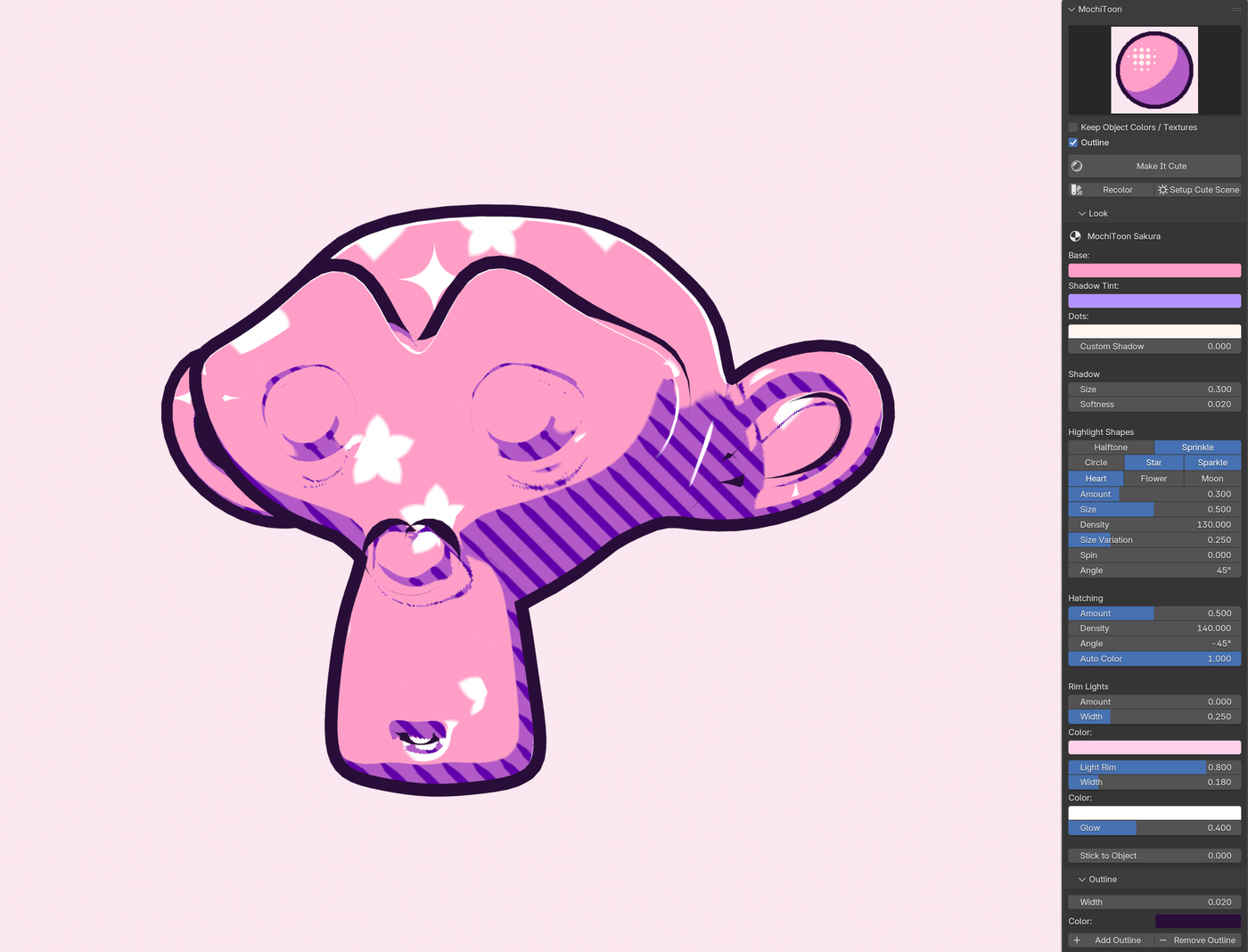
EEVEE and perspective cameras define the scope
The project documentation requires Blender 4.2 or later and EEVEE. Cycles and orthographic cameras are unsupported. Automatic bloom setup needs Blender 5.0 or later; on 4.2–4.5 the rim brightens without bloom. Screen-space patterns can follow object movement, but not rotation.
For a game project, this is a Blender look-development or pre-rendered-art workflow. The documentation provides no Unity, Unreal or Godot shader-export path. Check an engine pipeline separately before planning around the material.
The add-on is free and its code is GPL-3.0-or-later. The FAQ permits commercial renders subject to the licenses of the models and textures used. An external AI agent's service costs are separate from the add-on.
Sources (8)
- MochiToon v0.3.0 · Shapes, palettes and AI-agent workflow
- MochiToon v0.3.1 · Reapplying settings and agent options
- MochiToon v0.3.2 · Preserve textures during follow-up tweaks
- MochiToon v0.3.3 · Copyright attribution only
- MochiToon · Blender requirements, materials, gallery and FAQ
- MochiToon · Documented external-agent interface
- MochiToon · GPL-3.0-or-later license
- MochiToon · Brand rights and unchanged editorial display
Based on public release notes and project documentation. No sponsorship or affiliate links.