ANALYSIS / Environment production · Workflow case study
From reference to walkable town: Tripo demonstrates an AI-assisted Unreal scene workflow
A new Tripo case study connects asset generation with Unreal scene assembly. Blockout and traversal checks give developers concrete stages to review before expanding an environment prototype.
For developers exploring AI-assisted environment prototypes and connecting generated assets to engine-level iteration.
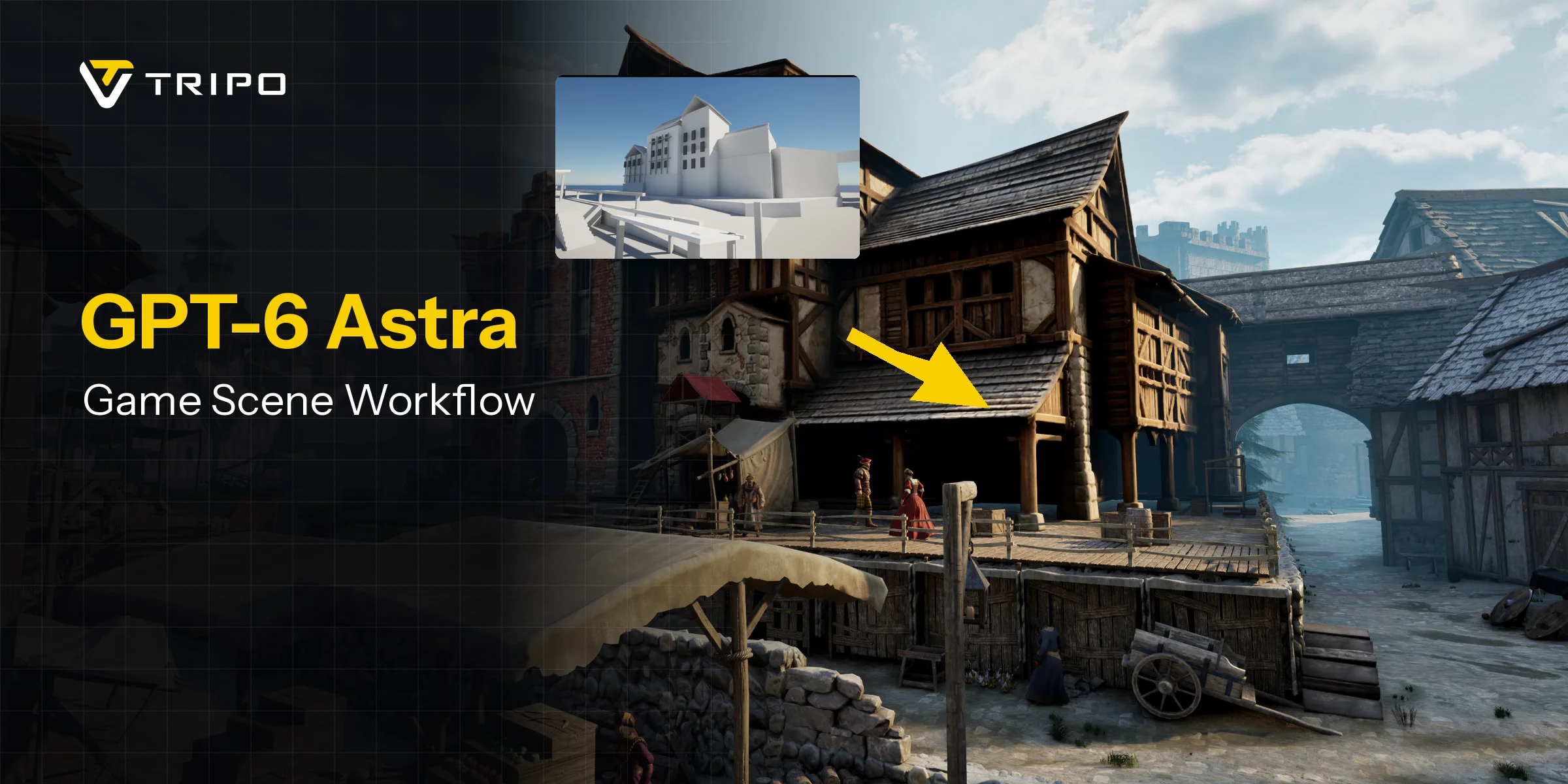
On September 19, 2026, Tripo published a medieval-town case study using GPT-6 Astra, Tripo CLI and Unreal MCP to turn a reference into an Unreal Engine scene with first-person traversal.
Establish the route before replacing the blockout
The workflow moves from simple geometry through batch asset generation, placement and lighting to traversal and collision checks. Failed assets are retried individually.
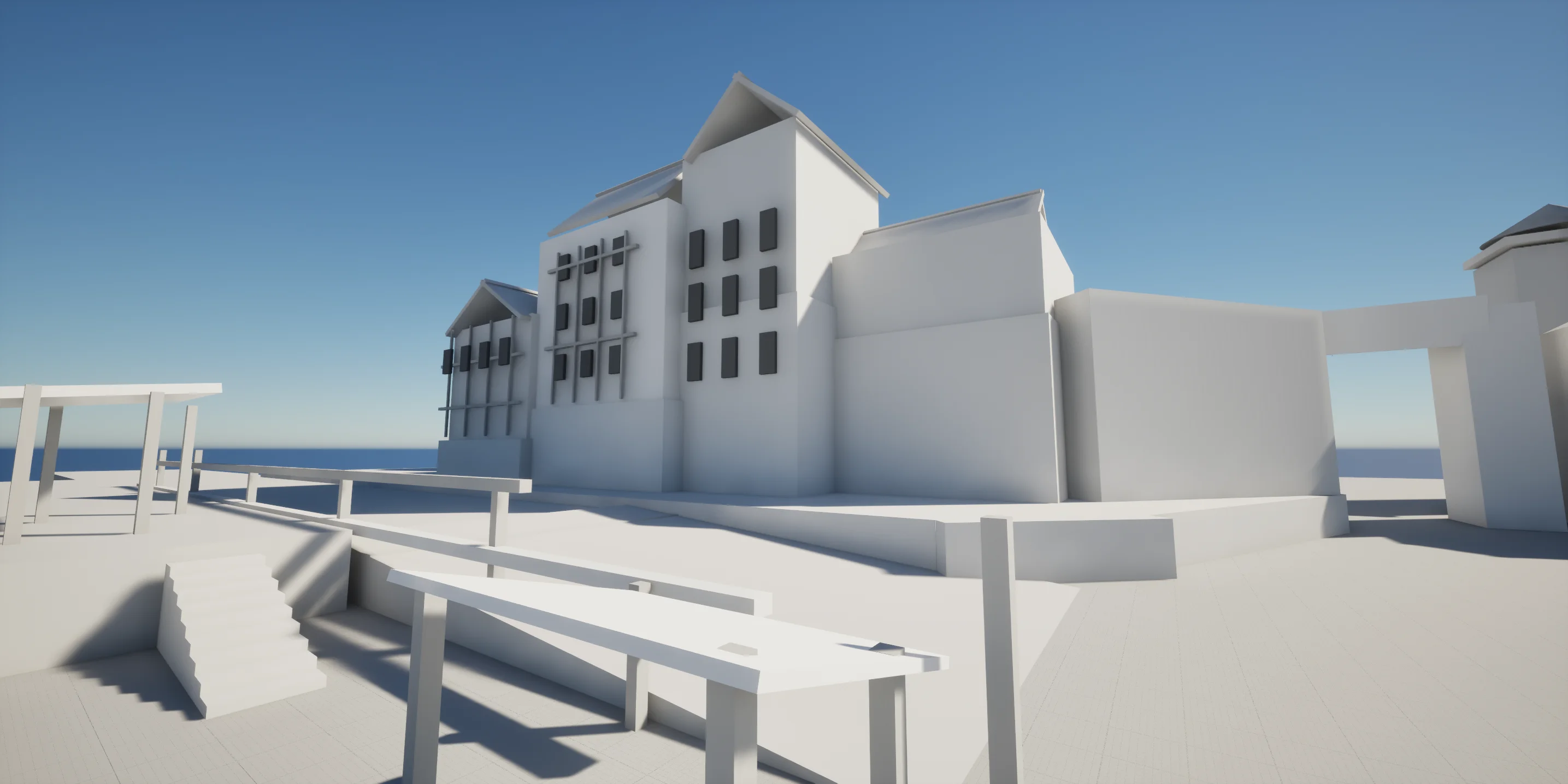
For a small environment prototype, that sequence puts street width, building scale and sightlines up for discussion early. Visual polish cannot establish whether a player can actually climb a step or pass through a doorway.
Generation and editor control use separate tools
Tripo connects to its generation service through a command-line tool. Its CLI documentation covers authentication, diagnostics and balance checks. Installing the CLI is separate from generating assets, which consumes credits. Reproducing the workflow therefore requires both a working local engine environment and a generation budget.
Epic's Unreal MCP documentation describes local agent access to operations such as placing actors, configuring lights and creating material instances. All Toolsets, or the relevant individual toolsets, supplies the actual operations alongside the MCP plugin.
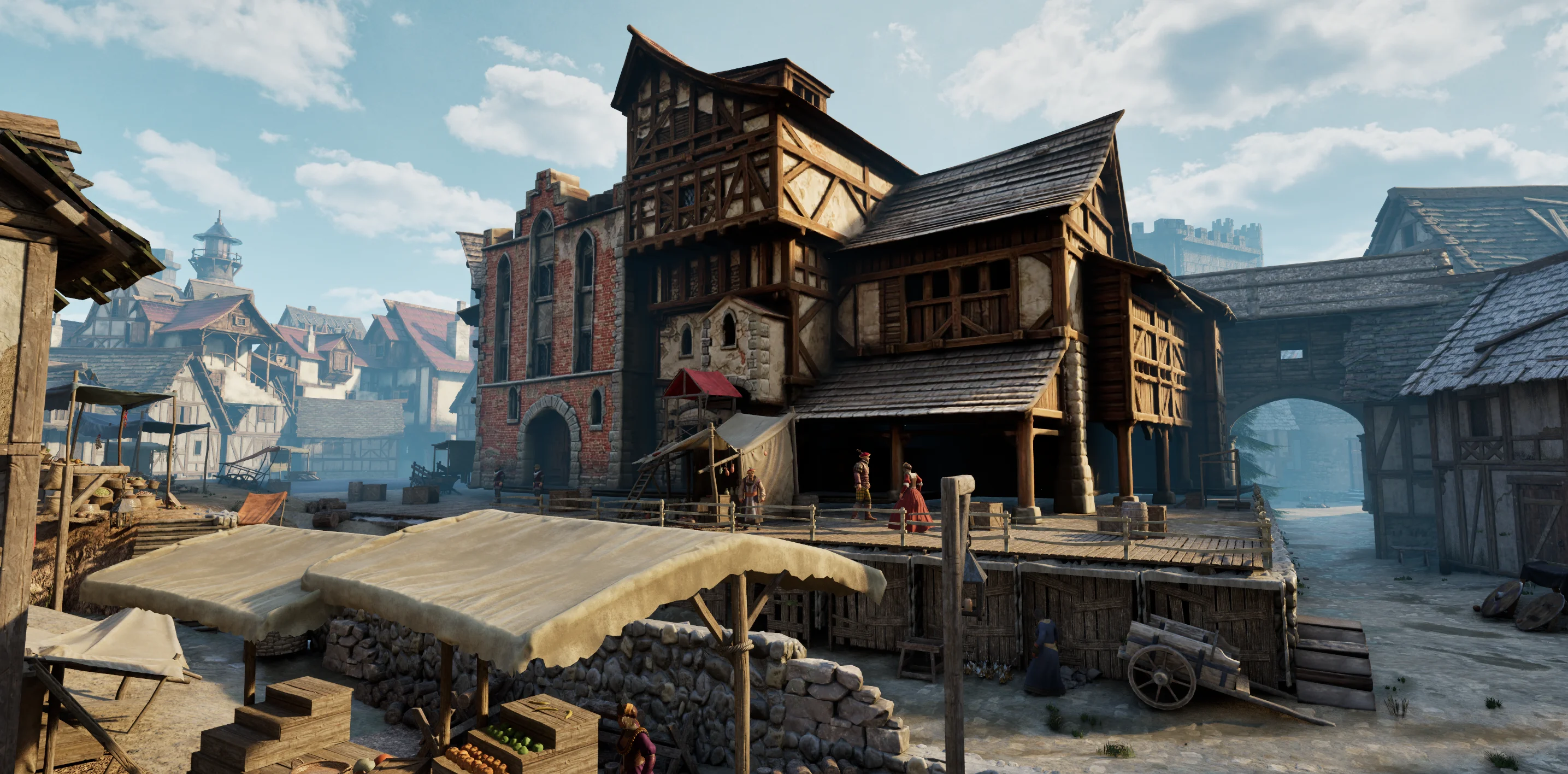
Start with a route you can inspect
Epic still labels Unreal MCP experimental, with interfaces and data formats subject to change. Tool calls must execute serially. Separating work into inspectable stages can make failures easier to locate than issuing overlapping editor requests.
A street corner and a short walkable route make a useful first target. Check imports, saved changes and traversal before expanding the scene. A completed walkthrough still leaves gameplay rules, interaction feedback and target-device performance to design and validate.
Sources (4)
No sponsorship or affiliate links in this article.