Meshy

A fast route from a prompt or reference image to a workable 3D starting point—but production value still depends on topology, cleanup, rigging, and the asset type.

Evidence statusPublic-evidence reviewMedium confidenceLast checked Aug 20, 2026By MakeGameWithAI

PRODUCT OVERVIEW

What Meshy is—and how it works.

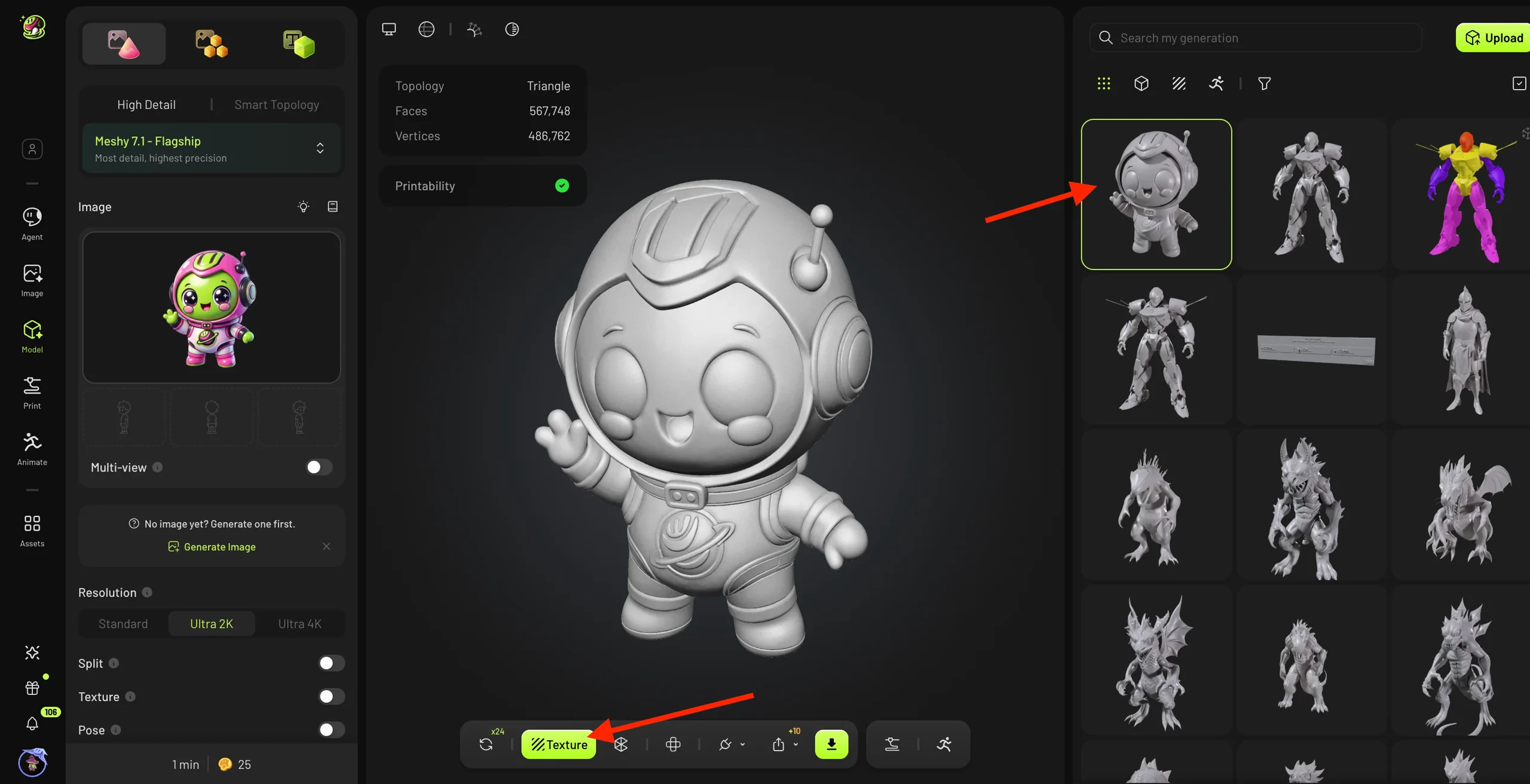
Meshy is a cloud 3D-creation platform that turns text, single images, or multi-view references into textured models. The browser product combines generation with texturing, remeshing, UV work, Smart Topology, rigging, animation, and export. Developers can automate parts of the same chain through the API, while official Blender, Unity, Unreal Engine, and Godot integrations provide handoff points to DCC and engine workflows.

A typical game-asset path starts with a concept or reference: generate several candidates, inspect the silhouette, back, proportions, and separate parts, choose Standard or Smart Topology, create or refine PBR textures, then remesh, unwrap, rig, or animate only where the asset needs it. Exported GLB or FBX files normally move into Blender for acceptance and cleanup before an engine check for scale, materials, shading, pivot, collision, LODs, and deformation.

HOW YOU USE IT

Use the browser app for guided creation and visual review; use the API for repeatable or batch workflows; use DCC and engine integrations for handoff. Plans and API operations consume credits, and later steps such as texturing, remeshing, rigging, or animation can add separate charges.

Text, image, and multi-view generation

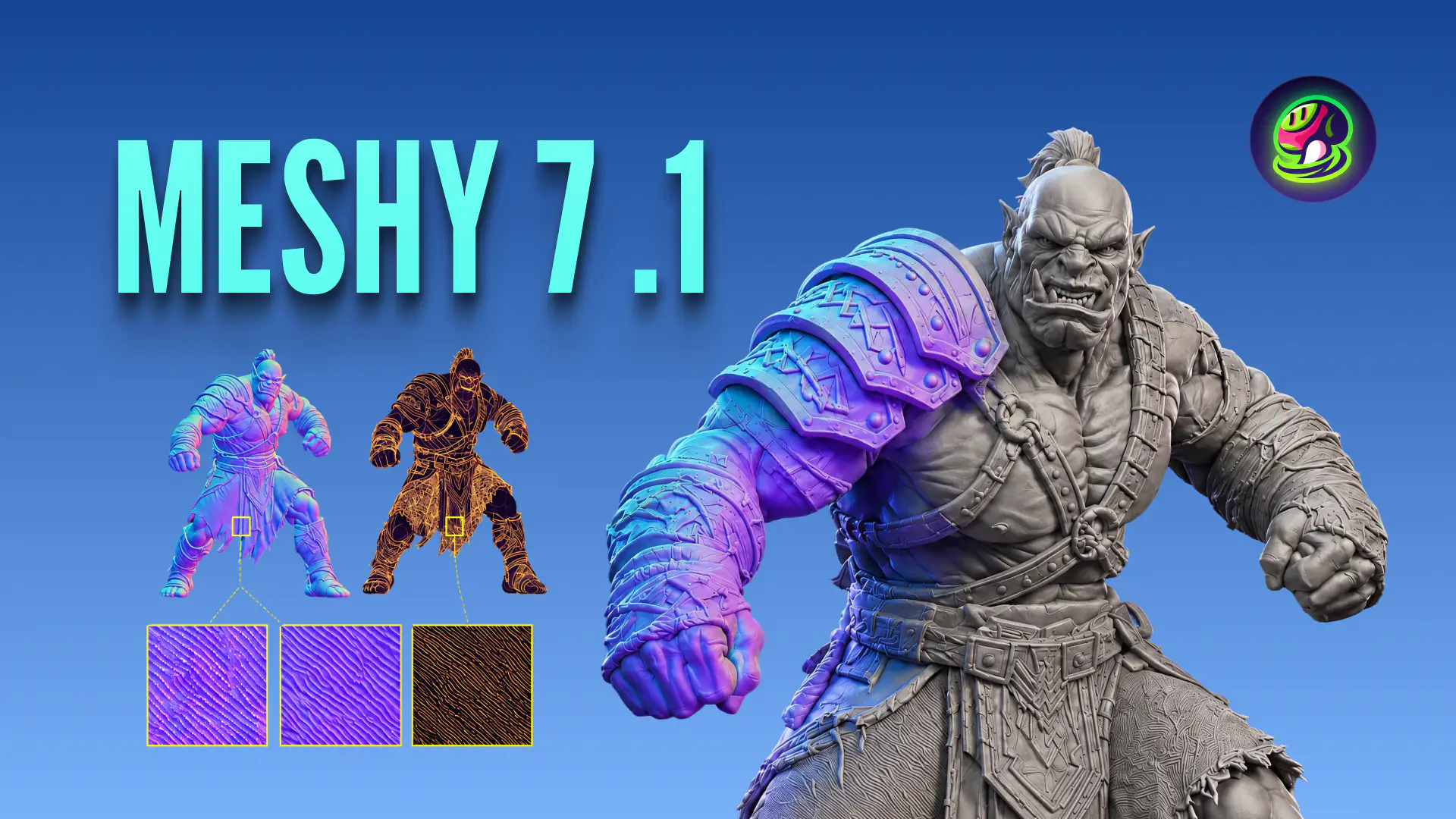
Create 3D candidates from prompts or references. The current API maps its latest model to Meshy 7 and exposes Standard and Smart Topology paths, target polygon counts, PBR options, and common game-asset formats.

O01O02O03

Topology, texturing, and post-processing

Texture, remesh, unwrap UVs, and choose lower-density topology inside the platform. These controls make the output more editable; they do not by themselves prove that an asset meets a project's topology, LOD, or performance budget.

O03O04

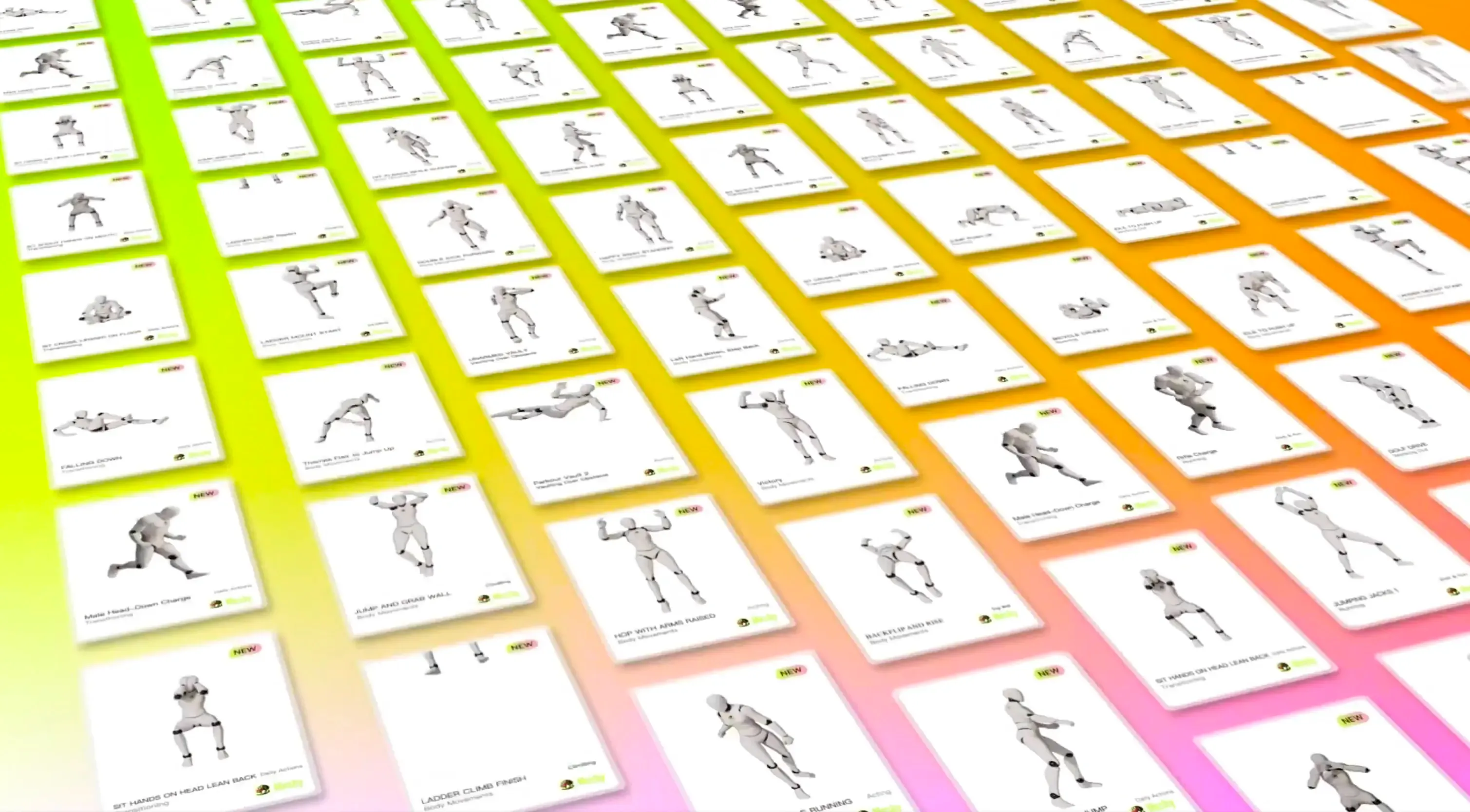
Rigging and animation

The Web App exposes humanoid and quadruped rigging, while the API documentation says standard biped humanoids work best and lists stricter shape and mesh constraints. Treat Web and API behavior as separate until checked in the target workflow.

O05O06

Export, API, and production handoff

Export GLB, OBJ, FBX, STL, USDZ, or 3MF, automate generation through the API, or use official bridges for Blender and major engines. The handoff exists; material fidelity, skeletons, LODs, compatibility, and runtime performance remain project checks.

O03O07O08O09O10
REVIEW SCOPE

The description covers the wider platform. The evaluation below focuses on a small game team's path from generated static props, environment pieces, and basic characters through Blender into one target engine. It does not score 3D printing, scene generation, video workflows, runtime generation, every plugin version, or comparative model quality.

Beginner friendlinessBeginner friendly
Generate and preview a 3D candidate from text or an image without modeling experience; topology and engine cleanup come later.
Agent integrationEasy to integrate
Official API and MCP cover generation, task status and downloads for an asset workflow.
Scope, integration requirements and sourcesChecked

Beginner scope: Generate one prototype model in the web app.

Agent scope: Submit a 3D generation task and save its output.

Confidence: learning Medium · Agent Medium

Access
Create a Meshy API key and authorize the calling tool.
Billing
MCP follows API billing and limits; check the API balance instead of assuming web credits transfer.
Getting results
Create a task, check its status and download the finished model; MCP provides matching tools.
Limitations
A generated asset still needs collision, performance and art checks; keep keys in a controlled environment.

These are independent editorial judgments, not an overall score or a claim of hands-on agent integration testing.

KEY FINDINGS

What the evidence supports—and what it does not.

01
Official factHigh confidence

The platform covers most of the asset chain

Official products connect text and image generation with PBR texturing, topology controls, UVs, rigging, animation, common formats, an API, and DCC or engine bridges. That breadth reduces handoffs inside Meshy, but it does not remove the final acceptance step in Blender and the target engine.

O01O03O04O05O07O08O09O10
02
User reportsMedium confidence

The clearest value is a faster starting point

Recent professional, review-platform, and community cases repeatedly use Meshy to move from an idea to a visible base model faster. The same cases often include later cleanup, so the evidence supports prototype speed—not a universal reduction in total production time.

U01U04U05U07U08
03
User reportsMedium confidence

Cleanup is part of the production cost

Across Polycount, Blender Artists, Epic, G2, an academic Unity case, and an older Roblox counterexample, topology, triangle count, proportions, UVs, LODs, naming, and export checks recur between generation and delivery. Smart Topology may change the amount of work, but current Meshy 7 evidence is too thin to quantify the improvement.

O04U01U02U03U04U05U06U09
04
Editorial inferenceMedium confidence

Static assets are the safer first use

The available cases are more favorable when the asset does not need clean deformation. Standard humanoids may enter automatic rigging, but characters, quadrupeds, unusual proportions, hands, shoulders, elbows, and retargeting introduce topology and weight-painting risks that static props avoid.

O05O06U01U02U04U06U07U08
05
Editorial inferenceMedium confidence

Retries turn credits into an asset-level cost

Generation is only one charged step: higher-quality models, textures, remeshing, rigging, and animation can each consume credits, and complex prompts may require several attempts. Estimate a finished representative asset with its full call chain and cleanup time rather than dividing the subscription by one generation price.

O11O12U05
06
Editorial inferenceHigh confidence

Meshy 7 is a current evidence gap

Meshy 7 reached the documented API only days before this review. Most independent cases either predate it or do not name a version. Older evidence remains useful for choosing what to inspect, but it cannot establish Meshy 7's present geometry quality, cleanup rate, rigging reliability, or cost per accepted asset.

O02O03U01U02U03U04U05U06U07U08U09U10

EDITORIAL VERDICT

Our take

Medium confidence

Meshy belongs on the shortlist when speed from concept to a workable base asset matters more than receiving final production geometry in one step. Current cross-platform evidence is strongest for prototypes, static props, and environment fillers that can pass through Blender; it is weaker for deforming characters, exact hard-surface parts, and assets with strict topology or performance budgets. Plan cleanup as part of the workflow, not as an exception. Because Meshy 7 was released only days before this review, older cases identify the right inspection points but do not establish the current model's quality or failure rate.

Conclusion scopeStatic props, environment pieces, basic characters, and Blender-to-engine handoff for small game teams.

BETTER FIT

Worth auditioning when

  • Rapid concept exploration, gray-box replacement, vertical slices, and environment filling where several shapes can be auditioned before cleanup.
  • Static props and background assets whose silhouette and texture matter more than deformation-ready edge flow.
  • Developers who already use Blender or another DCC and can inspect topology, UVs, scale, materials, pivots, collision, and LODs before shipping.
  • Teams that can measure credits, retries, cleanup time, and first-pass acceptance on a representative asset before generating a batch.

POORER FIT

Do not depend on it yet when

  • Hero characters, faces, hands, cloth, quadrupeds, unusual proportions, or other assets that must deform cleanly without manual topology and weight work.
  • Exact hard-surface, modular, or multi-part mechanical assets whose silhouette, separation, dimensions, and topology must be deterministic.
  • Pipelines that equate a successful export with a production-ready asset and have no DCC acceptance step.
  • Sensitive or rights-uncertain source material when the team cannot reconcile current Terms, privacy choices, retention, attribution, and Community licensing before upload.

WORKFLOW FIT

Where it fits in a production workflow.

01

Static props and environment pieces

Start from a clear reference or multi-view set, audition several silhouettes, choose topology and texture settings, then accept and clean the model in Blender before importing it into one engine.

GuardrailInspect the back and separate parts, non-manifold geometry, triangle count, UVs, PBR channels, scale, pivot, collision, LODs, naming, and shading before a batch.
02

Basic characters and animation

Use a clear A- or T-pose and standard proportions, then treat automatic rigging and animation as a first pass. Review bones, weights, hands, shoulders, elbows, feet, retargeting, and export in Blender.

GuardrailDo not commit hero, quadruped, non-humanoid, or unusually proportioned characters until one representative deformation and in-engine animation test passes.
03

API and batch generation

Log model, prompt, references, parameters, each retry, downstream operation, credits, acceptance, and cleanup time so a batch can be reproduced and costed at the asset level.

GuardrailKeep API keys server-side, back up non-Enterprise API output before the stated three-day deletion window, and pin versions instead of assuming latest will remain unchanged.

RECOMMENDED WORKFLOW

Use this tool inside a complete production workflow.

Start from a testable brief, then move through prototyping, assets, audio, testing, and release with an explicit handoff and human check at every step.

Open the complete method

SHORTEST RESPONSIBLE PATH

Validate one static prop before bringing characters into the plan.

This is a low-risk starting workflow synthesized from the evidence.

  1. 01

    Choose one representative static prop with a clear front, side, and back; set the engine triangle budget, texel target, scale, pivot, collision, and LOD requirements before generation.

  2. 02

    Generate a small candidate set from the same reference and record model, topology mode, target polygon count, texture settings, credits, retries, and elapsed time.

  3. 03

    Open the selected result in Blender and inspect silhouette, hidden sides, separate parts, non-manifold geometry, topology density, UVs, PBR maps, naming, and manual cleanup time.

  4. 04

    Import GLB or FBX into one target engine and verify scale, materials, shading, pivot, collision, LOD behavior, file size, and any plugin-specific breakage.

  5. 05

    Only after the static path is acceptable, run a separate standard-biped gate with one walk animation and record every topology, bone, weight, retargeting, and deformation correction.

PRICING & RIGHTS

The subscription is visible; retries and post-processing determine the asset cost.

Pricing and terms last checked: Aug 20, 2026

  • Free: $0/month and 100 monthly credits. The Web pricing guide describes a full 20-credit generation, so the allowance is theoretically up to five generations before attribution, queue, download, and feature limits.
  • Monthly list plans: Pro is $20 for 1,000 credits, Premium is $40 for 3,000, and Ultra is $100 for 8,000. Studio starts at $70/month plus additional seats; Enterprise is custom.
  • API pricing listed Meshy 7 generation at 20 credits, with 5 extra for Ultra; 2K or 4K texturing at 10, 8K at 15, remeshing and auto-rigging at 5 each, and animation at 3 credits.
  • A finished asset can consume several charged operations plus retries, so monthly credits do not translate directly into a fixed number of accepted game assets.
COST TO OUTPUT

What the monthly plan buys in API-credit terms

Monthly list-price basis: Pro / Premium / Ultra make each included credit worth 2.00¢ / 1.33¢ / 1.25¢. Formula: plan price ÷ included monthly credits × workflow credits. Values below follow that plan order.

O11O12O15O16
Meshy 7 base generation20 credits → $0.40 / $0.27 / $0.25

One API generation without texture. Theoretical monthly maximum: 50 / 150 / 400 calls.

Textured generation30 credits → $0.60 / $0.40 / $0.38

One Meshy 7 API generation with 2K or 4K texture. Theoretical monthly maximum: 33 / 100 / 266 calls.

Representative static-asset chain35 credits → $0.70 / $0.47 / $0.44

Textured generation plus one remesh. Theoretical monthly maximum: 28 / 85 / 228 chains.

Basic rigged-and-animated chain43 credits → $0.86 / $0.57 / $0.54

Textured generation, remesh, auto-rigging, and one animation. Theoretical monthly maximum: 23 / 69 / 186 chains.

These are nominal credit allocations—not prices for production-ready models. Taxes, annual discounts, unused or purchased credits, retry rules, technically successful but rejected candidates, and Blender or engine cleanup all change the result. The decision metric is: all paid credits and labor used ÷ accepted assets.

Commercial-use condition

The Terms say Free-plan output is provided under CC BY 4.0 with attribution conditions; paid users can keep content private, while publishing to Meshy Community applies CC0. Users remain responsible for rights to their inputs. Recheck the current plan and controlling Terms before release; this is not legal advice.

The live pricing FAQ says data is not used for training without consent, while Terms section 2.9 grants broader training, validation, testing, and improvement rights over non-Enterprise input and output. The Help Center adds a narrower current-practice statement. Treat the Terms as the risk baseline and resolve the conflict before uploading sensitive material. The live page and documentation also showed different plan groupings, so prices and packaging need a fresh check at purchase.

PRODUCTION RISKS

Resolve these before production use.

Topology and cleanup debt

A visually plausible render can still hide excessive triangles, irregular flow, merged parts, artifacts, weak UVs, or missing production metadata. Define acceptance in the target engine, not in Meshy's preview.

O04U01U02U03U04U05U09

Rigging and deformation

Web and API scope differ, and independent cases repeatedly move difficult characters into Blender or Mixamo for bones, weights, topology, and retargeting. Standard bipeds are a starting boundary, not a guarantee.

O05O06U02U04U06U08

Credit and retry exposure

Generation, higher-quality modes, texturing, remeshing, rigging, and animation can all add cost. Without acceptance and retry logs, a plan price hides the cost per usable asset.

O11O12U05

Rights, privacy, and Community licensing

Free, paid, Enterprise, and Community paths have materially different attribution, privacy, training, and licensing consequences. Official summaries conflict, so record the plan, settings, Terms date, and source-material rights for every production batch.

O11O13O14

Retention and API-key handling

Non-Enterprise API output is subject to a stated three-day deletion window, and third-party Unity integration can expose keys when secrets are hard-coded or committed. Back up deliverables and keep credentials off clients and repositories.

O13U11

NOT VERIFIED

Claims this page does not make

RESEARCH METHOD

Research-reviewed from public evidence

Research-reviewed from public evidence. We checked 16 official pages and coded 11 independent records across five source environments: professional and engine communities, review platforms, an academic case, broad developer communities, and a technical repository. Thirteen platforms were searched and nine produced usable evidence; failed searches and inaccessible sources were retained in the internal record. Reddit contributes two records, no single platform exceeds 18.2% of the independent set, vendor material is never counted as user evidence, and generic ratings are not averaged. Overall confidence is medium: recurring older-version workflow themes are cross-platform, but Meshy 7 is too new for those reports to establish current output quality.

Research windowPrimary evidence window: Aug 20, 2025–Aug 20, 2026. A 2024 Unity thread and a March 2025 Roblox case are retained only as historical counterexamples. Meshy 7 entered the API on Aug 12–13, 2026, so older cases do not establish its current failure rate.
OFFICIAL SOURCES16
  1. O01
    Official
    Meshy documentation overview

    Official map of generation, post-processing, animation, export, web, and API capabilities.

    Checked Aug 20, 2026
  2. O02
    Official
    Meshy API changelog

    Records the Aug 12–13, 2026 rollout of Meshy 7 across major generation and retexturing endpoints.

    Checked Aug 20, 2026
  3. O03
    Official
    Text-to-3D API

    Current model aliases, Standard and Smart Topology modes, PBR controls, polygon targets, and export formats.

    Checked Aug 20, 2026
  4. O04
    Official
    Remesh guide

    Official workflow acknowledges excessive triangles and irregular topology as common cleanup concerns and asks users to inspect detail loss.

    Checked Aug 20, 2026
  5. O05
    Official
    Web App rigging guide

    Web workflow for automatic rigging and animation, described for humanoid and quadruped models.

    Checked Aug 20, 2026
  6. O06
    Official
    Rigging API

    API limits say standard biped humanoids work best and identify orientation, limb clarity, non-humanoid shape, and mesh size constraints.

    Checked Aug 20, 2026
  7. O07
    Official
    Meshy for Blender

    Official Blender plugin entry point for bringing Meshy work into a DCC workflow.

    Checked Aug 20, 2026
  8. O08
    Official
    Meshy for Unity

    Official Unity plugin entry point; its existence does not establish import fidelity or runtime performance.

    Checked Aug 20, 2026
  9. O09
    Official
    Meshy for Unreal Engine

    Official Unreal Engine plugin entry point for asset generation and transfer.

    Checked Aug 20, 2026
  10. O10
    Official
    Bridge to Godot

    Official Godot bridge documentation for moving generated assets into an engine project.

    Checked Aug 20, 2026
  11. O11
    Official
    Meshy pricing

    Live plan prices, monthly credits, privacy claims, and plan-level rights summaries checked on Aug 20, 2026.

    Checked Aug 20, 2026
  12. O12
    Official
    Meshy API pricing

    Credit charges for Meshy 7 generation, textures, remeshing, rigging, and animation.

    Checked Aug 20, 2026
  13. O13
    Official
    Meshy Terms of Use

    Controlling source for free and paid output rights, Community licensing, non-Enterprise training authorization, retention, input rights, and warranty limits.

    Checked Aug 20, 2026
  14. O14
    Official
    Data and training FAQ

    Help-center explanation of current image-training practice and possible future use of anonymized non-Enterprise data.

    Checked Aug 20, 2026
  15. O15
    Official
    Individual plan comparison

    Official monthly comparison of Free, Pro, Premium, and Ultra prices, included credits, API access, queue limits, and retry allowances.

    Checked Aug 20, 2026
  16. O16
    Official
    Web App pricing and credits guide

    Official Web App guide for the 100-credit free allowance, 20-credit full-generation example, monthly resets, and failed-task refunds; its older model table is not used for current API math.

    Checked Aug 20, 2026
INDEPENDENT EVIDENCE RECORDS11
  1. U01
    Community case
    How are you handling AI-generated mesh cleanup before engine handoff?

    A multi-user professional-art discussion reports faster generation but recurring checks for non-manifold geometry, retopology, LODs, naming, and export; the original poster may promote a separate tool.

    Checked Aug 20, 2026
  2. U02
    Community case
    Retarget fat game character

    A Meshy biped-animal case documents deformation and weight-painting problems after decimation and manual rigging; replies point back to deformation-ready topology.

    Checked Aug 20, 2026
  3. U03
    Community case
    Fixing AI-generated 3D meshes for UE5 integration

    A multi-tool UE5 tutorial places Maya or Blender cleanup and production topology between AI generation and engine delivery; it may also promote training content.

    Checked Aug 20, 2026
  4. U04
    Review platform
    G2 review: indie game prototyping workflow

    An indie developer reports faster base-model prototyping, followed by Blender cleanup for topology, proportions, and non-standard rigging. G2 labels the review in-app and AI-translated.

    Checked Aug 20, 2026
  5. U05
    Review platform
    G2 review: Roblox asset workflow

    A Roblox-oriented review values fast prototyping and environment filling but reports occasional topology cleanup and fast credit use on complex prompts. G2 labels it in-app.

    Checked Aug 20, 2026
  6. U06
    Academic case
    Generative AI in a two-person Unity game project

    A 2026 degree-project case records concept-image detours, T/A-pose issues, shoulder and elbow rigging problems, animation sync issues, and manual corrections. The Meshy version is unclear.

    Checked Aug 20, 2026
  7. U07
    Community case
    Workflow from Meshy AI to Blender

    A recent static-asset workflow treats Meshy as the starting point, then finishes materials, shading, lighting, and presentation in Blender; the author would use manual topology for a deforming character.

    Checked Aug 20, 2026
  8. U08
    Community case
    Opinions on my 3D workflow

    A concept-to-Meshy-to-Godot workflow was usable overall, but repeated auto-rigging trouble around hands and basic walking led the author to combine Mixamo and Blender.

    Checked Aug 20, 2026
  9. U09
    Community case
    Roblox Developer Forum: Meshy hard-surface counterexample

    An older sci-fi cube attempt produced artifacts and 227,540 triangles; decimation worsened the result and the user rebuilt it manually at about 1.6k triangles.

    Checked Aug 20, 2026
  10. U10
    Community case
    Unity Discussions: historical Meshy plugin feedback

    Independent replies question prompt following and vehicle detail in an older promotional thread; retained only as historical context because later replies also report progress.

    Checked Aug 20, 2026
  11. U11
    Technical repository
    Unofficial Meshy Unity client

    A third-party Unity REST client demonstrates integration demand and warns against hard-coded or committed API keys, recommending environment variables.

    Checked Aug 20, 2026

DISCLOSURE

How this research was supported

Independent editorial research. MakeGameWithAI has no affiliate link, sponsorship, vendor-provided account, free credits, equipment, interview, or technical support for this review. Potential promotion or platform-collection bias in third-party records is noted and limits their weight. Owner Review was completed before publication.

Research review and Owner Review are complete.

This public research review will be revisited when pricing, terms, product versions, or material new evidence changes.