TUTORIAL
No coding experience? Make your first playable game with GPT-6 Astra
A beginner's path from a small game brief to a greybox, useful feedback, clear visuals and a shareable browser game—with a playable example, nine illustrated checkpoints and downloadable source.
People with no programming experience who want a first small, single-player browser game.
One scene and one short game loop, with public Astra case studies and an AI-assisted teaching example.
A playable game, a recoverable checkpoint, a reusable brief, and a checklist for sharing it.
Try one round of Lantern Courier: steer a small boat, collect five floating lanterns, and return to the lighthouse within thirty seconds. Use WASD or the arrow keys, or hold on the water with a mouse or finger. Each reef collision costs one hull point; three collisions end the trip.
A game this small already has a beginning, controls, an objective, danger, success, failure, and restart. Those visible states give someone with no programming experience a practical way to check the AI's work. You can see whether the boat moves, a lantern is collected, and the next round starts cleanly.
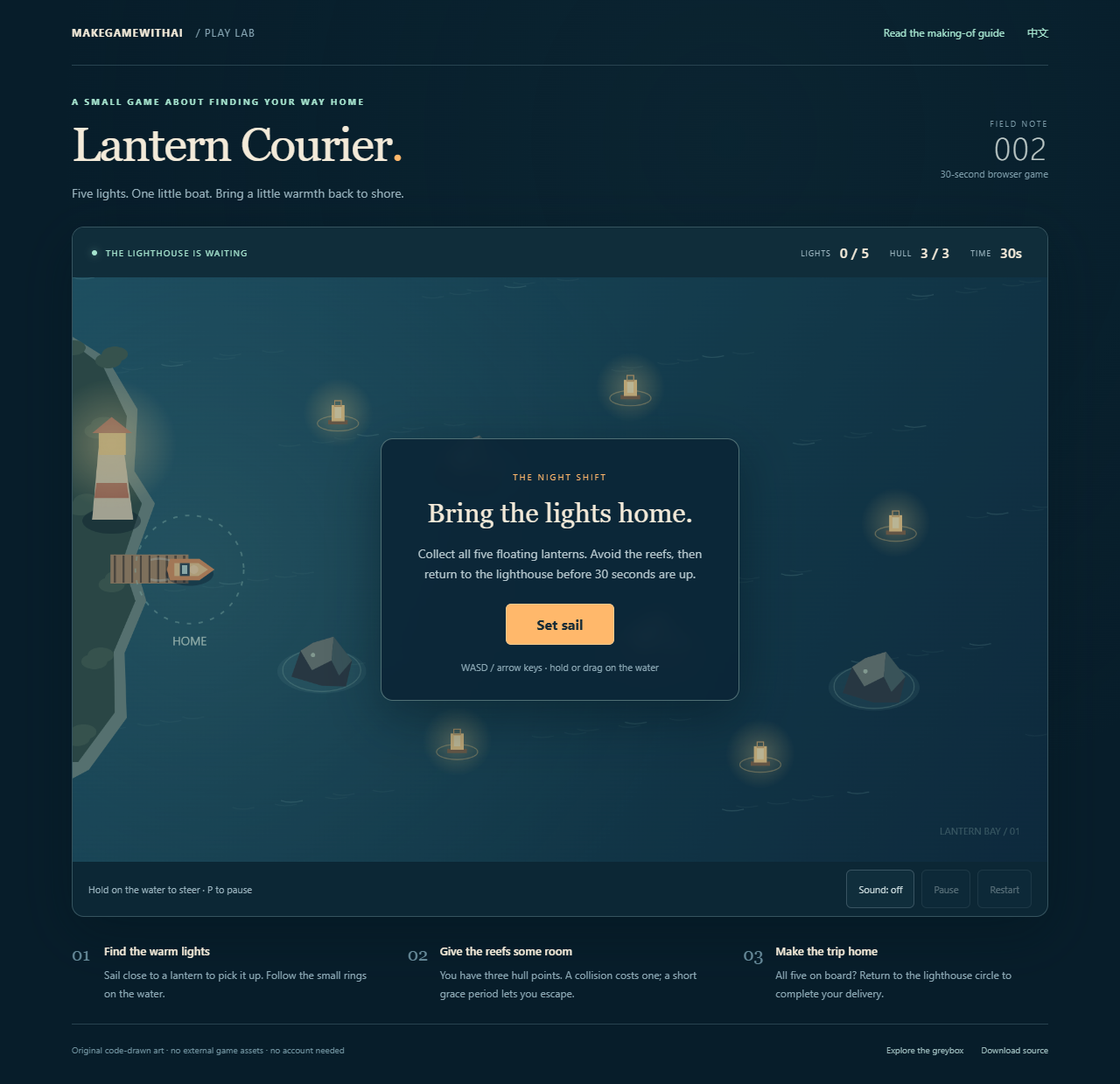
This guide draws on September 2026 GPT-6 Astra case studies and current official documentation, with a teaching example produced in Codex for this article. Download the source, follow the screenshots, and adapt the prompts to your own idea.
What recent Astra projects show
The official Void Explorer development account connects an experience brief, visual references, browser implementation, screenshots, state inspection, and tests. Its creator kept playing and describing specific problems. The engineering is ambitious; the feedback process is useful at a much smaller scale.
The published Codex Pet Arena sequence offers a clearer beginner progression: placeholder movement and collection, opponents and growth, visual assets, then keyboard, touch, and performance checks. Each addition has a working foundation to build on.
The independent PaperRoute development archive preserves checkpoints, screenshots, and revisions. Its totals span several rounds of work from July to September, so they cannot be read as the time for a single Astra generation. The archive also retains unresolved sustained-frame-rate claims. Allow room for review and repair when planning your first project.
Our suggested starting point is a small browser game. Codex can edit its files, the result is easy to inspect in a browser, and the finished project can be shared through a link. If you already expect to use Godot, Unity, or another engine, the engine selection guide can help you check that choice against your project.
Set up a place to create, run, and inspect the game
Follow the official quickstart to install and sign in to the desktop app. Select Codex and create or open a dedicated game folder, such as lantern-courier. Confirm GPT-6 Astra in the model selector. If it is unavailable, check app updates and account access. Naming a model in a prompt does not switch the model running your task.
Locate the project folder, the conversation, and the browser preview. The terminal runs commands such as starting a local server; Codex can help operate it. You can begin without understanding every line in the project.
Send an environment check first:
I have no programming experience and want to make a small browser game in this folder.
Check whether you can create files, start a local server, open the browser,
and inspect the running page. Explain what is ready, what is missing,
and where I will find the preview URL.
If software must be installed, explain its name, purpose, and source.
Complete this check before adding game features.
The Astra model documentation describes coding and tool capabilities. Available tools still depend on the app, permissions, and connections in your environment. If the agent cannot inspect a browser, open the preview yourself, play, and provide screenshots to fill that gap.
The downloadable example uses Node.js to serve its files. Ask Codex to check whether it is installed and follow the included README. An address such as http://127.0.0.1:4173 works on your own computer. Sending that address to a friend will not give them access to your game.
Describe a round that can finish
“Make a fun game” leaves many decisions open. Write down what the player does, what counts as success, and what ends the round. This short production brief becomes a checklist for the result.
| Part | Scope for this round |
|---|---|
| Setting | One top-down bay, with every objective on one map |
| Input | Keyboard movement; hold on the water with a mouse or finger |
| Goal | Collect five lanterns and return to the starting lighthouse |
| Danger | One hazard type: reefs; a collision costs one hull point |
| Ending | Deliver within thirty seconds to win; run out of time or three hull points to lose |
| Replay | One restart button resets every lantern, the hull, and the clock |
| Later | Multiplayer, inventories, upgrades, leaderboards, and more levels |
You could use a robot collecting batteries or a cat retrieving toys. Keep the same rule count for the first attempt; colors, shapes, and text can establish a different theme.
Here is a first build request:
Build a top-down browser game called Lantern Courier.
The player steers a boat, collects five floating lanterns in one scene,
and returns to the starting lighthouse within 30 seconds.
Four reefs are the only hazard type. Give the boat three hull points.
Each collision costs one point, pushes it away, and grants a short
grace period so the player can escape.
Include start, success, failure, and restart. Restart resets everything.

Use simple shapes and keyboard controls for the first version.
Choose a lightweight browser implementation and explain the choice.
Leave external art, accounts, paid APIs, networking, and extra mechanics for later.
Run and inspect the game. Give me the preview URL, controls, and known issues.
Save a recoverable greybox checkpoint.
Check the rules with simple shapes
A greybox uses temporary shapes to establish a playable scene. Our first version has a blue square for the boat, yellow squares for lanterns, circles for reefs, and a dock on the left. Rule problems are easy to isolate at this stage.
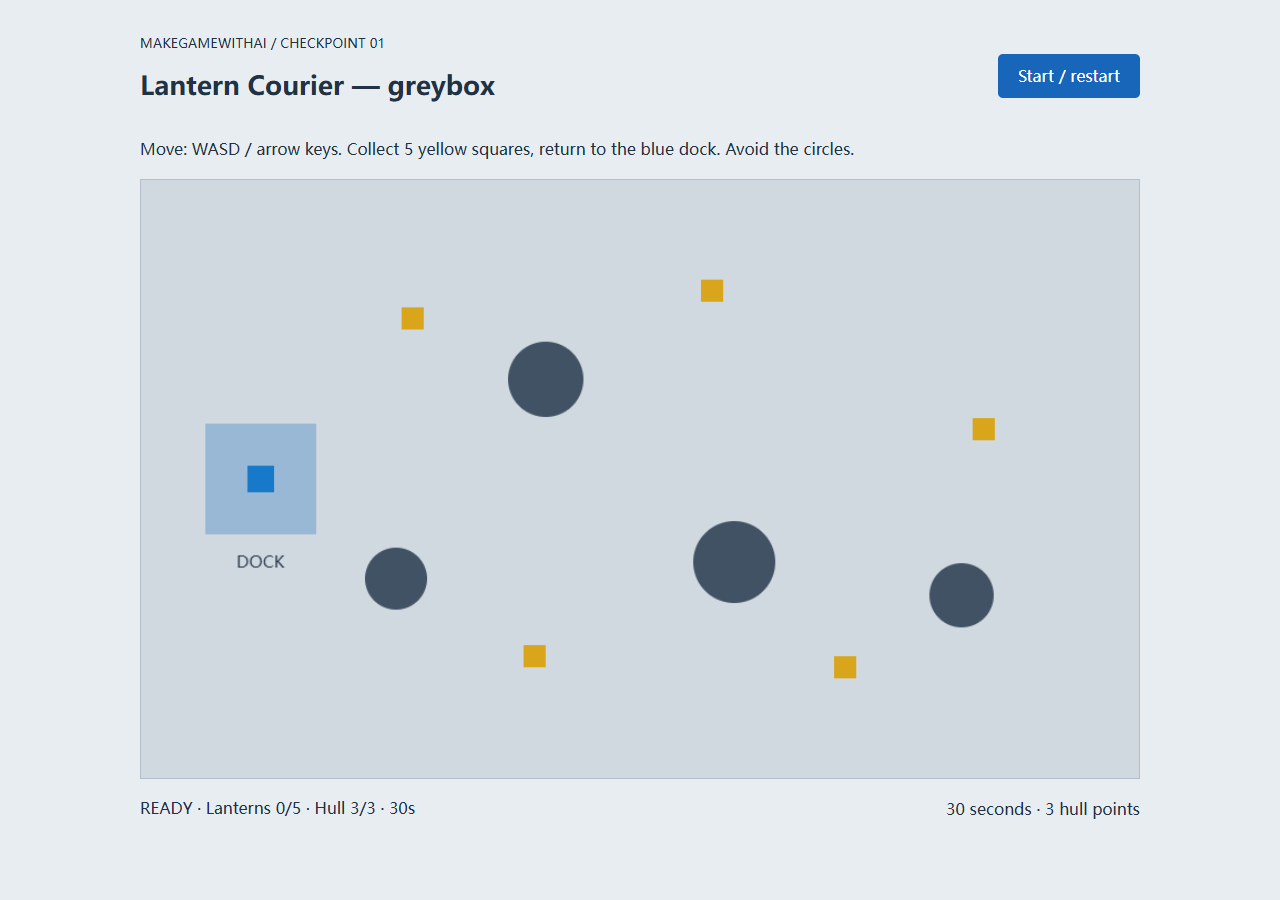
Leave the dock, collect one lantern, hit a reef, return after collecting everything, deliberately let the timer expire, and restart. If keyboard input has no effect, click the game area to focus it and try again.
Each action needs a visible result. A collected lamp disappears and increments the counter once. A collision removes one hull point. Restart brings all five lamps back. Report the steps and result when something fails; extra maps or characters would increase the area you have to investigate.
Once the loop works, ask the agent to save the version and document how to restore it. A checkpoint may be a version-control record or a separate backup. It must restore files: a screenshot and a conversation history cannot replace a project backup.
Give useful feedback without discussing code
“Improve it” is difficult to verify. Describe your location, action, and observed result:
I sailed from the dock to the first lantern at the upper left.
It disappeared, but I did not immediately notice the counter change.
I was unsure whether I had collected it.
Add a brief collection message and keep the counter easy to read.
Preserve the current speed, collision rules, and object positions.
Check collection and restart again after the change.
Adapt this feedback template to what you actually observe. The example includes a collection message so the result remains readable with sound disabled.
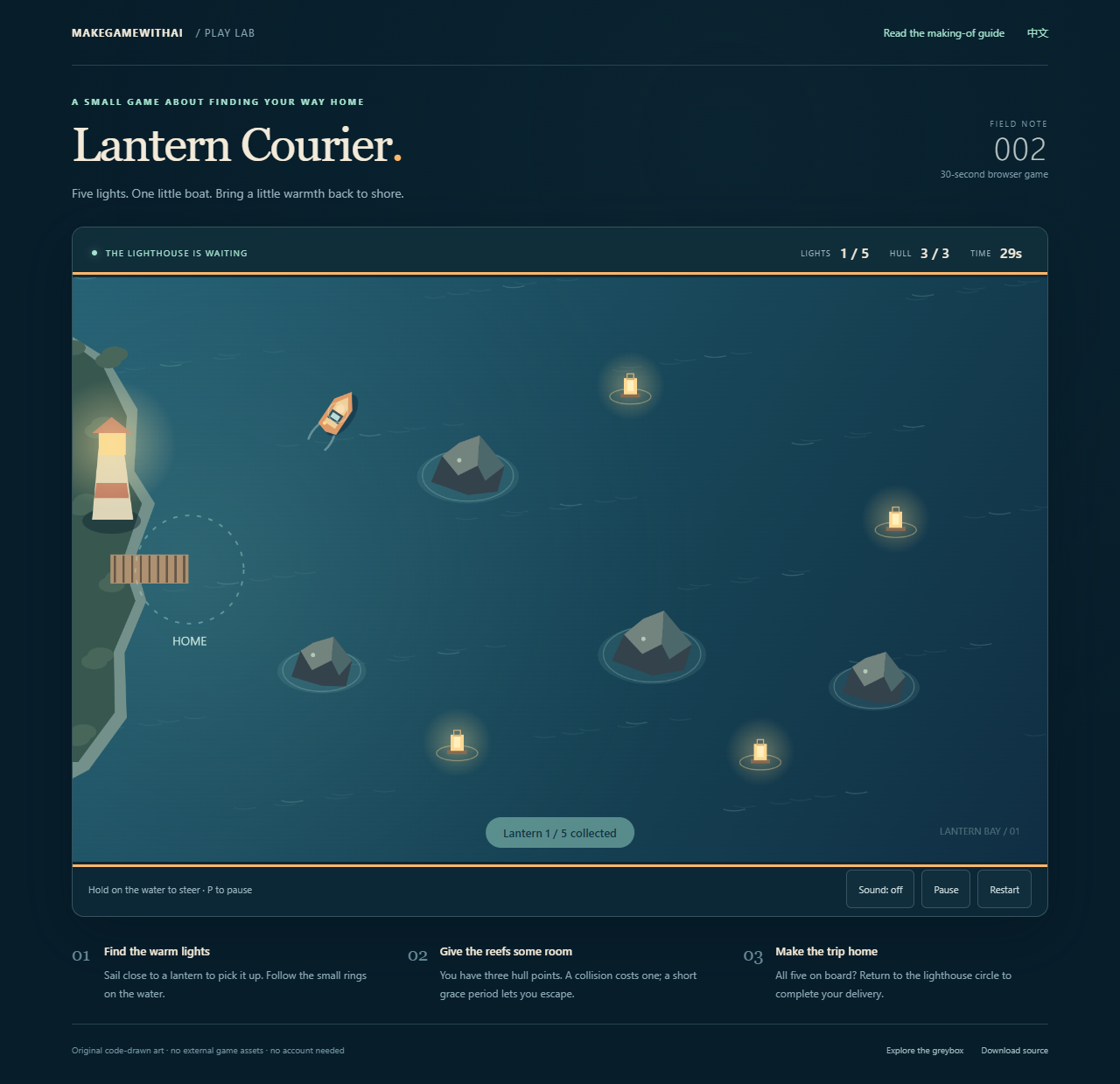
Check collisions separately. Does contact consume the whole hull before you can react? Can you move away afterward? Lantern Courier deducts one point per valid hit and gives a short grace period. Continuing to steer into a reef eventually causes another hit after that period and can end the game.
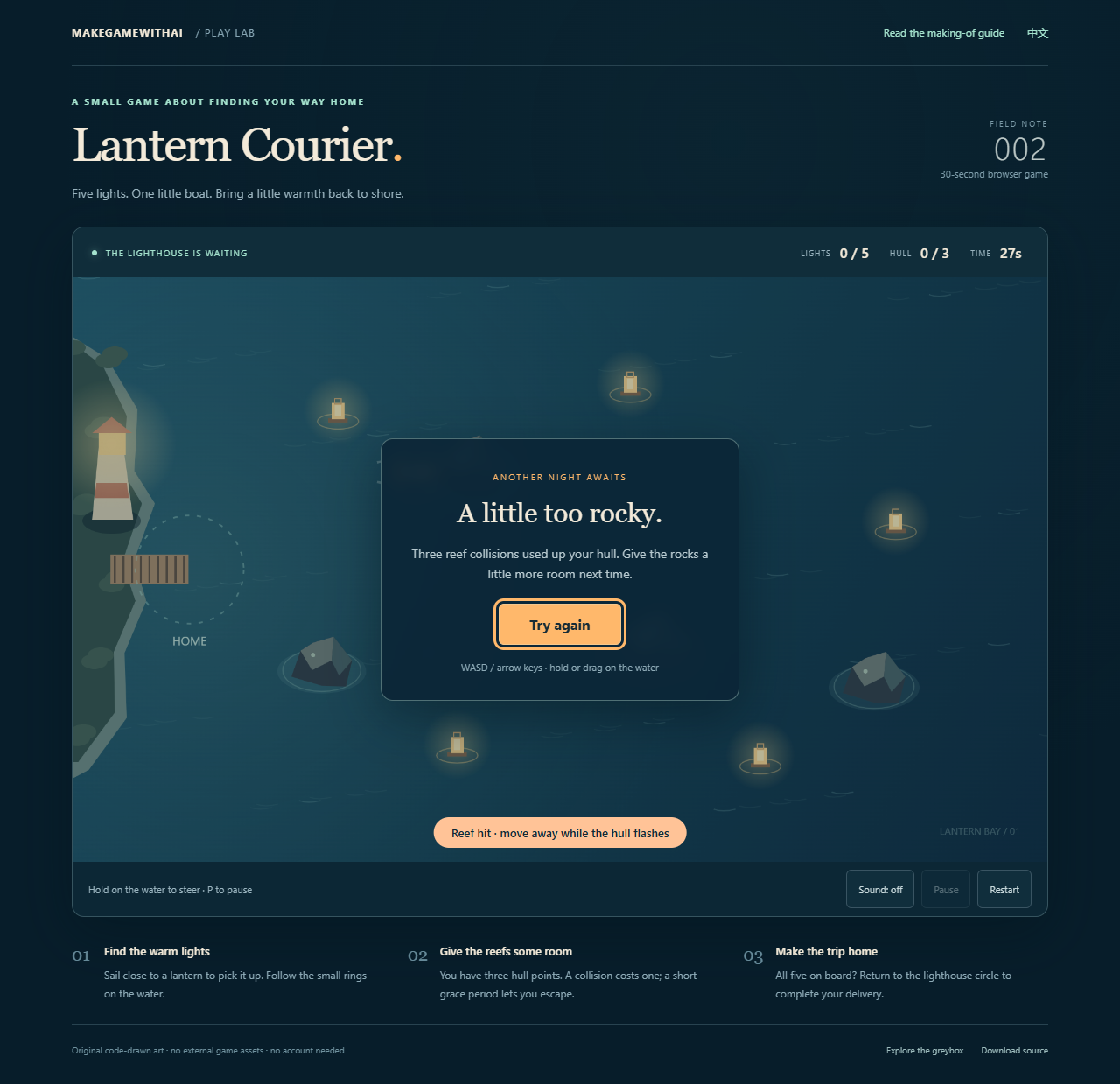
Handle one issue at a time. Ask what changed and how the agent checked it, then play again. If repeated repairs do not resolve an error, return to the last working checkpoint, list the attempted fixes, and narrow the reproduction. Appending more feature requests makes that investigation harder to follow.
Replace placeholders with a clear visual direction
Choose a visual direction after the whole loop works. Lantern Courier uses a night bay: blue water, warm lanterns, a light boat, and distinct reef silhouettes. The palette helps players identify objects they need to act on.
Give the playable game a night-bay visual treatment:
deep blue water, warm yellow lanterns, an orange boat,
and a lighthouse dock marked by a light ring.
Keep the boat, targets, and hazards readable on a small phone screen.
Draw original simple shapes in code and add restrained water movement
and collection feedback.
Keep positions, collision bounds, speed, time, and win/loss rules unchanged.
Check collection, collisions, and the return trip, then save a new checkpoint.
This example draws its boat, rocks, lighthouse, and water in code. The browser synthesizes short sound effects, which start off. That keeps the first build free of image licensing, sprite animation, and model import work. If you later generate a character, replace one object first and check its size, transparency, collision, and small-screen appearance before expanding the asset set.
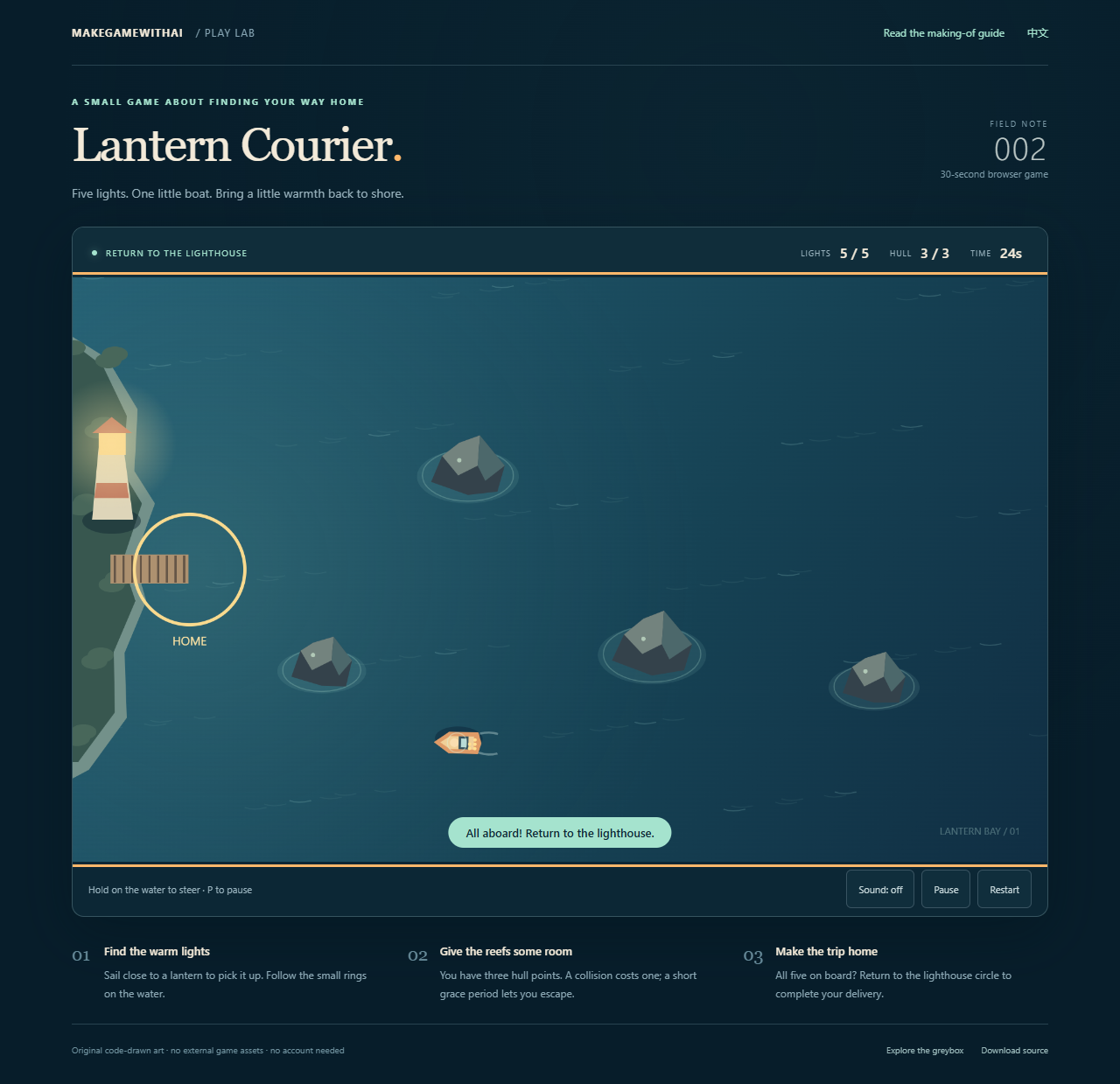
Players also need to know what comes next. After five lanterns, a full counter can look like the end of the game. Our objective changes to “Return to the lighthouse,” the dock ring lights up, and a message explains the last step.
Add pause, timeout, and phone controls
Try leaving the page, doing nothing, restarting repeatedly, and opening a different screen size. These are ordinary ways someone will use your game.
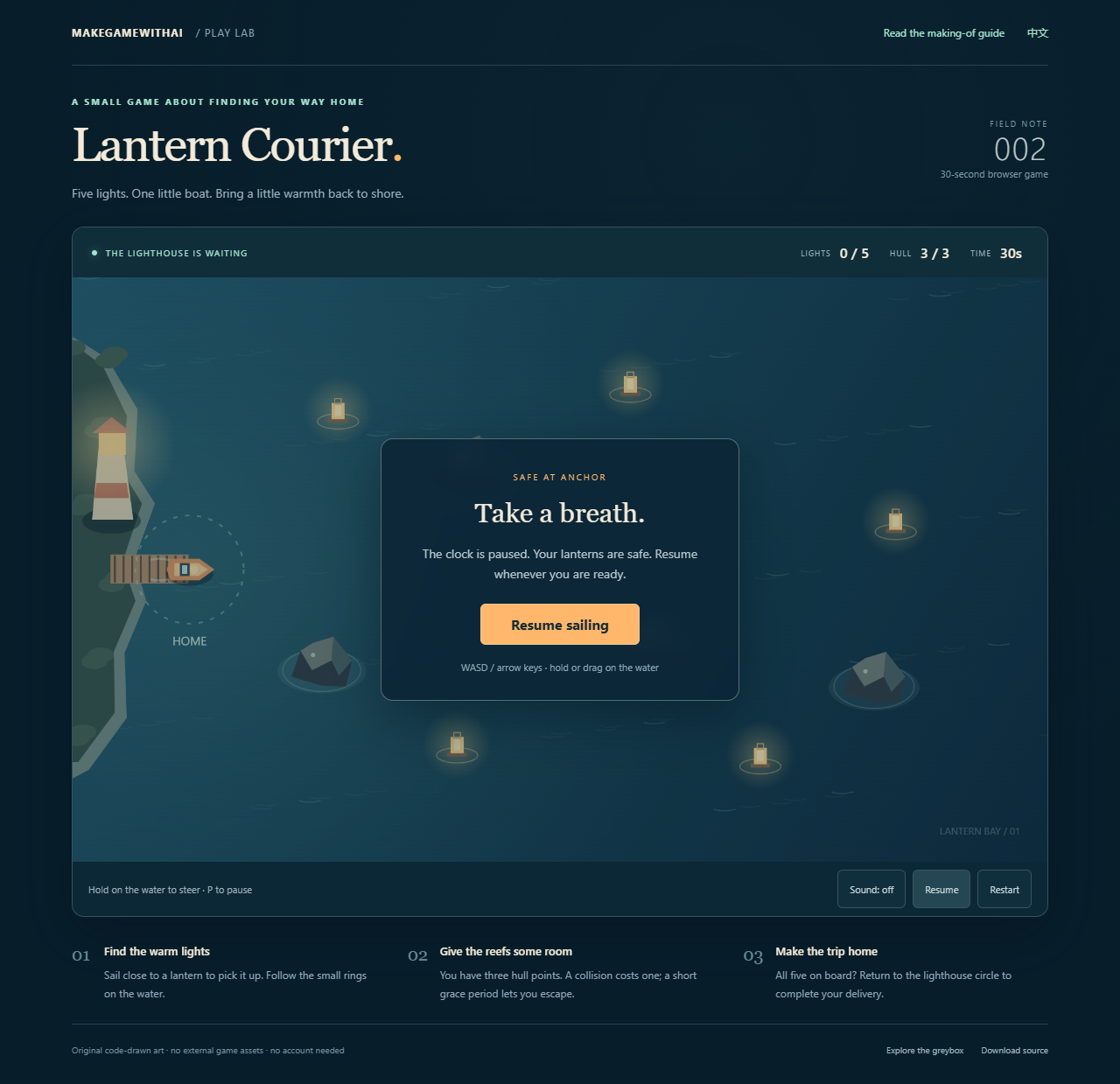
Lantern Courier has a Pause button and P shortcut. Leaving the window pauses it automatically; the player resumes explicitly. The timer stops and collected lanterns remain on board.
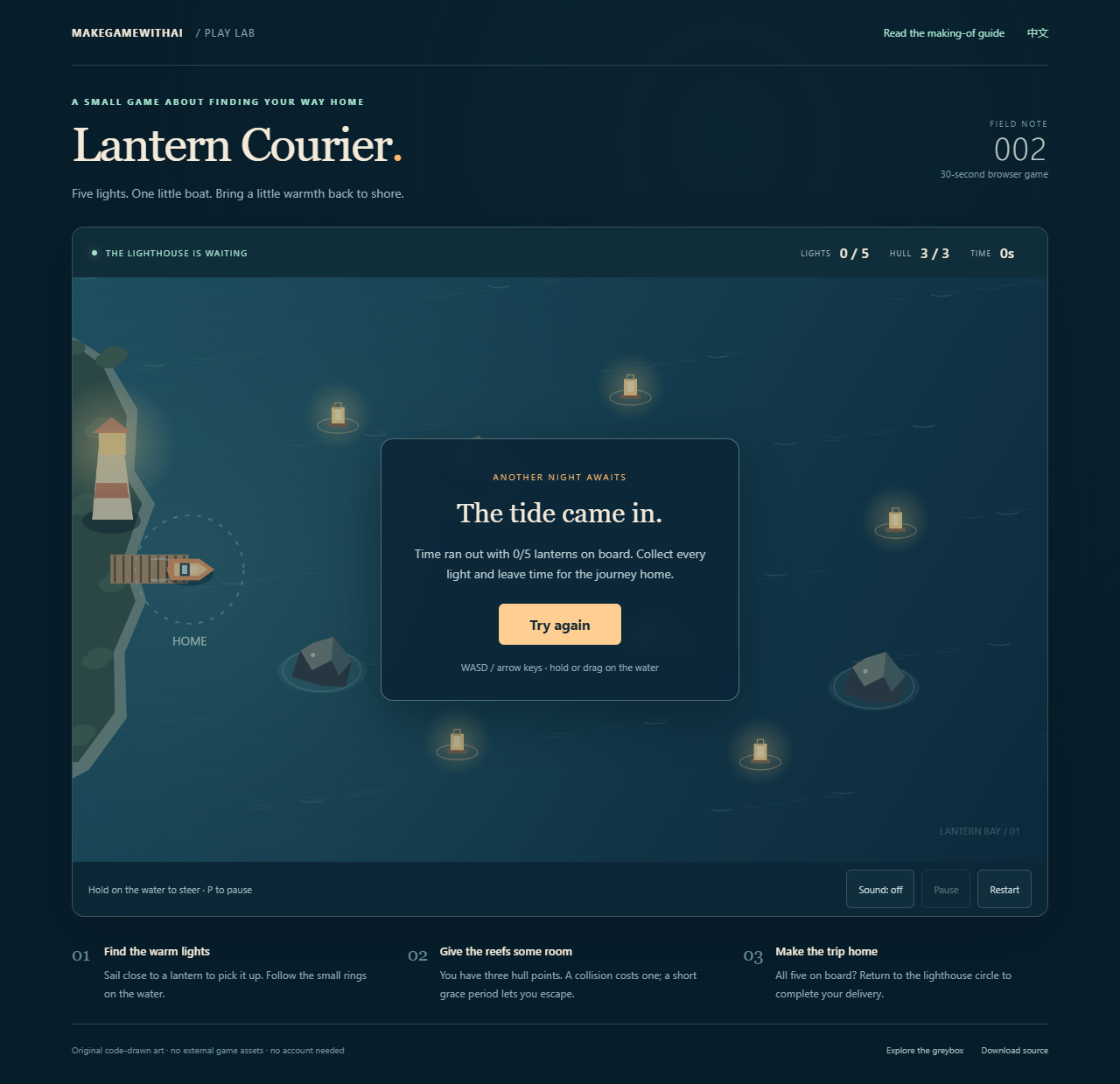
Timeout needs a readable outcome too. Explain why the round ended and offer an obvious restart. The example has separate messages for the tide arriving and the hull running out.
Phones have no WASD keys. After adding hold-and-drag steering, check whether a finger actually moves the boat and whether the browser scrolls the page instead. Check the surrounding buttons at the same time.
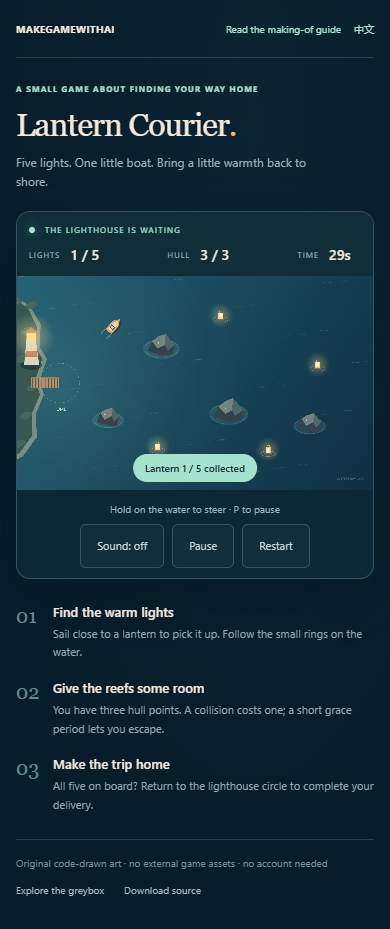
This capture comes from a 390-pixel-wide browser touch emulation, which collected the first lantern through touch input. It checks layout and an input path. Performance, audio, and touch feel on a physical phone still need device testing. Try landscape orientation as well and see whether the larger play area helps.
Walk through every ending before sharing
Ask the agent to check repeatable rules: a lamp scores once, pause freezes time, and restart clears progress. Play yourself to judge clarity, movement, and whether failure makes sense.
| Action | Expected result |
|---|---|
| Open without starting | Readable instructions; clock stays at thirty seconds |
| Start and move | Boat follows input and stays inside the map |
| Pass the same lantern twice | Score increases only once |
| Hit a reef and leave | One hull point lost; movement remains possible |
| Collect all five and remain at sea | Return instruction; no victory yet |
| Return with all five | Victory; timer stops |
| Exhaust the hull or wait for timeout | Corresponding explanation and restart |
| Pause or leave the window | Progress retained; clock stopped |
| Restart repeatedly | Clock, hull, lanterns, and messages reset |
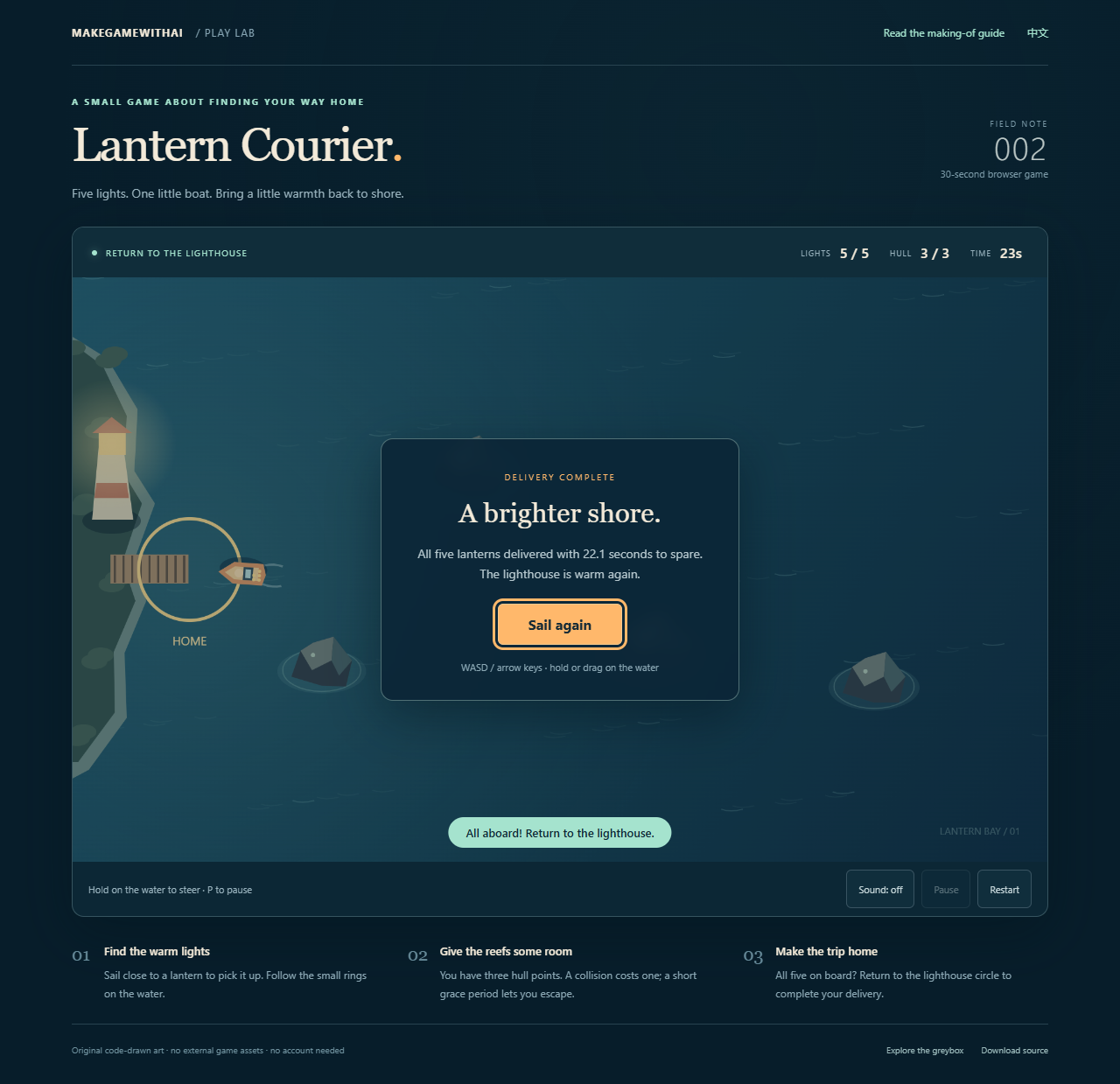
The companion passed rule checks and bilingual browser input checks in Chrome. Its screenshots were captured directly from the running pages. Automation controlled the browser clock for repeatability and used keyboard, mouse, and emulated touch input; it did not inject a winning game state. The development record explains the scope. Human enjoyment and physical-phone results need separate evidence.
When a friend tries it, let them read the instructions and start without coaching. Watch where they hesitate, misunderstand a message, or struggle to restart. Those observations translate into clearer next changes than a general request for an opinion.
Keep the project, check usage, and share a link
Download the Lantern Courier source, extract it, and ask Codex to open the folder, read the README, and launch the preview. The archive includes the rules, page, drawing and input code, greybox, and a local server. You can also download the brief and prompt templates and start a different theme from an empty folder.
Model usage, optional asset services, and hosting have separate allowances or charges. Check the current official pricing and usage guidance and your account's billing route before starting. Someone else's short demo does not establish your project cost. This example has no separate model invoice, nor a time log that separates research, writing, screenshots, and game work, so we do not give a price or a minutes-to-finish claim.
A completed browser game can be uploaded to a static web host. Make the deployment request specific:
Prepare the publishable game files and run them locally as they will be served.
List the required files, known issues, and possible hosting charges.
Explain which account and address will receive the game and what will be public.
After deployment, give me the public link and check first load,
controls, failure, and restart. Keep the previous working version
and explain how to restore it.
Open the public link in a browser that has never loaded your development page, then on a phone using its own connection. Missing scripts, filename case differences, and audio requiring a click can produce a different experience from the local preview.
Once another person can independently finish a round, you have a useful starting point for the next change. Add a map, change the theme, or adjust the thirty-second rhythm. Save a recoverable version first and repeat the same play checks after each addition.
Sources (6)
No sponsorship or affiliate links. Sources are linked in the article. The companion was produced with AI assistance in Codex.