PRODUCT UPDATE / Godot · NPC dialogue
Neocortex Godot SDK brings voiced NPCs to Godot 4.7
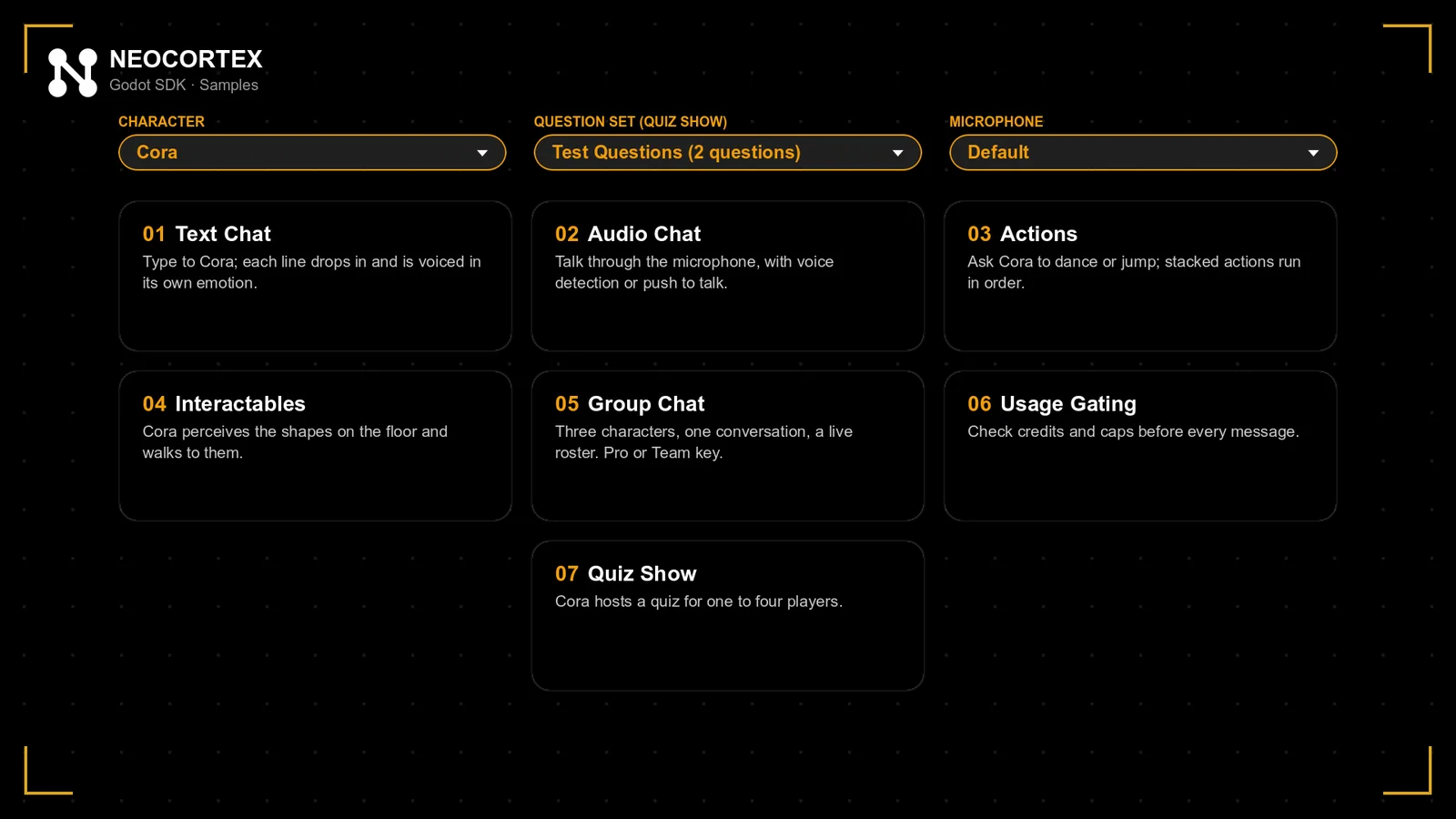
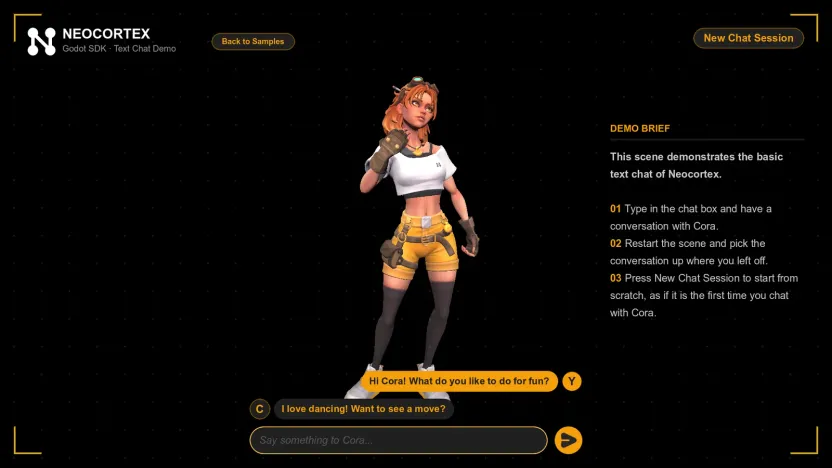
The open-source Neocortex Godot SDK ships with seven samples. Developers can add text or voice chat and use GDScript to connect character actions to gameplay.
Godot teams can try a chat scene with one character, then connect an action such as opening a door to their own gameplay code.
Neocortex announced its Godot SDK 0.2.0 on November 10. The open-source add-on works with Godot 4.7 or later and needs a Neocortex account and API key. It gives game developers a starter scene for NPC dialogue and a GDScript interface for connecting a character’s actions to game logic. Announcement · SDK 0.2.0 · Requirements
Start with a Godot chat scene
Enable the add-on in Project Settings and save the API key in the Neocortex dock. Under Project → Tools → Neocortex, choose Complete Voice Chat or Complete Text Chat, then assign a character. The voice setup supports push-to-talk or voice detection. Replies arrive in lines with an emotion on each line, which your scene can use to update an animation or portrait as the character speaks. Godot quick start · GDScript API
Wire character actions to GDScript
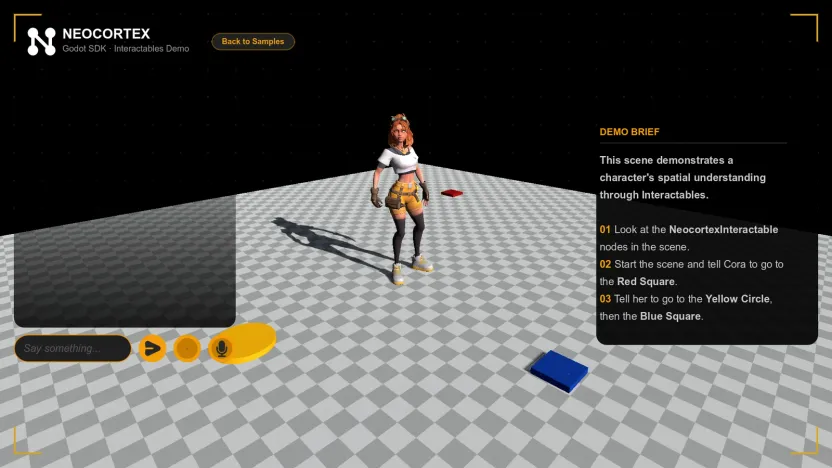
Use register_action on NeocortexSmartAgent to connect an action keyword to a function in your project. An action can carry the ID of a NeocortexInteractable in the scene. For a shopkeeper who opens a door, the game can check that the target is the right door and that the current quest allows it before running the animation. The vendor’s Interactables sample demonstrates how the character takes directions that refer to objects in the scene. Action interface · SDK samples
The quick start says a Godot export carries the configured API key. Neocortex recommends using a separate key for each release and setting per-player and per-character credit caps. The SDK includes a Usage Gating sample, and its voiced chat can fall back to text when credits run out. Export setup · Usage limits · Chat modes
Sources (6)
Based on Neocortex’s release notes and documentation. Images show the developer’s own Godot SDK samples.