PRODUCT UPDATE / Game development agents · Level building
UECP 2.2.5 adds 23 tools for Voxel terrain in Unreal Engine
The Windows update brings terrain graphs, stamps and object placement into chat. Voxel Plugin 2 must be installed separately; runtime editing and multiplayer remain outside the extension’s scope.
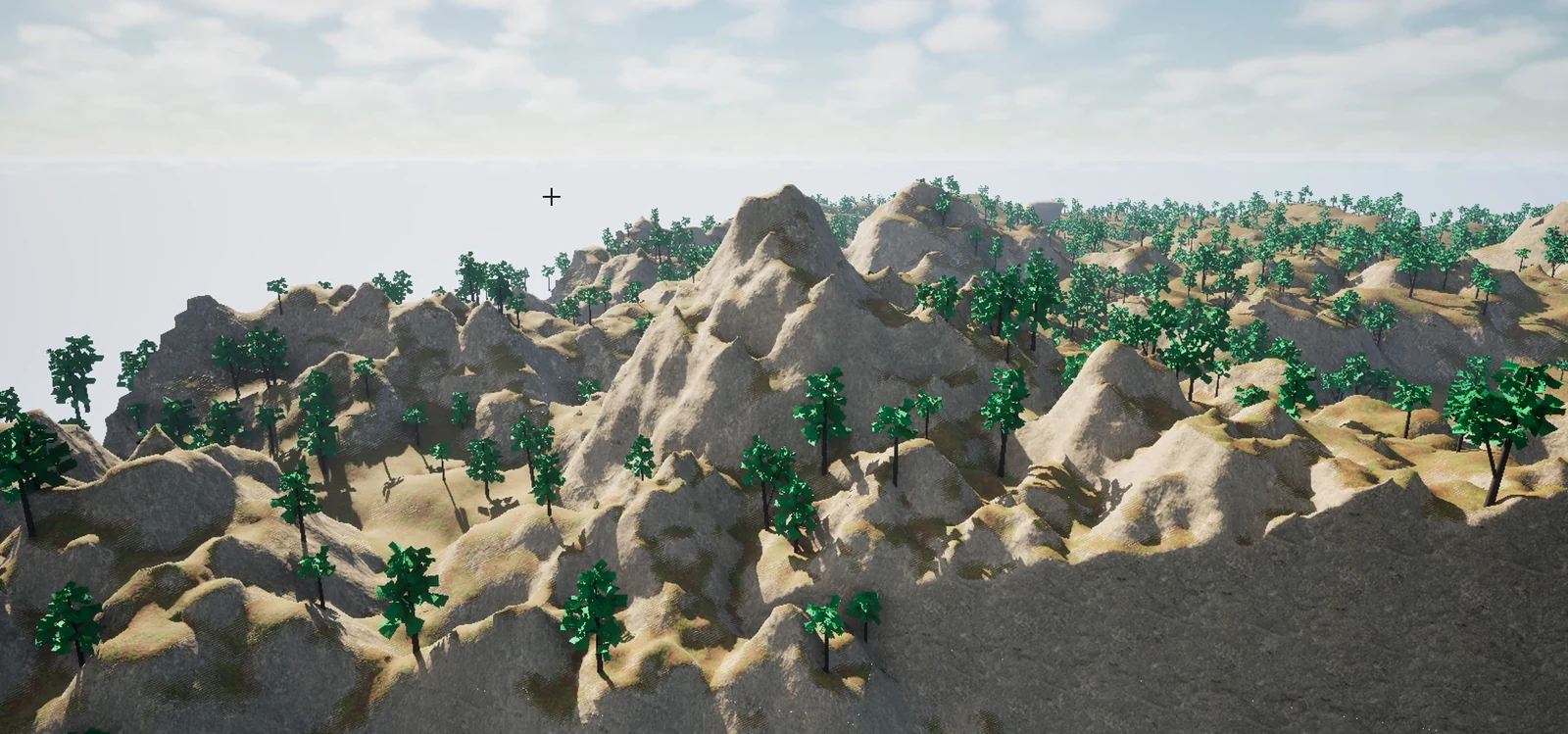
For Unreal developers prototyping terrain with an existing Voxel Plugin setup.
GameDev Core released Ultimate Engine CoPilot 2.2.5 on October 15, adding 23 Voxel Plugin 2 tools to its AI assistant inside Unreal Editor. The release lets developers create and adjust terrain through chat. It is available on Windows; Mac remains on 2.2.1. Projects need Voxel Plugin 2.0 installed separately for their engine version.
Terrain graphs and object placement
The extension handles Voxel Worlds, stamps, node graphs and layers. Shapes, heightmaps, meshes and splines can define the terrain, while ground queries help place scene objects on its surface. This extends the editor workflow beyond the Blueprint and play-testing tools introduced in V2.
In the official example, the generated height graph remains an ordinary Voxel graph that developers can open and edit.
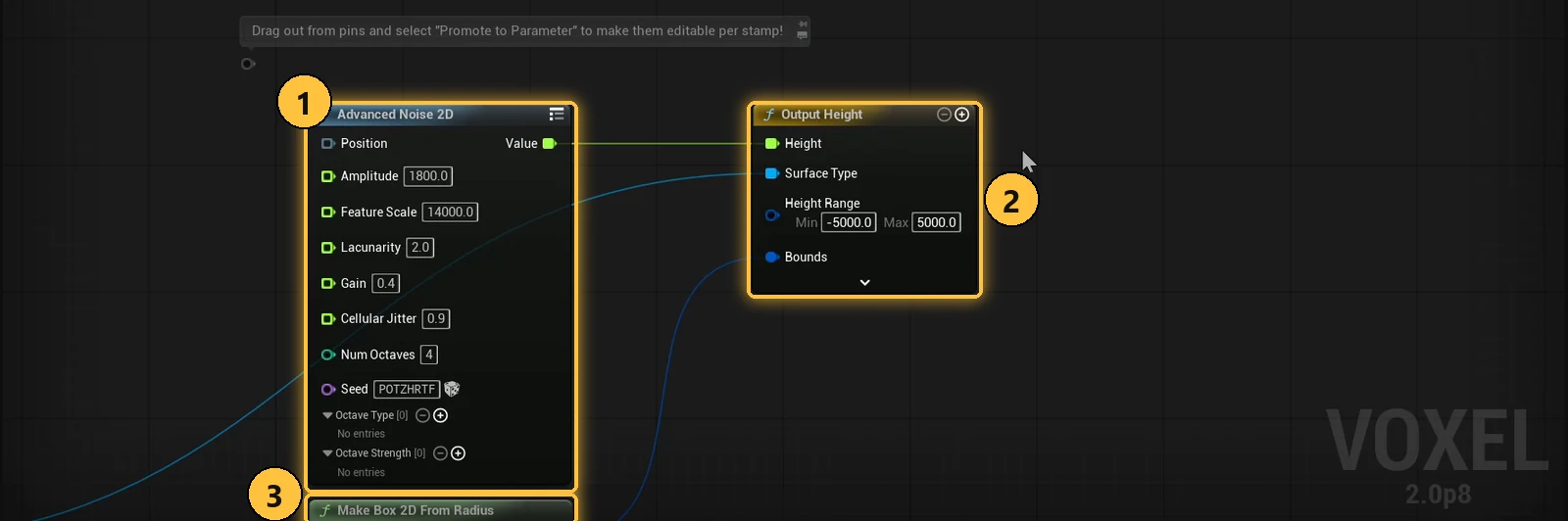
Enable the extension; Voxel is still in beta
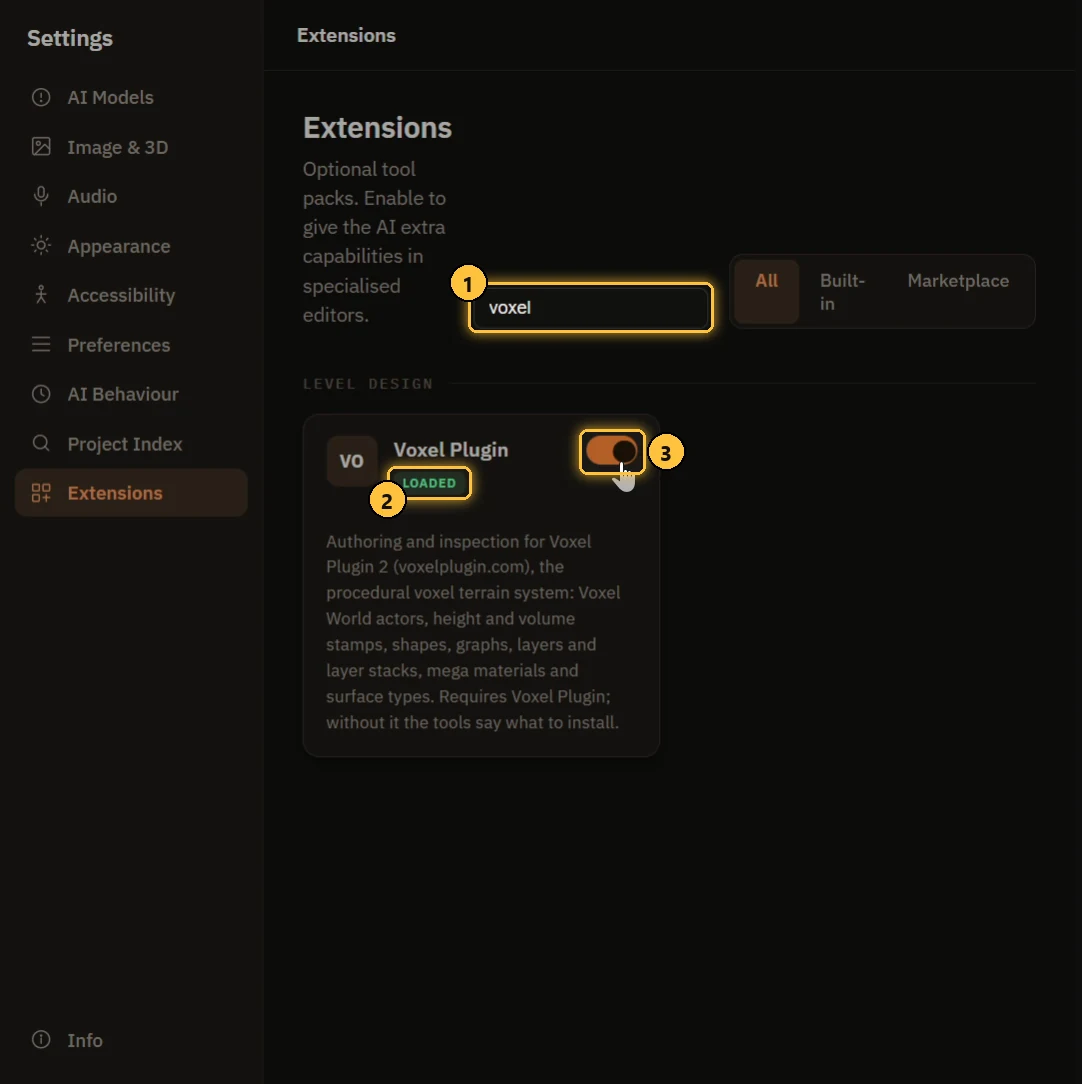
The extension starts disabled. Enable it under Settings, then Extensions. GameDev Core's integration guide reports testing with Voxel Plugin 2.0p8 on UE 5.6 and 5.7. Voxel's current documentation labels that release beta and warns that bugs remain.
Runtime terrain changes, multiplayer and interactive sculpting are outside the extension's current scope; a complete PCG run has not been validated either. Start with terrain prototypes in the editor, then check traversal, collision and performance before using them in a production level.
Both plugins have access requirements. UECP offers a perpetual licence or a subscription with AI tokens; the licence alone includes no AI tokens. Voxel's installation guide requires Pro Legacy ownership for the 2.0 preview. An existing UECP licence does not grant Voxel access.
Sources (5)
No sponsorship or affiliate links in this article.