PRODUCT UPDATE / Godot · AI playtesting
Godot MCP Studio 1.4 adds gamepad testing and AI-readable image results
The October 28 update expands runtime checks to gamepads, touch and signals, and lets an AI assistant inspect and select Image Studio output. These workflows require Pro; free Lite receives a narrower stability update.
Godot developers who want their coding assistant to check live input and signals, then reuse art results within the same project.
Coadite released Godot MCP Studio 1.4.0 on October 28, extending the checks a connected AI assistant can perform while a Godot game runs. The update also lets the assistant inspect and select Image Studio results. Those runtime and art workflows belong to Pro; the accompanying Lite 1.2.0 receives stability fixes and script-search improvements.
Gamepads, touch and gameplay signals
The new playtesting controls cover gamepad buttons and sticks, touch taps and drags, and the input actions they trigger. An assistant can wait for a game signal such as a character dying or a level finishing, or observe several signals during a test. That could help check whether a controller action reaches the expected gameplay state.
The runtime tools require the Godot editor to be open with its add-on enabled, and the game to be playing. Version 1.4 also adds short GDScript execution in the running game, with permission requested in Safe Edit mode. The release notes describe fixes for crashes and import timing when an assistant changes many files.
See and reuse Image Studio results
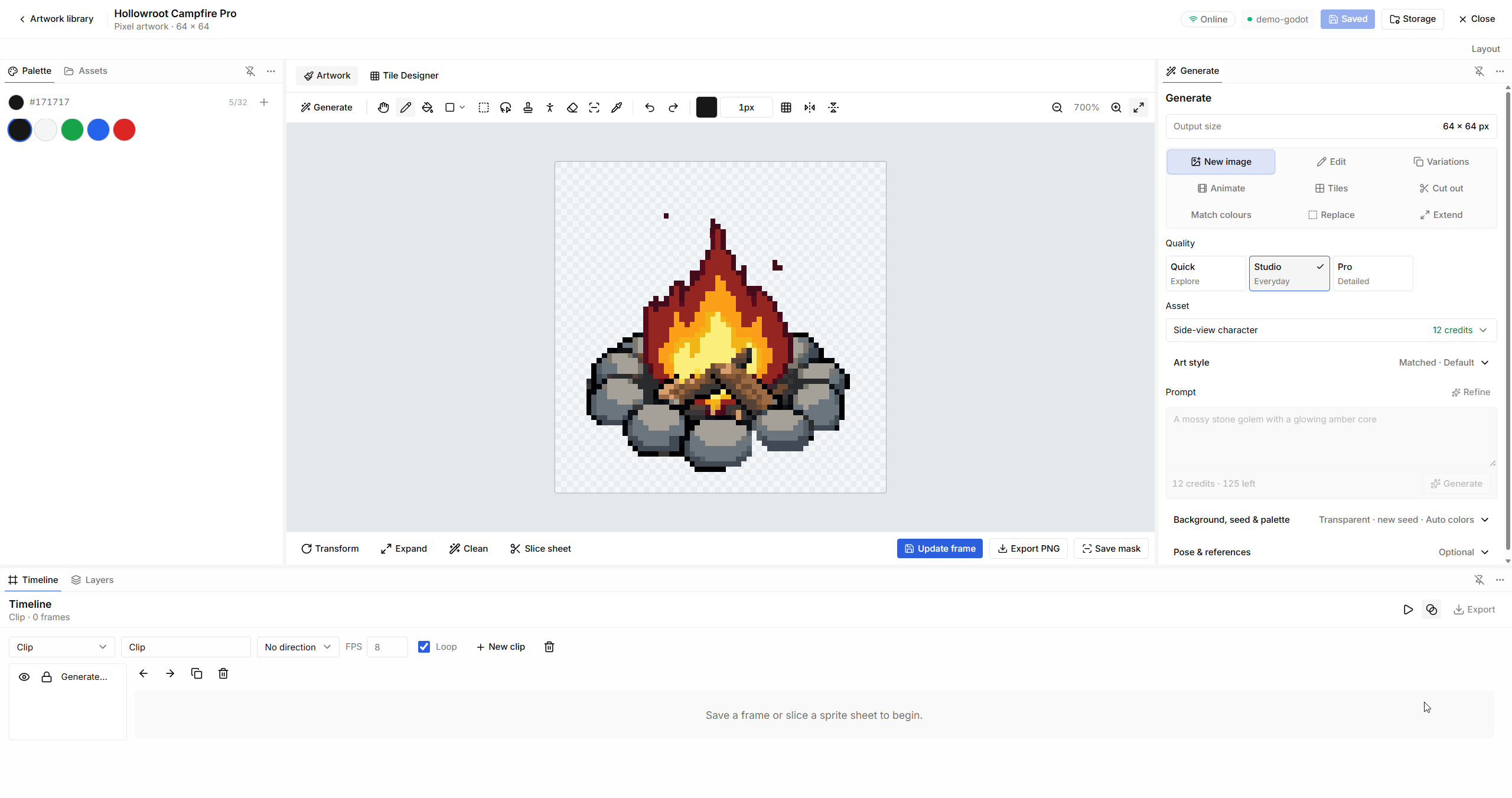
The assistant can now inspect numbered views of variations, animation frames or tiles, then select a result or add it as a layer or frame. A new More like this control starts a variation from the existing image while retaining its prompt and settings. For a character's next expression or pose, that provides a more focused starting point; the result still needs visual review.
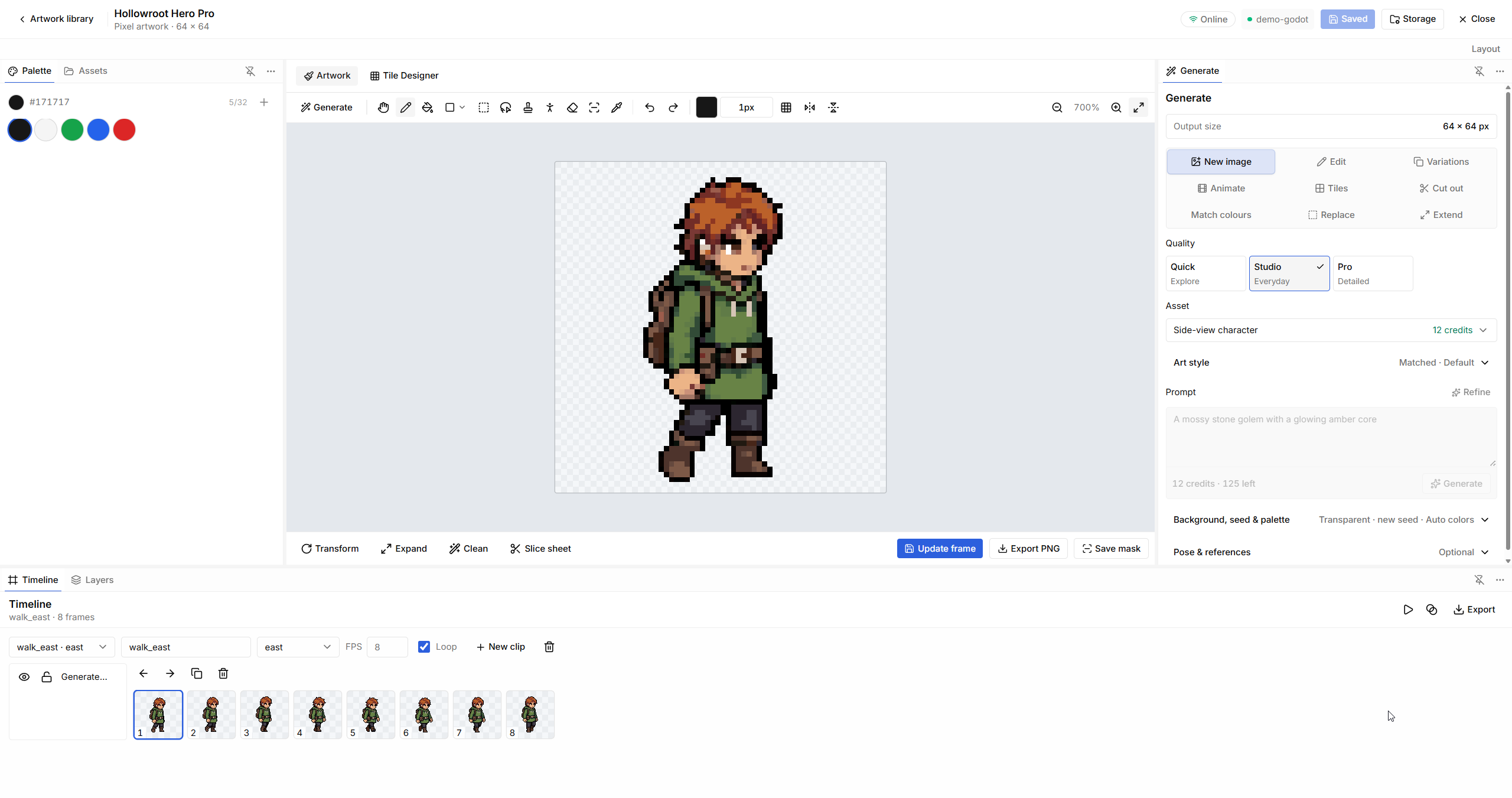
Image Studio already combines drawing, local image editing and an animation timeline, with PNG export and supported transfers into Godot. The update improves how an assistant uses that workspace. It also checks a generation's cost and the available balance before proposing approval.
Pro access and generation credits
The editions documentation separates free Lite from Pro's playtesting and Image Studio tools. On October 31, the product page lists Pro at €39 once, with v1.x updates and 80 starter generation credits; it advertises €59 from November 4.
Local drawing, editing, animation playback and export do not spend generation credits. Hosted AI generation and AI edits have their own quoted costs and need internet access. Generation approval is a separate control from the editor's Safe Edit and Full Control modes.
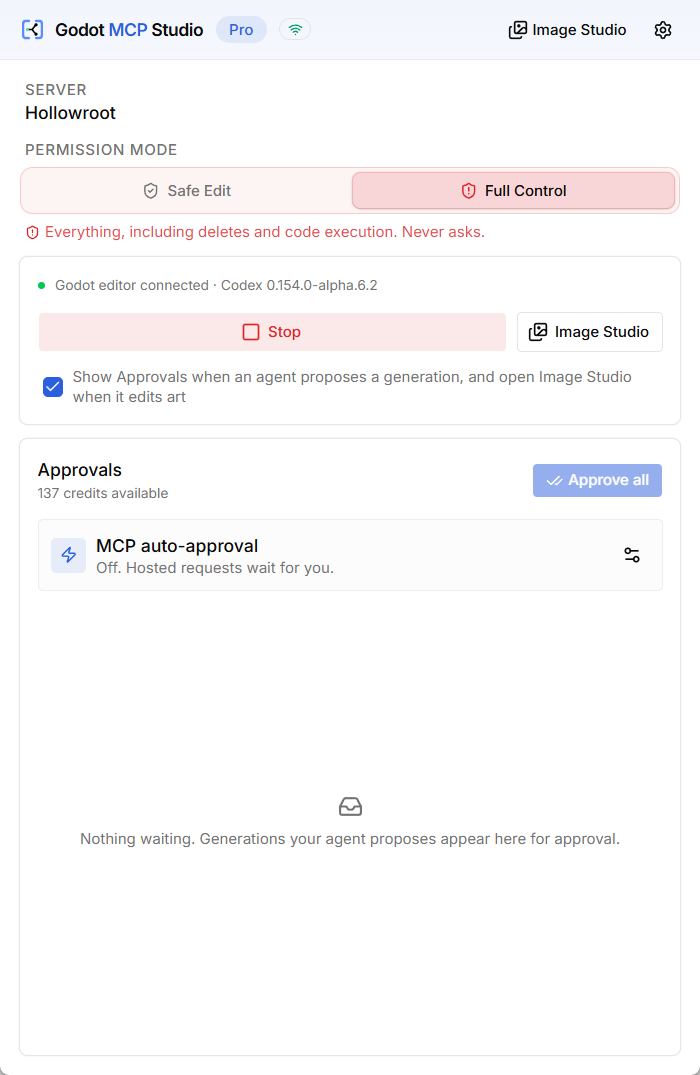
The installation guide lists Godot 4.x, Windows or macOS, and an MCP-capable AI client. Developers planning input regressions can use the testing and optimization category to find related production tools.
Sources (6)
No sponsorship or affiliate links in this article.