PRODUCT UPDATE / Game creation · Multiplayer playtesting
The Sandbox Studio opens real-time multiplayer with quick matchmaking
The November 10 engine update brings server-run matches, quick matchmaking and rejoin to Studio creators. Teams can use an AI assistant to set up a match and test it across local clients.
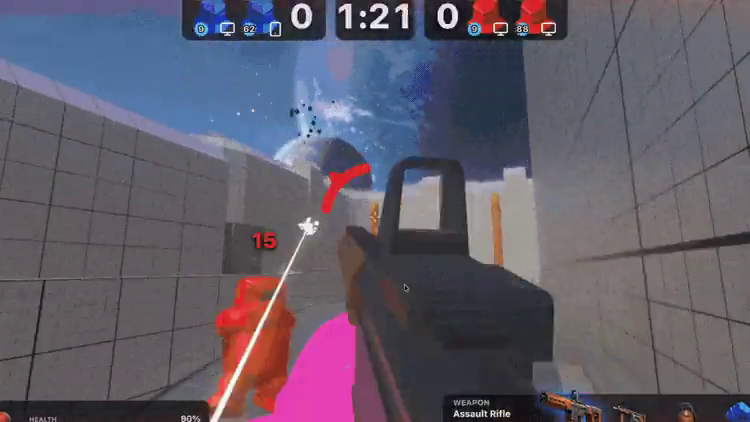
Run two local clients to check that players spawn separately and see the same score before publishing.
The Sandbox Studio’s November 10 update opens real-time multiplayer to creators in its beta. A published game can send players into a quick match and reconnect them to the same session before its timeout. Creators can ask an AI assistant to set up the game rules and try them with multiple clients in the desktop editor. Engine release notes · Studio beta
Run each match on a dedicated server
The server handles outcomes for the match and sends shared state to the players’ browsers. Quick matchmaking places players on a server together, and movement and physics state stay in sync across clients. For an arena prototype, the game can have the server award a point and show that score to every player. Multiplayer changes · Creating a multiplayer game
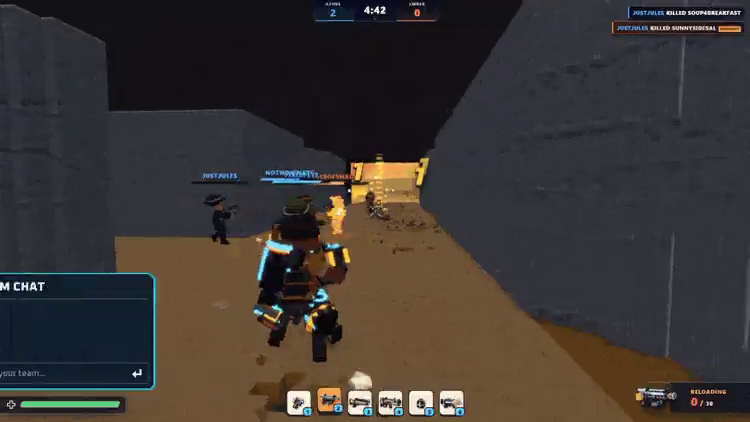
Check a match with two clients in Play
Describe the number of players, how they enter the match and which rules the server owns. The new project skills record the brief in BRIEF.md and the design in GAME.md, including the controls and how a round ends. Game creation skills · Multiplayer setup
Open the network menu next to Play, enable Multiplayer and set Clients to 2. The editor runs a local server with one player in the viewport and a second in its own window. Check that both players spawn, can see each other move and agree on the score. The local test uses the editor’s server. Players of the published game use the platform’s matchmaking queue. Local testing guide · Engine release notes
Check imports and saved data before upgrading
The engine now exposes a smaller public API. Older projects may need to update imports from @gnsx/genesys.js, replace deprecated component aliases and migrate saved data. The join parameters also changed. After upgrading, run the multiplayer flow again and check both initial join and reconnect. Release notes · Testing and optimization
Sources (6)
Based on The Sandbox’s release notes, documentation and demo. No sponsorship or affiliate links.