PRODUCT UPDATE / Unreal Engine · Editor agents
Unreal Engine 5.9 Preview brings external agents into the editor
Epic’s November 9 MegaJam Preview lets Codex, Claude Code and other agents run in Unreal Assistant. They can use the Unreal MCP toolsets enabled for the project. Epic recommends testing a copy.

Run an agent you already use from Unreal Assistant, then enable the project toolsets it needs for editor work.
Epic released the Unreal Engine 5.9 MegaJam Preview on November 9. Its experimental Unreal Assistant panel can run an external coding agent such as Codex or Claude Code. The agent can use the editor tools enabled for the project, which is useful when inspecting a level or working on a Blueprint from the same panel. Epic recommends trying the preview on a copy of the project. Announcement and downloads
Run your own agent in Unreal Assistant
The 5.9 setup guide lists Claude Code, Codex, Cursor, OpenCode and a custom option. Install and sign in to your agent’s CLI, then install its Agent Client Protocol (ACP) adapter if required. Select the agent in Unreal Assistant and approve its command when the editor first runs it in that project.
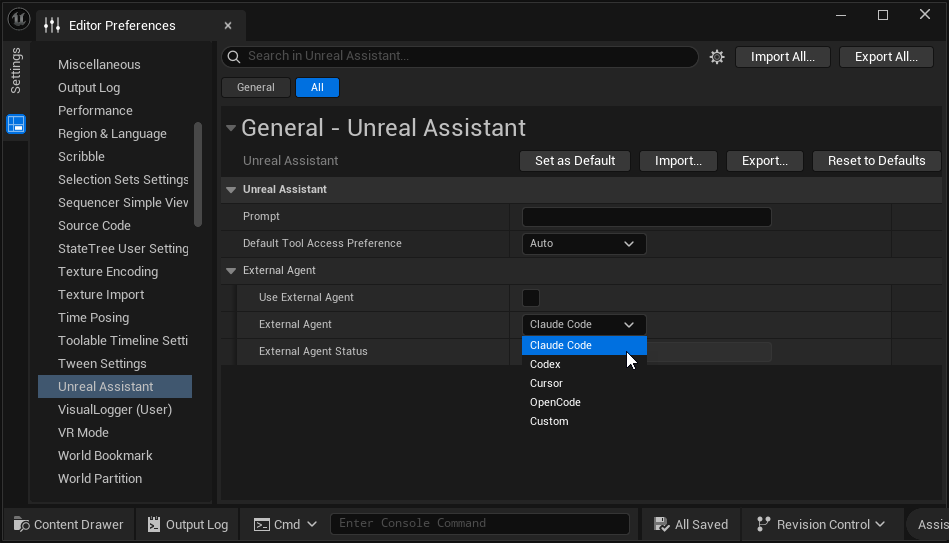
Unreal Editor starts the agent locally and talks to it over ACP. The agent uses your account with its provider and keeps its own model and permission settings. You can switch agents from the panel, and each keeps a separate conversation history.
Enable the tools the project needs
Unreal MCP gives the selected agent access to editor actions. The 5.9 release notes list expanded toolsets for Blueprints, editor actions, performance work and scene capture. The MCP server starts with the editor by default. To act on a level or Blueprint, the project also needs the relevant toolset plugins enabled.
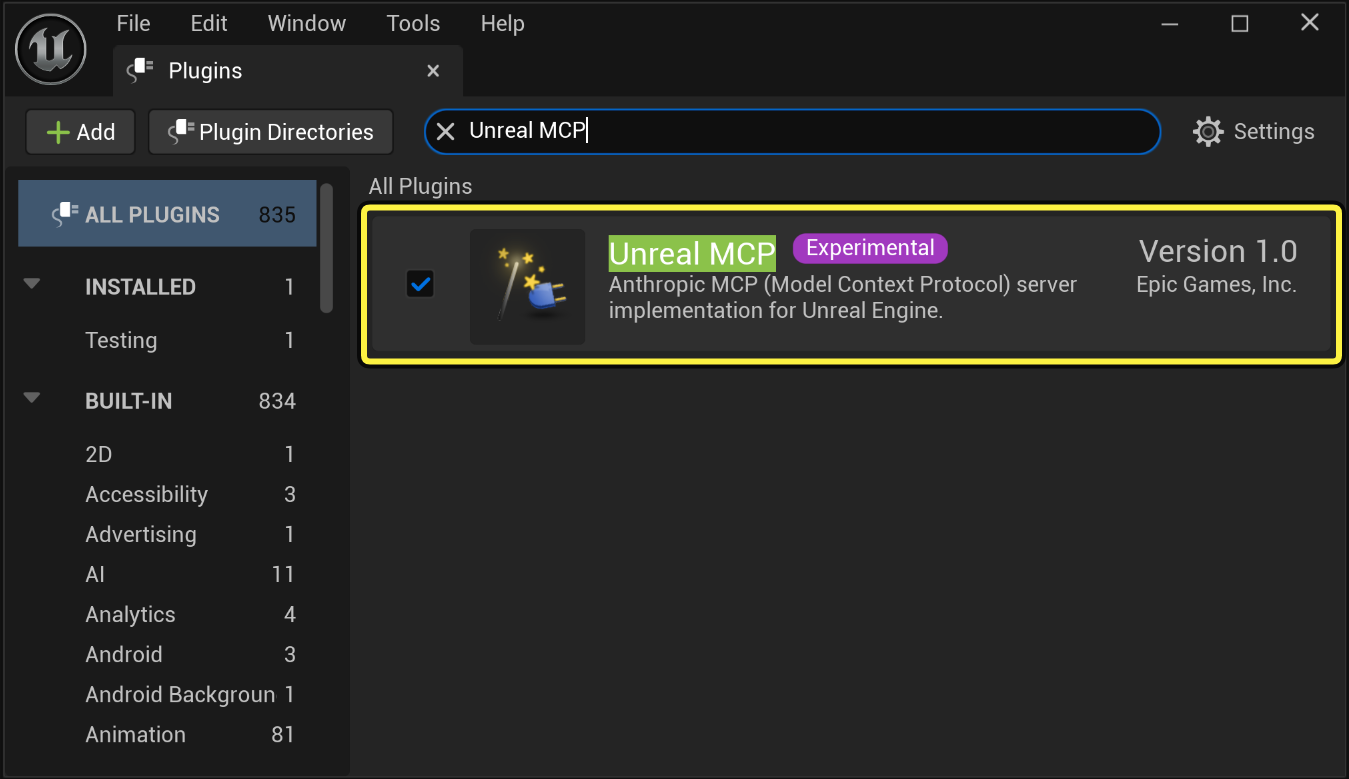
Epic’s known issues say new projects may have the server running with the toolsets switched off. If the agent can chat but cannot see the level or Blueprint tools, check which toolsets the project has enabled. In a copy of the project, start with a single task you can verify, such as inspecting a level, and expand Required Actions to review the editor calls.
The preview notes cover other changes in the build. See the Codex tool page or the prototyping and coding category for related workflows.
Sources (5)
Written with AI from Epic Games’ public announcement and Unreal Engine 5.9 documentation. Editorial review follows the site’s automatic product update policy.