PRODUCT UPDATE / Game development agents · Unity
Unity-MCP 1.0 moves scene editing to RQL, with previews for bulk changes
The community plugin replaces separate object and asset operations with query, mutation and schema tools. Existing scripts and Skills need updating; bulk changes can be previewed before applying them.

For Unity developers connecting AI agents to existing scenes and asset workflows.
Unity-MCP 1.0.0, released on October 15, changes how AI agents inspect and edit Unity projects. IvanMurzak's community project now uses RQL, or Reflection Query Language, for GameObjects, components, assets and scenes. Developers working with agents such as Claude Code or Cursor can request a filtered set of objects and then inspect or change selected properties. Existing automation that calls the old tools needs updating.
Query a group of scene objects
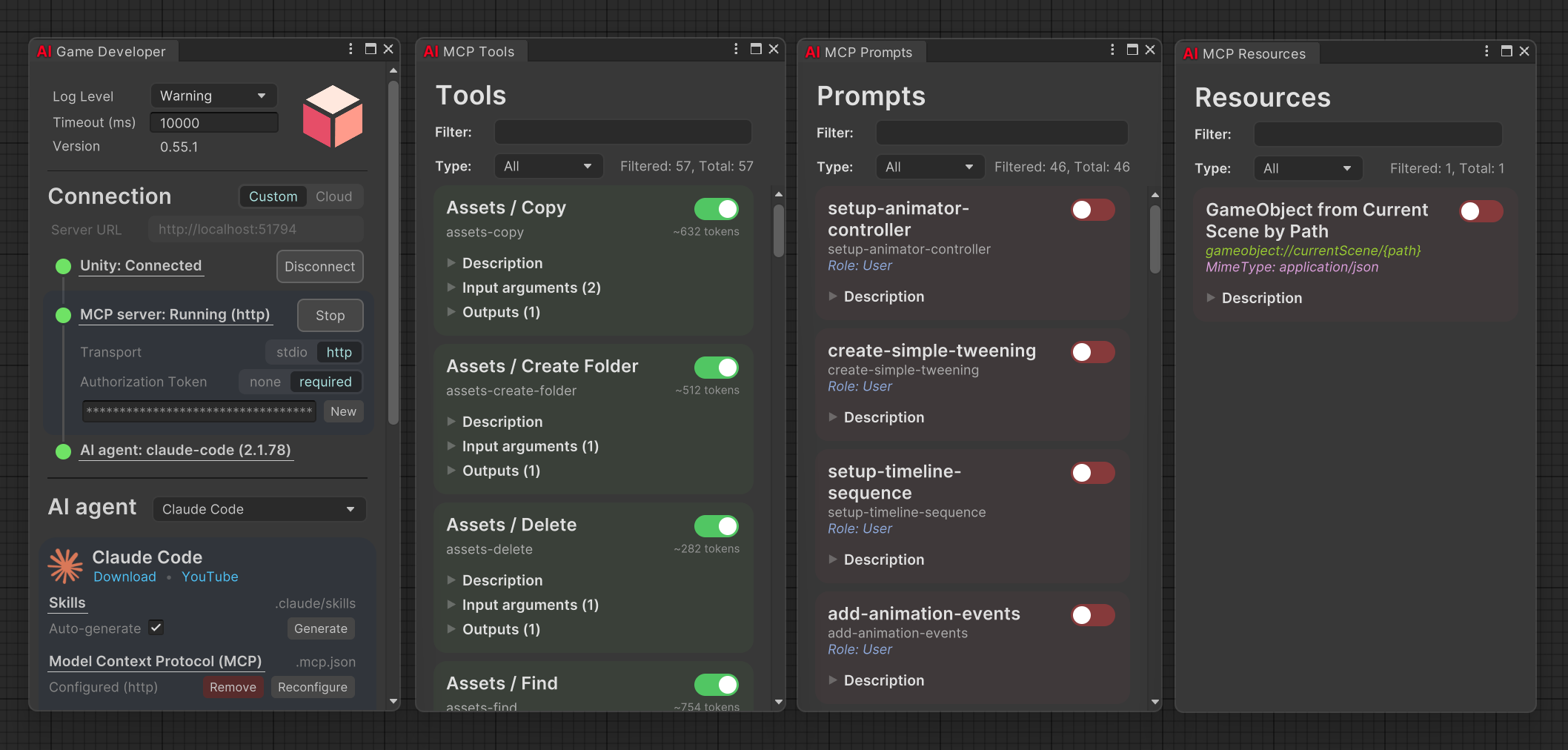
The release replaces roughly 30 data and Editor-operation tools with three entry points: rql-query for reading, rql-mutate for changes, and rql-schema for discovering types and members.
For example, an agent could inspect prop names and positions with this read-only query:
objects | where name starts-with "Prop_" | select name transform.positionThe RQL reference describes filtering and field selection over live Editor objects. Only the resulting data is returned to the agent. This provides a way to inspect level lights, object hierarchies or material assignments. Scripts, screenshots, package management and tests retain their own tool entry points.
Preview bulk edits before applying them
Setting dry_run: true on rql-mutate produces a receipt with targets, properties and old and new values. Applied property changes participate in Unity's Undo history. The documented default limit is 20 mutation targets per call.
The distinction between set and call matters: failed property writes are rolled back, while method calls that have already completed cannot all be rolled back. A call receipt reports how many completed. Changing light settings and invoking a deletion method therefore need different levels of care when reviewing the selected objects.
Refresh the agent's Skills after upgrading
The migration change removes the previous per-object data tools. Scripts and Skills that name gameobject-*, assets-* or scene-* operations need to use the RQL replacements. Choosing JSON formatting does not restore the removed tools.
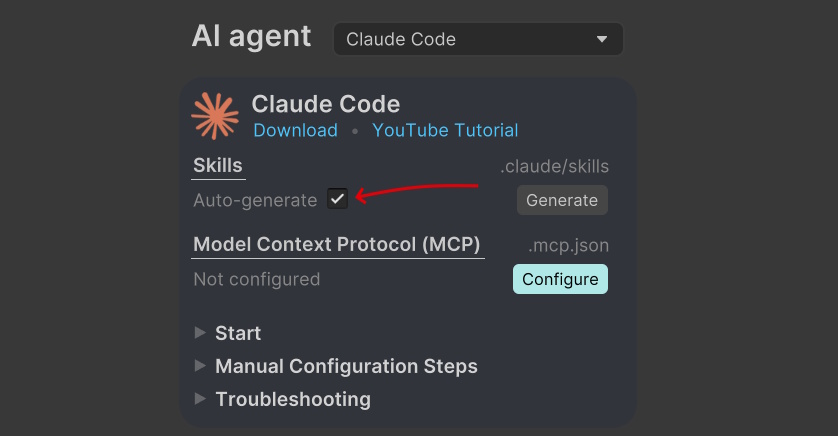
The project's installation guide includes automatic Skill generation. Regenerating the project instructions after an upgrade gives the agent the current definitions. A read-only query followed by a dry run is a useful place to check which objects it intends to touch.
As of October 18, the latest release is 1.2.0; the main RQL migration started in 1.0.0. The Unity-MCP plugin remains Apache-2.0, while its bundled RQL components carry a separate PolyForm Shield licence. Their respective terms apply when using or distributing them.
Sources (6)
No sponsorship or affiliate links in this article.