PRODUCT UPDATE / Android game development · Coding agents
Android Studio Rabbit 2 brings BYOA and AI code review to stable
Google's October 28 release brings a choice of over 40 coding agents, a skills manager and Change Review into Android Studio. It targets Android project work; agent access and usage follow your provider plan.
For developers handling Android game builds and platform code in Android Studio.
Google released Android Studio Rabbit 2 to the stable channel on October 28, bringing Bring Your Own Agent (BYOA), a skills manager and AI-assisted Change Review into the IDE. For developers working on an Android game's platform code and builds, the release puts coding assistance alongside the project's Android tools.
Choose an agent with access to Android tools
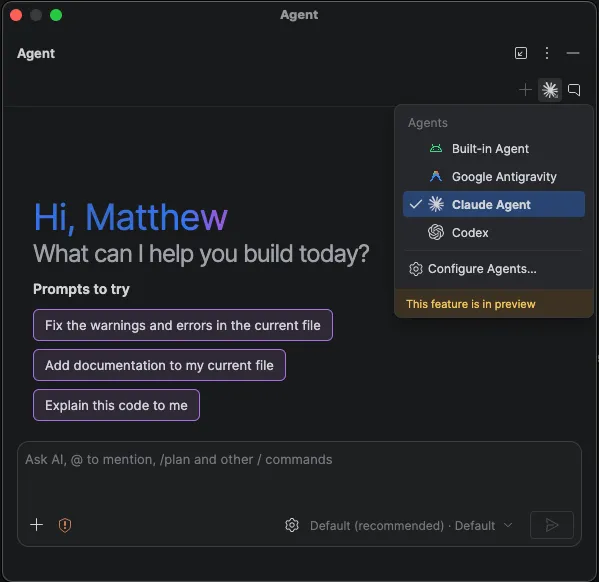
Google lists over 40 ACP-compatible coding agents, including Claude Agent, OpenAI Codex and Google Antigravity. The Dev Summit announcement says they can work with project structure, build information, the Emulator and Logcat. Select agents from Settings > Tools > AI > Agents; more than one can be installed.
This follows the September 24 Canary preview. Connect with a supported provider account or API key. Available plans, quotas and charges follow the selected agent and provider.
For a game project opened in Android Studio, a practical starting point is a failed Android build or a device log: the agent can use the surrounding project context when proposing a change. Rebuild and check the result on your target devices after reviewing the patch.
Manage skills and review related changes together
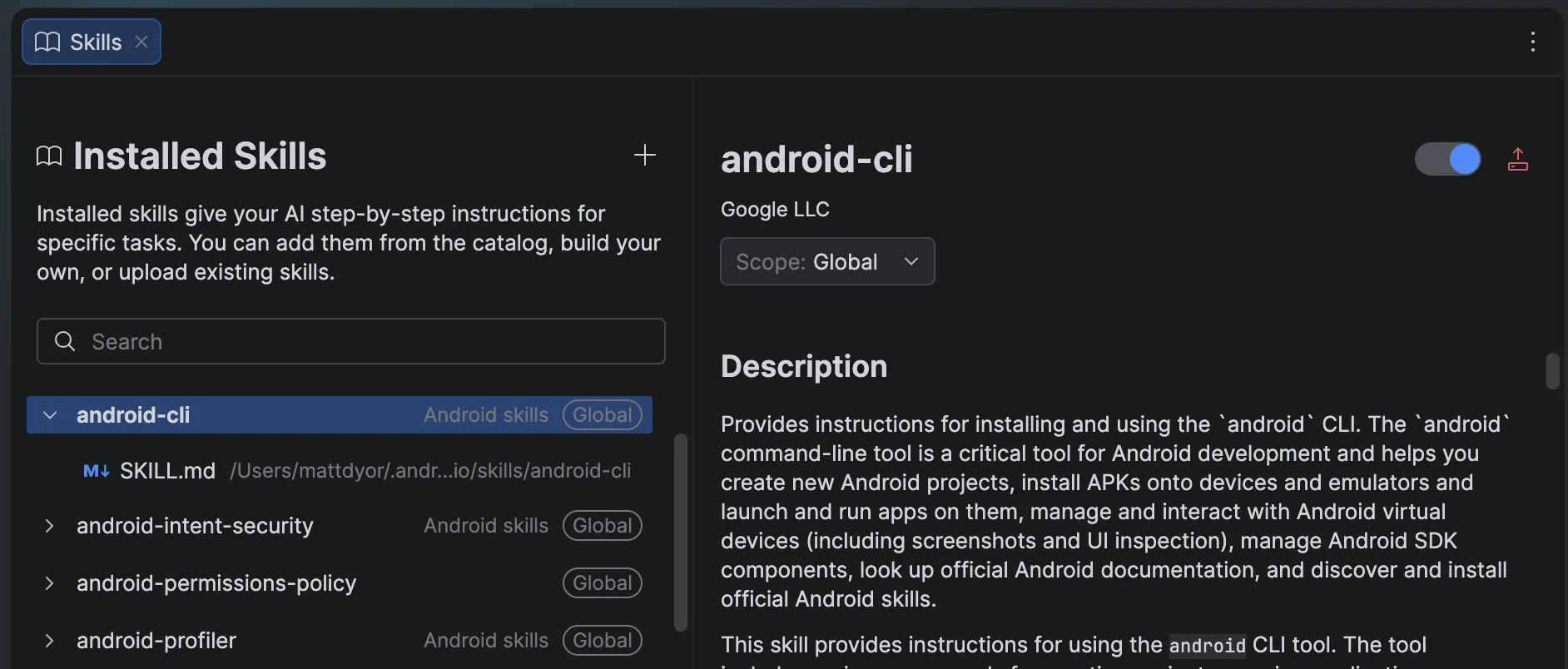
The skills manager controls the Android and Firebase workflow guidance available to the agent, with examples such as Gradle upgrades and adaptive Android layouts. Open it from the Agent panel's menu or Settings > Tools > AI > Skills Manager.
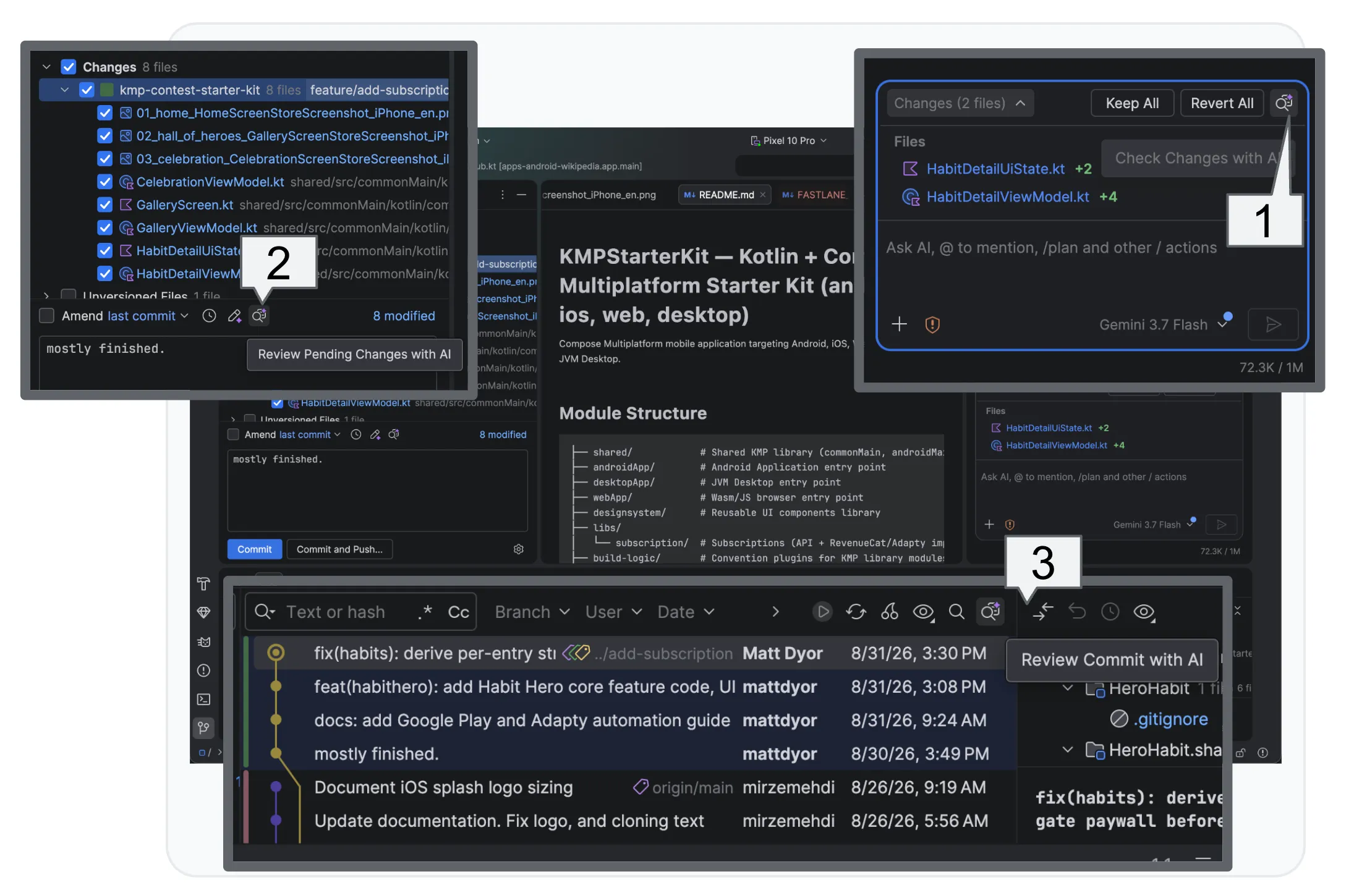
Change Review can start from agent edits, pending commits or the Git log. It identifies recommended fixes first, then offers a walkthrough that groups related changes by theme. That gives developers a way to inspect generated changes to Android integration code before accepting them.
The Android games guide places Android tools alongside the game engine for development, optimization and delivery. These updates concern the Android project workflow; engine-specific scene and gameplay work remains part of the engine pipeline.
Sources (4)
No sponsorship or affiliate links in this article.