PRODUCT UPDATE / Coding · Browser testing
GitHub Copilot brings browser use to public preview
The November 17 update connects Copilot CLI, the Copilot app, VS Code and JetBrains to a browser extension. Game developers can try it on the menus and interactions in a browser build.
Give the agent one test-build URL, a short interaction sequence and the expected game state, then review the evidence it returns.
GitHub made browser use available in public preview on November 17, 2026, connecting Copilot CLI, the Copilot app, VS Code and JetBrains to a browser extension. It lets an agent work with a rendered web application alongside its coding tasks. For a browser game, that offers another way to try menu navigation, level selection and restart flows after a code change. Release announcement
Enable the client and connect the extension
Browser use is off by default. Install GitHub’s extension and enable the feature in your Copilot client. The plugin requires Node.js 22 or later on your PATH; the extension lists Chrome 127 or later. Edge is supported too, with Chrome also installed. Browser support · Extension requirements
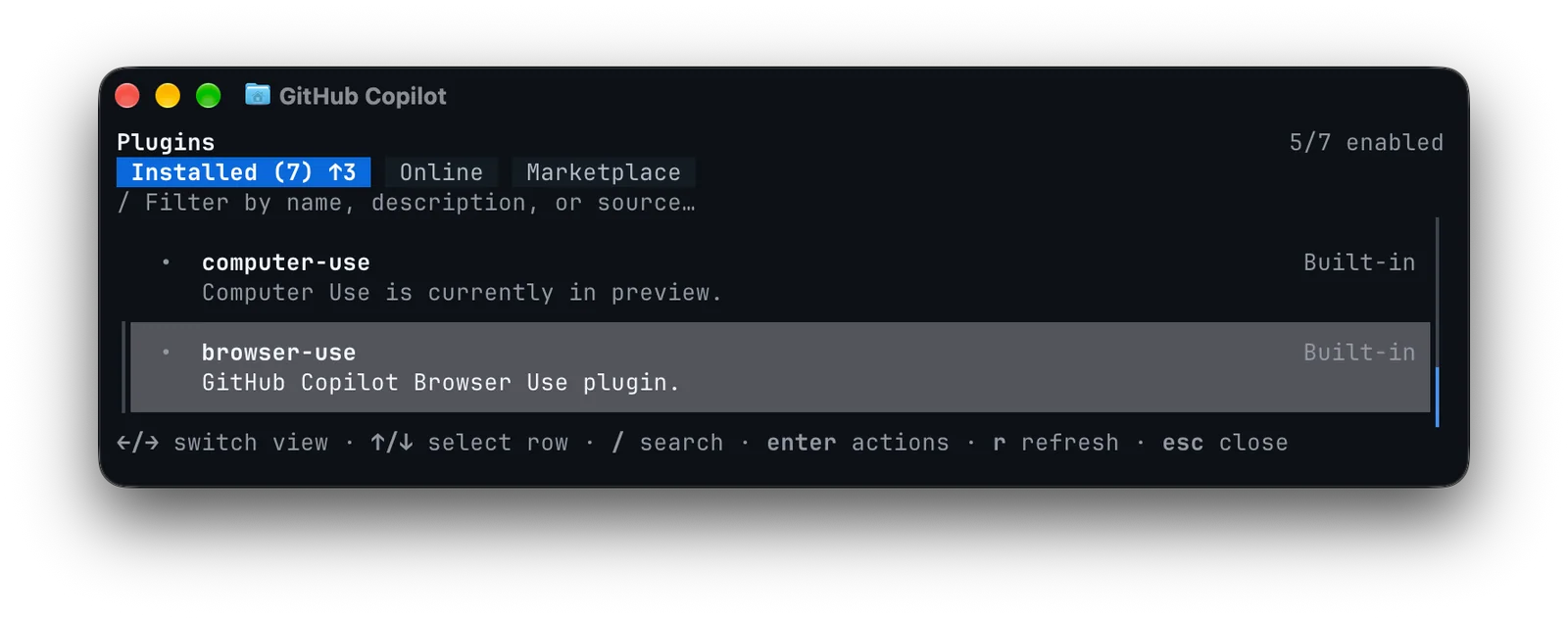
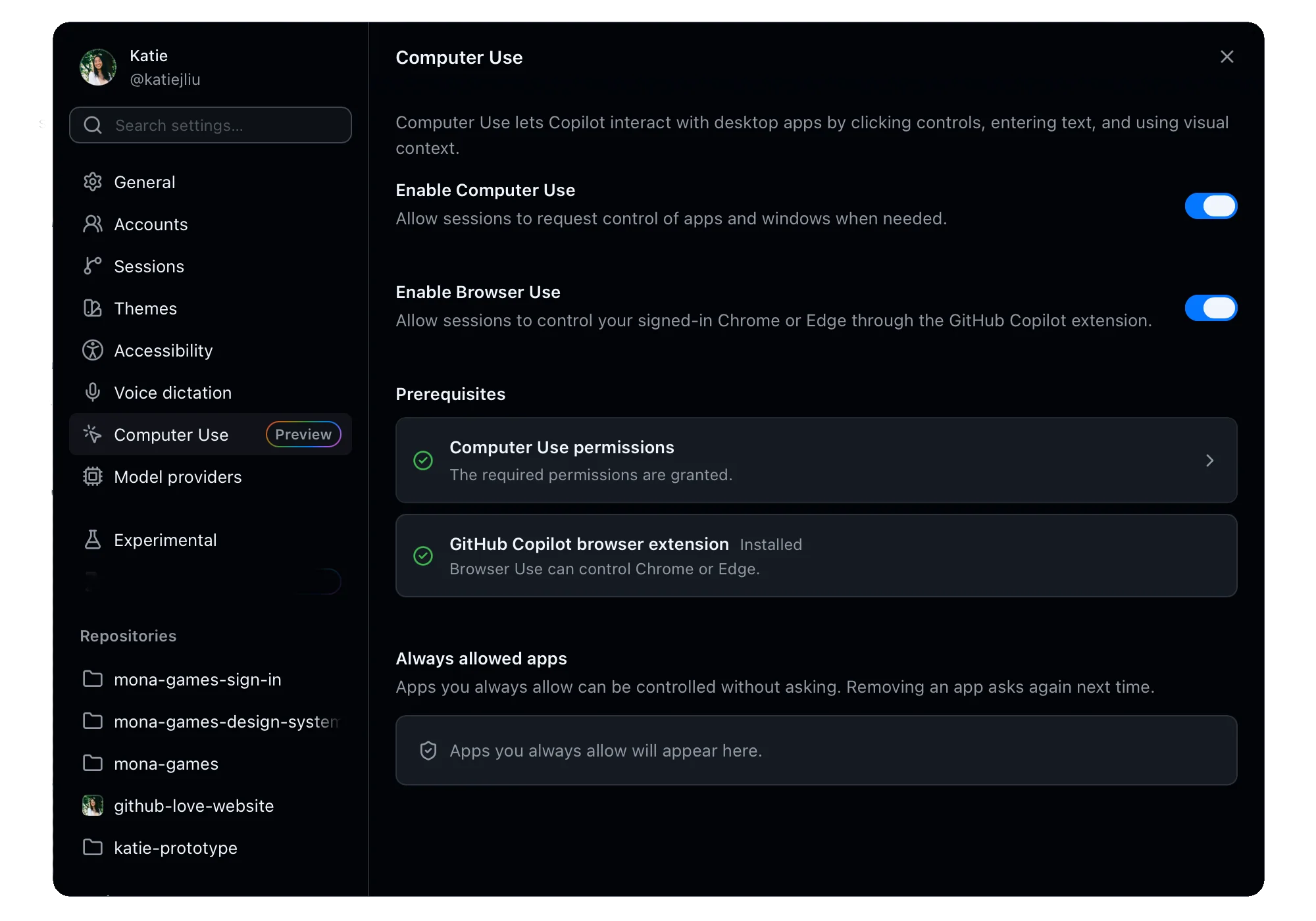
In Copilot CLI, enter /plugin, enable browser-use, then start a new session. In the Copilot app, open Settings → Computer Use and enable Browser Use; Computer Use must also be enabled. VS Code and JetBrains have their own browser-use settings. CLI setup · App setup · IDE setup
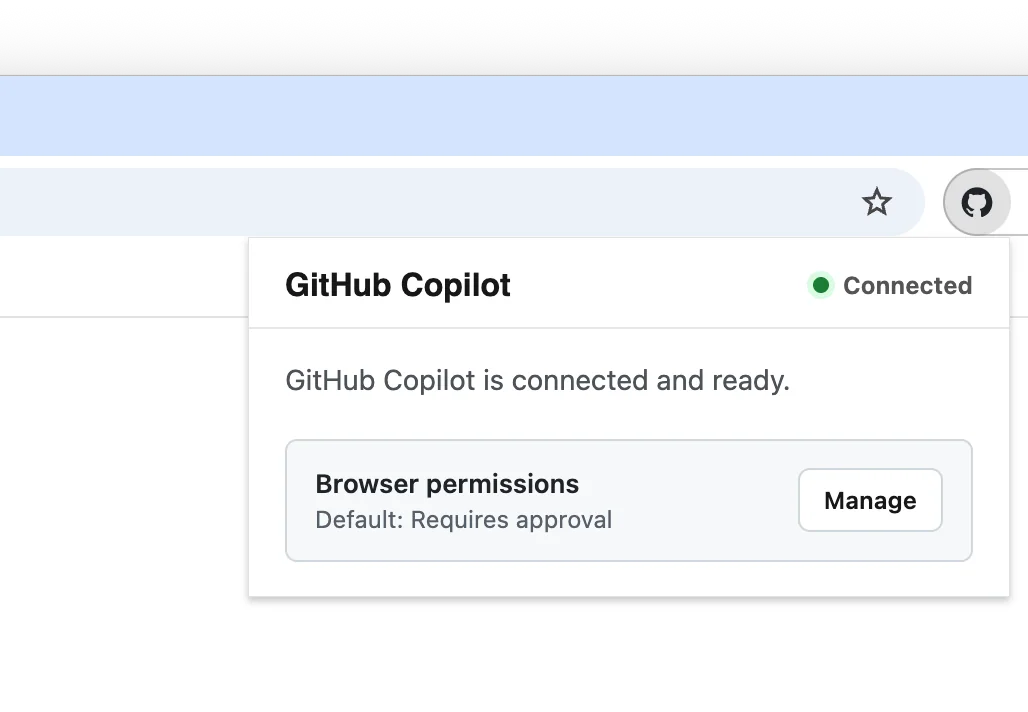
Check Connected and approve the test site
Open the extension to check for Connected. GitHub’s extension requests approval before connecting to a site by default; its settings can allow or block individual domains. Enterprise managed settings can prevent users from enabling browser use. It can work on sites where the browser is already signed in, so the test URL and permitted actions belong in the brief. Access controls
Describe one game flow and its expected result
For an initial check, give the agent a test-build URL and a short sequence: start a round, select a level, trigger a restart, then check whether the score and menu return to the expected state. Ask for screenshots and a description of any reproducible issue. The extension supports page inspection and screenshots; the game sequence is a suggested starting task. Browser capabilities
Dynamic pages and timing can prevent a browser task from completing reliably. Review the returned evidence and play the game yourself to judge controls and feel. Related workflows are collected under GitHub Copilot, Prototyping & Coding and Testing & Optimization.
Sources (6)
Based on GitHub’s public announcement, documentation and original screenshots. No sponsorship or affiliate links.