PRODUCT UPDATE / Game development agents · Roblox
Scenario adds 14 Roblox Studio skills for coding agents
Skills 0.59.0 adds a lead skill and 13 specialists for coding, scenes, UI and playtests. The third-party collection targets a macOS toolchain; its published demonstrations use local Studio projects.
For macOS Roblox creators who want coding agents to return inspectable scene changes and playtest results.
Scenario's Agent Skills 0.59.0 release, published on October 21 in Beijing time, adds a third-party collection of 14 Roblox Studio skills. A lead skill and 13 specialists give coding agents instructions, Python tools and Luau helpers for code, environments, UI, assets and playtests. The documented toolchain targets macOS developers working with Claude Code or Codex.
Domain skills share a Studio toolkit
The Roblox family starts with scenario-roblox-expert, which routes work to specialists in areas such as Luau, gameplay, networking, animation and performance. Each specialist carries references and supporting code, so an agent has procedures for both making a change and checking its result.
The toolkit connects through Roblox Studio's built-in MCP server. It can run Luau in Edit, Server and Client contexts, start playtests, simulate input and capture the viewport. Offline tools and Rojo projects provide another route for checking and storing code outside the editor.
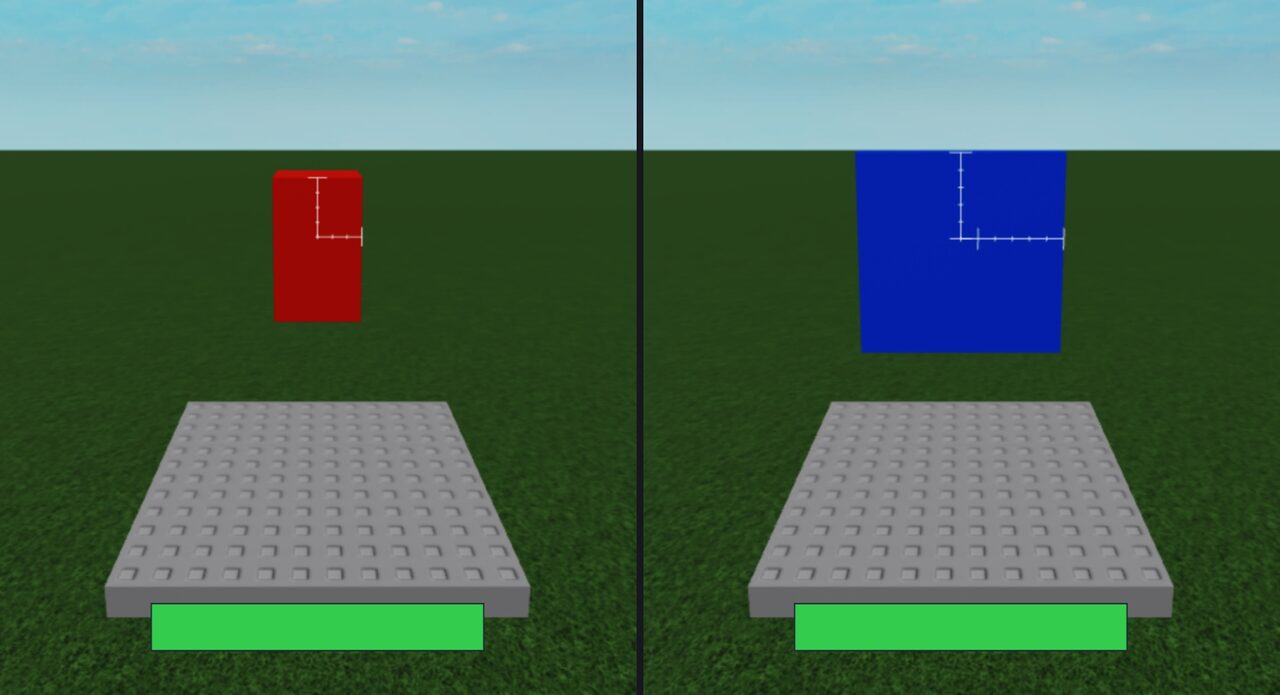
The lead skill asks for small iterations: establish the target device and frame budget, build one part, inspect returned results, then compare captures from fixed cameras. For a prototype, that gives an agent concrete work to return alongside its code: scene changes, test results and pictures showing what changed. Game feel still needs human play.
Examples cover lighting and mobile UI layouts
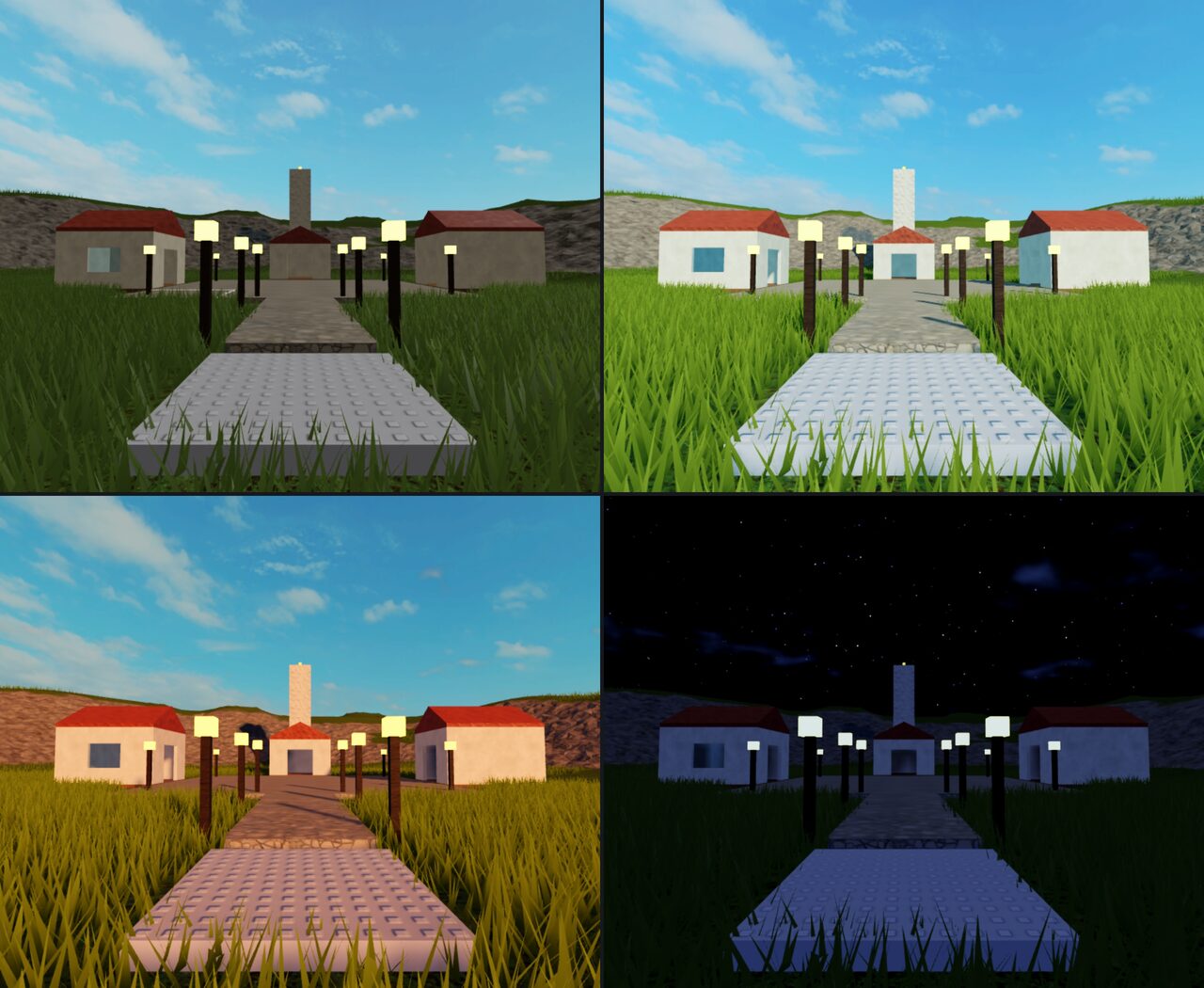
Scenario's published examples include lighting variations for the same map, a character walking to pads during a playtest, and a HUD and shop checked in Studio's device simulator. The UI example shows portrait and landscape layouts; it is a simulator capture, not a recording from a physical phone.
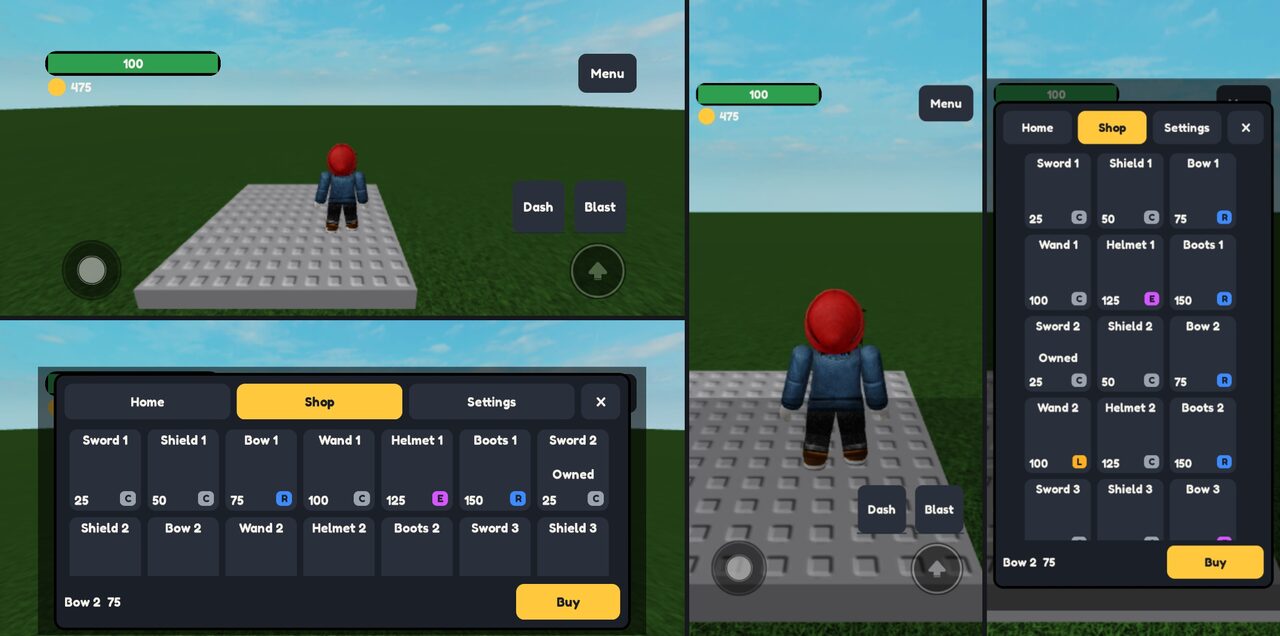
The evidence collection contains 30 screenshots and four screen recordings from the maintainers' own local tests on October 18–19. Those places were never published. Windows, physical phones, multi-client sessions and production publishing were outside those runs, and the family notes identify later changes checked offline only.
macOS requirements and separate service connections
The family lists Roblox Studio 0.743 or later, a signed-in Roblox account and Python 3.9+. Its process, window and machine-load checks use macOS commands; the published live runs used Apple Silicon. Blender, Pillow and ffmpeg are optional tools for particular asset, capture and audio tasks.
The installation guide groups the family under Expert tools: Roblox Studio. Its specialists need to sit alongside the lead skill because they share its scripts. The local Studio tools do not require the Scenario MCP server; generating additional art through Scenario is a separate connection. Publishing, uploading assets and spending Robux remain explicit user-controlled steps in the documented workflow.
Sources (7)
- Scenario Agent Skills 0.59.0 release
- Scenario · Roblox Studio Expert Skills
- Scenario Roblox Expert · released lead skill
- Scenario · Roblox Studio skill evidence and limits
- Scenario Skills PR 274 · Roblox Studio expert tools
- Scenario Agent Skills · expert tool installation
- Roblox Creator Hub · Studio MCP server
No sponsorship or affiliate links in this article.