PRODUCT UPDATE / Engine agent tooling · Product update
Unity ships an official agent plugin for Claude Code and Codex
Unity has packaged its engine guidance into an official agent plugin. The September 9 announcement focused on Claude Code, while Unity's current documentation and repository now provide a Codex installation path; live Editor control still requires the Unity CLI and Pipeline package.
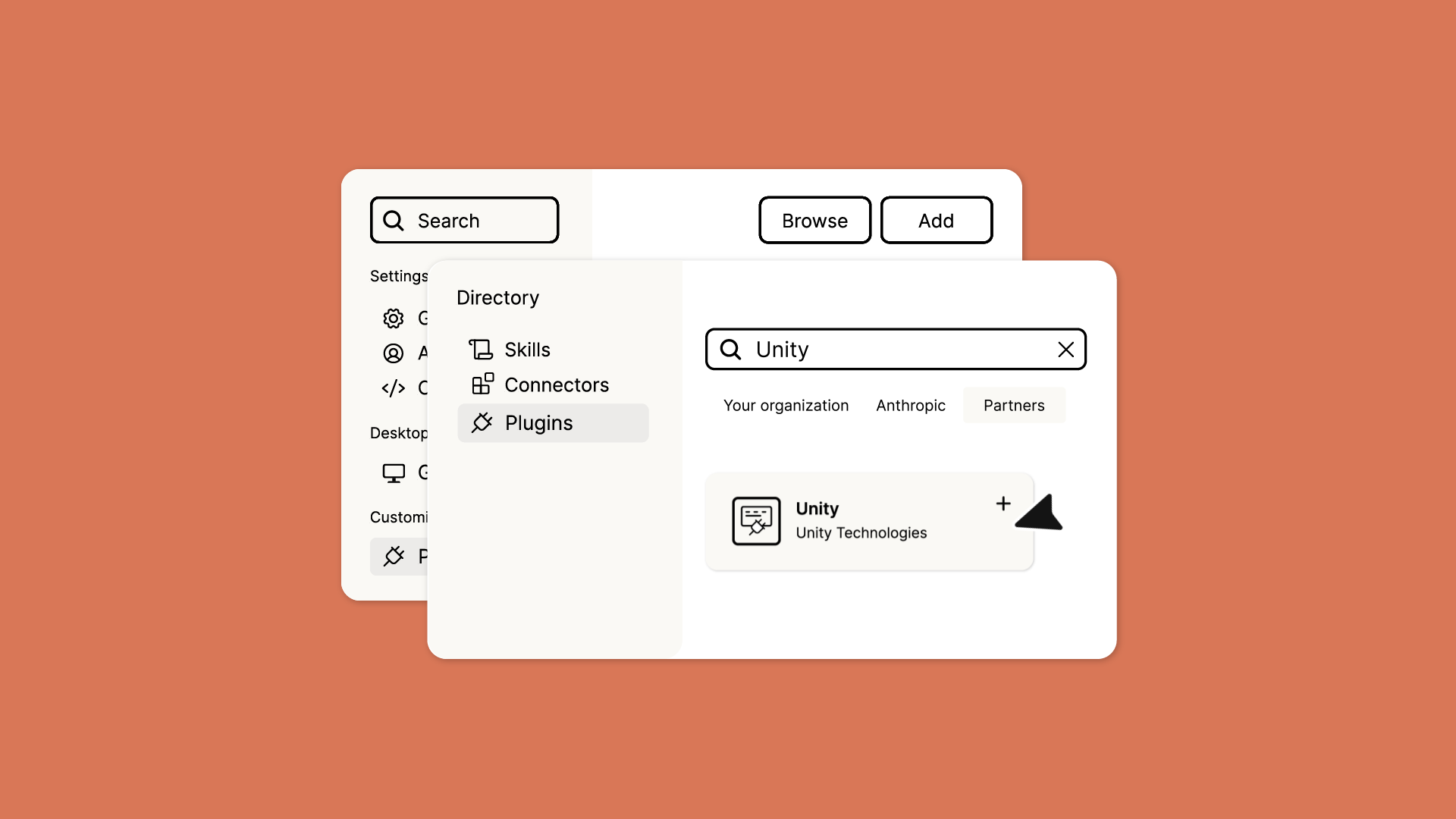
For developers using Claude Code or Codex with Unity 6+ who want official, task-specific guidance for UI, 2D, rendering, audio, monetization, multiplayer and Editor automation.
On September 9, 2026, Unity announced an official plugin for Claude Code, bringing Unity-maintained engineering skills, the Unity CLI and a route to live Editor control into one agent workflow. The immediate change for game developers is that a general coding agent can load Unity's own project conventions and engine-specific operating guidance.
The announcement presented Claude Code as the first supported agent. By September 12, Unity's current documentation and official repository also provide an installation path for Codex. The plugin requires Unity 6.0 or later.

Engine rules become task-specific skills
Unity's announcement listed an initial 29 skills spanning project setup, UI Toolkit and uGUI, 2D sprites and Tilemaps, URP, audio, scenes and gameplay, in-app purchases, ads, multiplayer services, web optimization and localization. Each skill can carry conditions, file conventions, API guidance, checks and reference material for one area instead of relying on one generic prompt.
The official repository contained 31 skill directories when checked on September 12, showing that the set is already changing through plugin updates. The installed version and repository history remain the useful references for its current scope.
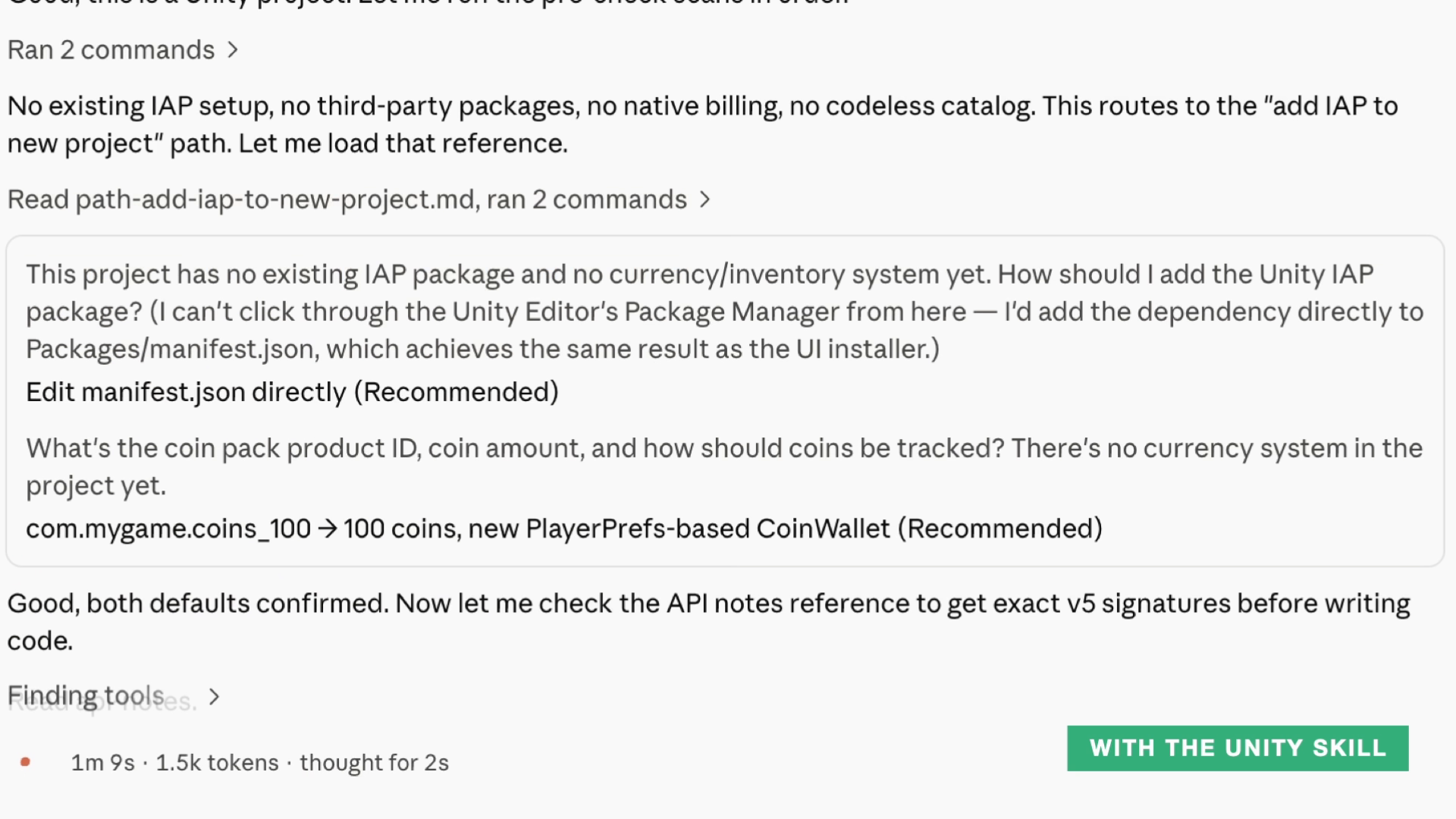
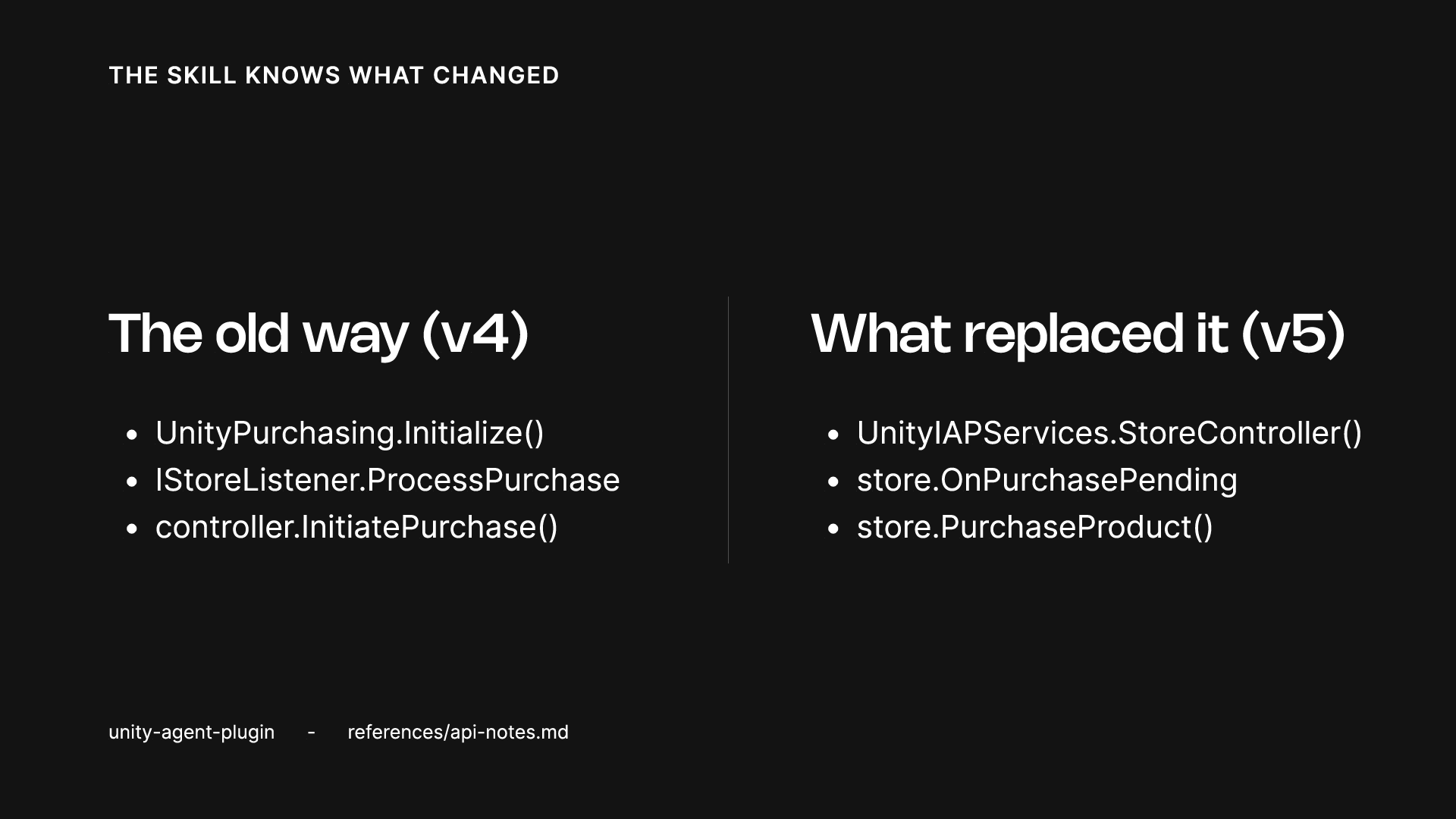
Unity's demonstration uses an in-app purchase task to show the intended behavior. The agent checks whether the project already has IAP, currency and product configuration, loads version-specific reference material, and asks for missing product decisions. That can reduce guessing around Unity structure and retired APIs, while the developer still owns the product rules, save strategy and target-platform choices.
Live Editor control still depends on the CLI and Pipeline
The plugin is not an Asset Store extension and cannot be installed through Unity Package Manager. Unity's current overview describes it as a set of skills for third-party agents. Those skills can guide an agent through installing and using the Unity CLI.
Reading the hierarchy, changing GameObjects, entering Play mode or executing C# from the terminal still requires the Unity CLI and the com.unity.pipeline package in the project. The Unity CLI announcement labels Pipeline experimental, requires Unity 6.0 LTS or newer, and keeps runtime access local to development or QA. Installing the agent plugin therefore does not immediately expose every Editor action: the project version, CLI, Pipeline package and a reachable Editor all need to line up.
Codex now has an official install path after the Claude Code launch
The September 9 post called Claude Code the first coding agent for the plugin and said other agents would follow later in the year. Unity's current Codex installation page now documents these commands:
codex plugin marketplace add Unity-Technologies/unity-agent-plugin
codex plugin add unity@unity-agent-plugin
Unity's overview currently lists Claude Code, Codex and Grok, while the repository README explicitly names Claude Code and Codex. The support surface is moving quickly, so a team standardizing on it should record the plugin version, Unity version, and the CLI or Pipeline capabilities its workflow expects.
Start with one task that has a clear finish line
The plugin is best suited to bounded work in an existing Unity project: fixing pixel jitter, managing a SpriteAtlas, migrating Unity IAP, reviewing a URP Renderer Feature, or setting up localization. A concrete request gives the agent a better chance of choosing the right skill, reading its references and producing a change the team can inspect.
Unity also recommends naming UI Toolkit or uGUI in UI requests, asking the agent to read the skill's references files when an answer looks wrong, and invoking a skill directly if routing misses it. The resulting scene, build and tests still need review in the target Unity version. Official guidance can improve the starting point; the project's own acceptance process determines whether the game works.
Sources (6)
No sponsorship or affiliate links in this article.